

Apple Configurator
Apple Inc. · Utilities
Independent analytics for this App Store listing. AppTracker is not affiliated with Apple Inc.
Chart standing · US
What changed · US
Listing changes AppTracker has observed for this app in this storefront — new versions, price moves, rating shifts, and store copy.
Price & rating history · US
Reconstructed from the listing changes AppTracker has observed in this storefront. A field is charted once it has changed more than once, and each line starts at the value it moved from.
Average rating · ★ 2.88 now · 8 changes on record
Ratings breakdown · US
The star breakdown behind this app's rating in this storefront.
Screenshots


About
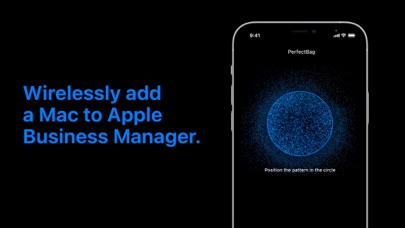
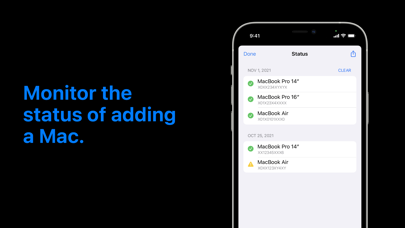
Apple Configurator for iPhone makes it easy to add any iOS device running iOS 16 or later or any Mac with the T2 Security Chip or Apple silicon running macOS Monterey or later to your organization in Apple School Manager, Apple Business Manager, or Apple Business Essentials so that you can take advantage of Automated Device Enrollment. Once signed into Apple Configurator with your organization Managed Apple ID with the Device Enrollment Manager role, you can provide a network configuration to the device being added by sharing the iPhone’s network configuration or by choosing a configuration profile to install on the device. To add a device to your organization, bring the iPhone running Apple Configurator near an iPhone or iPad showing the Wi-Fi pane in Setup Assistant or near a Mac showing the Country or Region pane in Setup Assistant and scan the image or manually enter the six-digit PIN. After the device is added to the organization, it appears in an ‘Added by Apple Configurator’ MDM server placeholder in Apple School Manager, Apple Business Manager, or Apple Business Essentials; the Administrator or Device Enrollment Manager can then assign it to an MDM server for Automated Device Enrollment. The status button in Apple Configurator provides a report of devices which have already been added to your organization. When a device has been assigned and enrolled in this way, it behaves like any other device enrolled using Automated Device Enrollment, including mandatory supervision and MDM enrollment. The only difference is that the user has a 30-day provisional period to remove the device from the organization, supervision, and MDM.
What's new · 1.1
Bug fixes and improvements.
Details