

Fonts for Stories and Chats
Aleksei Varochko · Graphics & Design
Independent analytics for this App Store listing. AppTracker is not affiliated with Aleksei Varochko.
Chart standing · US
What changed · US
Listing changes AppTracker has observed for this app in this storefront — new versions, price moves, rating shifts, and store copy.
Ratings breakdown · US
The star breakdown behind this app's rating in this storefront.
In-app purchases · US
No in-app purchases.
Screenshots



Keywords this app targets
Search terms AppTracker associates with this app — estimates, not search volume. ❝ = in the app's title; a highlighted number is its current position for that term.
Similar apps
Competitors and close alternatives, as estimated by AppTracker.
 Fonts - Keyboards& themes
KeyFonts Labs Limited
1 shared topic · 1 shared title word
Fonts - Keyboards& themes
KeyFonts Labs Limited
1 shared topic · 1 shared title word
 StoryFont for Instagram Story
Alireza Namazian
StoryFont for Instagram Story
Alireza Namazian
 Fonto - story font for IG
ZEEBAVERSE LLC
1 shared topic
Fonto - story font for IG
ZEEBAVERSE LLC
1 shared topic
 Fonts - AI Stickers
Fonts ApS
1 shared title word
Fonts - AI Stickers
Fonts ApS
1 shared title word
 Text Designer - Font Keyboard
INNOVA TAP APPS LIMITED
1 shared topic
Text Designer - Font Keyboard
INNOVA TAP APPS LIMITED
1 shared topic
 Fonts Art: Cool Keyboard Maker
AIBY
1 shared title word
Fonts Art: Cool Keyboard Maker
AIBY
1 shared title word
 Fonts keyboard iphones app
APP FLIGHT LLP
1 shared title word
Fonts keyboard iphones app
APP FLIGHT LLP
1 shared title word
 Word Swag - Cool Fonts
Oringe Inc.
1 shared title word
Word Swag - Cool Fonts
Oringe Inc.
1 shared title word
About
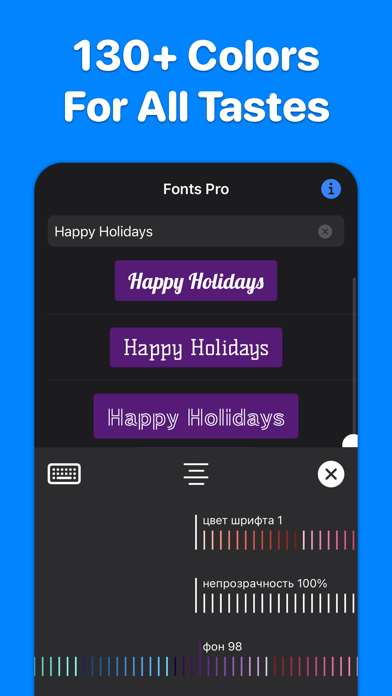
200+ best fonts for your Stories and Reels! Each font can be flexibly customized: change color, transparency, alignment, add color substrates. More than 130 colors available. INSTAGRAM : 1. Select “Create Story” or “Create Reels” on Instagram. 2. Open our application, enter the text you want, select the font you like by simply clicking on it. The font will be copied to the clipboard. 3. Go back to Instagram. A banner with the copied font will appear in the lower left corner. Click on the banner. The font is added to the center of the screen. 4. If the banner in the lower left corner does not appear, click on the Add text icon in Instagram, make a quick double-click on the center of the screen and select Insert from the menu that appears. 5. Adjust the position, slant and size of the font, if necessary. TikTok : 1. Open our application, enter the text you want. Hold your finger on the font you like until the Share screen appears. 2. Tap Save Image on the Share screen. The font will be saved in Photos. 3. Open TikTok, create a Story, click on the Stickers icon, select the Photos icon. 5. Select the font previously saved in the Photo. 6. The font is added to the center of the screen. Adjust the size, slant, and position of the inserted font if necessary. WHATSAPP, TELEGRAM, MESSAGES, FACEBOOK MESSENGER ... : Do you want to highlight your message in a chat or send a beautiful congratulation on a colored background? You can send any font from our application to any messenger - just copy the font you like and paste it into the message input field of your messenger. _______ If you like our app, please leave a good review or rating. The success of the application development directly depends on your feedback and assessment! _______ Support and feedback: aleksei.varochko@icloud.com Privacy policy: https://bio.cash/pro/privacy Terms of use: https://bio.cash/pro/termsofuse
What's new · 1.4.2.1
Bug fixes and small improvements.
Details