

SingleNote
Russell Hill · Utilities
Independent analytics for this App Store listing. AppTracker is not affiliated with Russell Hill.
Chart standing · US
In-app purchases · US
No in-app purchases.
Screenshots


Keywords this app targets
Search terms AppTracker associates with this app — estimates, not search volume. ❝ = in the app's title; a highlighted number is its current position for that term.
Similar apps
Competitors and close alternatives, as estimated by AppTracker.
 Notepad - Simple Notes & Memo
Komorebi Inc.
2 shared topics
Notepad - Simple Notes & Memo
Komorebi Inc.
2 shared topics
 Stick-It: Sticky Notes Widget
LogicLine LLC
1 shared topic
Stick-It: Sticky Notes Widget
LogicLine LLC
1 shared topic
 Blink - Quick Notes & Widget
EUIHYUNG JUNG
2 shared topics
Blink - Quick Notes & Widget
EUIHYUNG JUNG
2 shared topics
 Any Text · Widgets
Sindre Sorhus
1 shared topic
Any Text · Widgets
Sindre Sorhus
1 shared topic
 Note-Self
Andre Berg-Stølen
Note-Self
Andre Berg-Stølen
 Fast Notes Pro ,Memo and lists
Emanuele Floris
1 shared topic
Fast Notes Pro ,Memo and lists
Emanuele Floris
1 shared topic
 Mononote: One Note
THE DIGITAL MINIMALIST PTE. LTD.
1 shared topic
Mononote: One Note
THE DIGITAL MINIMALIST PTE. LTD.
1 shared topic
 Simple Note - Fast Notepad
Nicholas Milazzo
Simple Note - Fast Notepad
Nicholas Milazzo
About
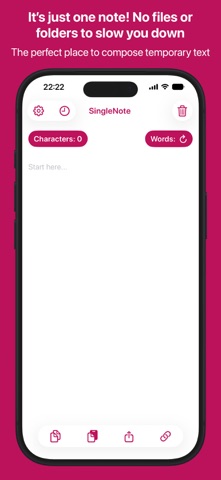
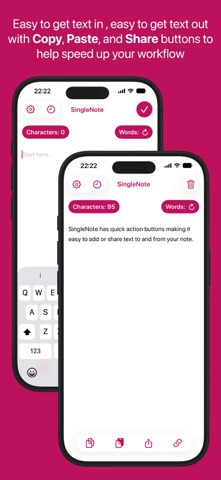
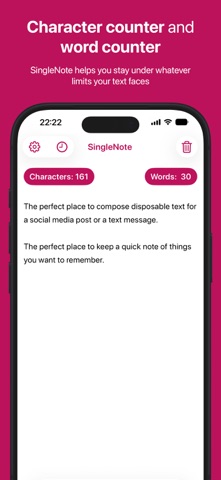
SingleNote is a simple note taking app with character counter, word counter, and Home Screen and Lock Screen widgets. SingleNote is just one note so there is no file management and no folders to worry about. You can simply create your note, copy the text to use elsewhere, then forget about it. Perfect for composing social media posts, the text for a website form, or that message you’re agonising over. Your text is saved until you clear it (ready for your next note) or you uninstall the app. CHARACTER COUNTER and WORD COUNTER SingleNote helps you stay under whatever limits your text faces. WIDGETS Show the text of your SingleNote on the Home Screen and Lock Screen using the built-in, customisable widgets. You can change the widget font style, text colour and background colour to perfectly match the look of your Home Screen. QUICK ACTION BUTTONS SingleNote has quick action buttons so copying, pasting, and sharing text are each just a tap away. BUTTON CUSTOMISATION You can configure the quick action buttons to speed up your workflow, making SingleNote even quicker and easier to use: – Turn the Copy button into a "Cut" button to leave the note empty when you copy the text. – Set the Paste button to replace any existing text when pasting new content. SHORTCUTS With the the built-in SingleNote shortcuts, you can add text to your SingleNote from within other apps or even using Siri.
What's new · 3.2
– Ability to delete entire history and individual history items. – History toggle in settings. When history is turned off, all history items will be deleted and no history will be saved until it is turned back on. – Quick action buttons (copy, paste, share, links) now appear above the keyboard when typing.
Details