
Chart standing · US
Screenshots



About
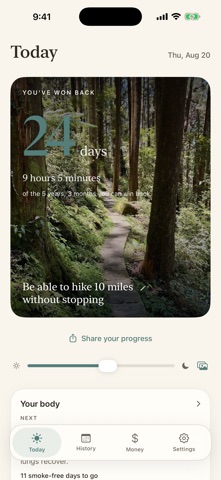
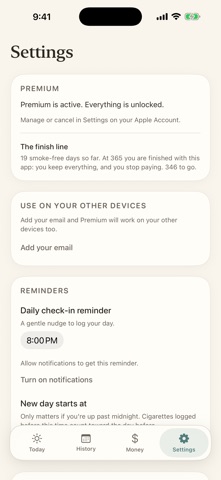
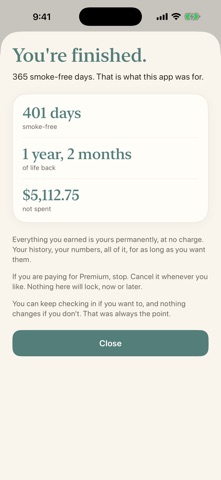
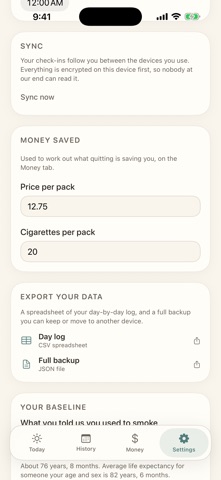
The Long View makes quitting something you can see: the time you are winning back, worked out from your own habit and your own history. Tell it roughly how much you smoke, and it shows the years that habit is quietly costing you, and how many come back as you stop. Every day you log updates the picture, and the more you cut down and the longer you go, the more time you have won back. WHY THE LONG VIEW - See the time you are winning back, growing as you cut down and quit. - A forecast shaped by your own smoking history, so the time is yours, not a one-size number. - Daily check-ins that take one tap. - Health milestones, showing what your body recovers the longer you stay smoke-free. - Keep a photo of your reason, the person or promise you are quitting for, where you will see it. HONEST BY DESIGN - It is not medical advice. It is a motivational estimate. - It will not shame you. A day you smoked is a number you log, not a verdict. - The figures come from published research, and the full methodology is in the app and on our site, so you can check where every number comes from. YOUR PRIVACY Your history and your photo are yours. When they sync between your devices, they are sealed with a key made on your device that never reaches our servers, so what we store is unreadable to us. No advertising, no trackers, no selling your data. PREMIUM Premium adds money saved from your own price per pack, a personal quit plan, the full recovery timeline, and sync across all your devices: phone, tablet, watch, Mac and PC. Sign in once with your email and your Premium follows you everywhere, with no code to lose. It also unlocks widgets, the Watch app, full history and export. The forecast and your daily check-ins are always free. And it is built to be finished. Stay smoke-free for a year and you are done: you keep everything for good, and you stop paying. If you are still paying us in two years, we did something wrong.
What's new · 20.8
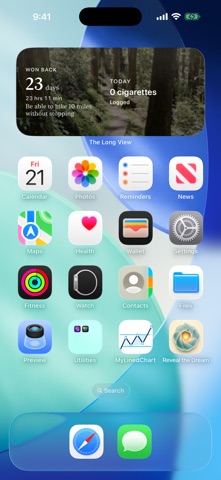
The widget. Until now nothing in the app told you it existed, so almost nobody had one. Onboarding now ends on a picture of it sitting where it goes, on your home screen, or in Notification Center on a Mac, with your number, your photo and your reason on it. The opening screen reads more plainly, and asks its questions a little lower down.
Details