

Image converter - Batch & Easy
Yoshinobu Ikeda · Utilities
Independent analytics for this App Store listing. AppTracker is not affiliated with Yoshinobu Ikeda.
Chart standing · US
What changed · US
Listing changes AppTracker has observed for this app in this storefront — new versions, price moves, rating shifts, and store copy.
Price & rating history · US
Reconstructed from the listing changes AppTracker has observed in this storefront. A field is charted once it has changed more than once, and each line starts at the value it moved from.
Average rating · ★ 4.57 now · 3 changes on record
Ratings breakdown · US
The star breakdown behind this app's rating in this storefront.
In-app purchases · US
No in-app purchases.
Screenshots



About
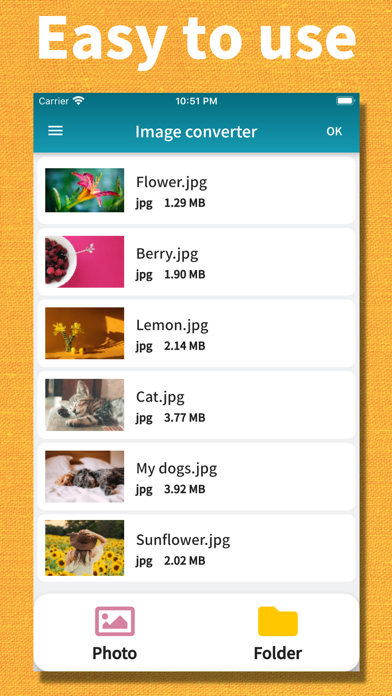
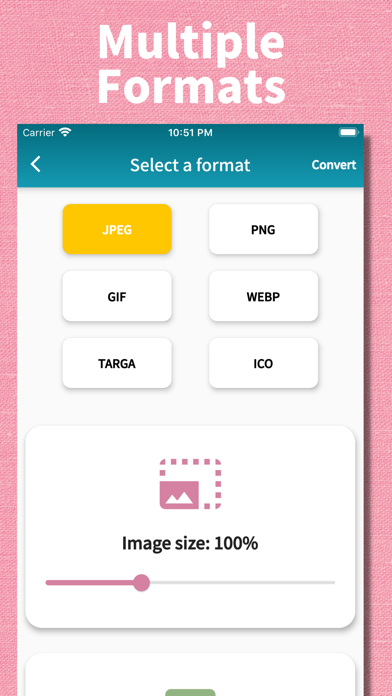
Easily batch convert your image formats with simple operations. Supporting a wide range of major formats, this app is perfect for any situation. With its simple and intuitive design, anyone can start using it right away. You can also reduce image file sizes, making it convenient for posting on social media or sending via email. Privacy-Focused Design All image processing is performed locally on your device. Your photos and documents are never uploaded to our servers, ensuring your personal content remains private. The app only uses internet connection for displaying ads - your images always stay on your device. ● Supported Input Formats JPEG, PNG, GIF, BMP, WebP, TIFF, PSD, Targa, PVR, ICO, HEIC, HEIF ● Supported Output Formats JPEG, PNG, GIF, WebP, Targa, ICO, PDF Features: - No registration required. Ready to use right after download. - Local image processing - your files never leave your device. - Simple and user-friendly interface. - Supports a wide range of formats. - Batch convert multiple images at once. - Image resizing feature. - Adjustable quality (for JPEG and WebP only). - Selectable save destination. - Built-in sharing function. - Real-time conversion progress display. - Beautiful, modern application design.
What's new · 3.0.6
Minor fixes.
Details