

The Image Converter JPG JPEG
Vida Apps Incorporated · Photo & Video
Independent analytics for this App Store listing. AppTracker is not affiliated with Vida Apps Incorporated.
Chart standing · US
What changed · US
Listing changes AppTracker has observed for this app in this storefront — new versions, price moves, rating shifts, and store copy.
In-app purchases · US
No in-app purchases.
Screenshots



About
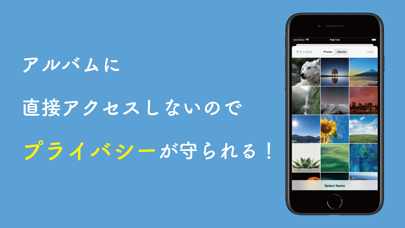
Easily Convert HEIC Images to PNG or JPEG! Key Features - Convert HEIC images to PNG or JPEG effortlessly. - Intuitive one-screen operation for all features. - Select multiple images and convert them in bulk. - Use your camera to capture and instantly convert images. - Privacy-first: No direct access to your photo album. The app only processes selected images, ensuring minimal access. --- How to Use 1. Choose an image from your album or take one with the camera. 2. Set the desired format (e.g., PNG or JPEG). 3. Tap "Convert and Save" to save the image in the chosen format. 4. You can view the saved images via the "Files" app on your device. --- Examples of Use - Some PCs may not display HEIC (HEIF) images. Convert them to PNG or JPEG before sharing for hassle-free viewing. - For printers that only support JPEG, this app can convert PNG to a compatible format for printing. - When uploading photos to SNS or cloud services that only accept specific formats, convert your images with this app to ensure compatibility. --- Notes - Large batches of images may fail to process due to storage limitations. Please check your device's available space before converting. --- Supported Input Formats - HEIC - PNG - JPG (JPEG) - Additionally, all image formats accessible from your album can be converted to PNG or JPG.
What's new · 2.0.0
Thank you for always using our app! We’ve implemented a comprehensive update to improve the overall experience and make the app more convenient to use. We will continue to enhance the app to ensure easy conversion of HEIC images to PNG, JPG, or JPEG formats. Thank you for your continued support!
Details