

Obscura — Pro Camera
Ben McCarthy · Photo & Video
Independent analytics for this App Store listing. AppTracker is not affiliated with Ben McCarthy.
Chart standing · US
What changed · US
Listing changes AppTracker has observed for this app in this storefront — new versions, price moves, rating shifts, and store copy.
Features: - Aperture and Shutter Priority modes - Support for upcoming devices Improvements: - Updated the walkthrough - Updated some localisations If you’re liking Obscura, don’t forget to leave a review, it would be a huge help. All the best, Ben
Price & rating history · US
Reconstructed from the listing changes AppTracker has observed in this storefront. A field is charted once it has changed more than once, and each line starts at the value it moved from.
Average rating · ★ 4.05 now · 2 changes on record
Ratings breakdown · US
The star breakdown behind this app's rating in this storefront.
Screenshots




About
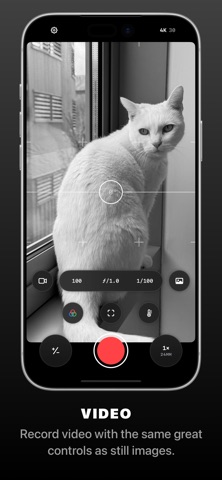
Obscura V is a camera app packed full of features to help you take incredible photos. Obscura pairs a stunning design with intuitive controls that make taking photos a delight. — Over its 10+ years on the App Store, Obscura has been featured numerous times around the world, including as Editors’ Choice and App of the Day. — Design Obscura squeezes a bunch of powerful features into simple controls anyone can master. The interface balances aesthetics, ergonomics, and intuitiveness. You won’t want to use anything else. Controls can be reached with one thumb, and gestures and haptics combine to create a tactile experience that lets you stay focused on your subject. — Capture Modes & Formats Obscura captures photos, videos, Live Photos, and portraits. Photos can be captured in RAW, ProRAW, HEIC, and JPEG (on supported devices, see http://obscura.camera/compatibility). Capture images in multiple different aspect ratios, or apply filters live in camera for a wide variety of styles. — Camera Settings Obscura gives you control over exposure, focus, white balance, ISO, shutter speed, and flash, with intuitive controls that make you feel in control of your device’s camera. — Live Filters Obscura includes a bunch of great filters to give your photos instant style but you can also create your own and use them live in-camera. It’s very cool and very powerful. — View Options Obscura lets you display a grid, a spirit level, a histogram, focus peaking, a focus loupe, and exposure clipping highlights to help you understand every detail of what you’re shooting. — Photo Library Obscura has its own interface for browsing, rating, editing, and sharing images, but it’s fully integrated with your system photo library, so images captured with Obscura are available everywhere. — Obscura Ultra Obscura is free to use, with an annual subscription for premium features. See http://obscura.camera/ultra for full details. — I hope you love using Obscura as much as I’ve loved designing and building it. If you do, please consider subscribing to Ultra, leaving a review, or just sharing with a friend. All the best, Ben ———— Privacy Policy: http://obscura.camera/privacy Terms of use: http://obscura.camera/terms
What's new · 2026.6
Features: - Aperture and Shutter Priority modes - Support for upcoming devices Improvements: - Updated the walkthrough - Updated some localisations If you’re liking Obscura, don’t forget to leave a review, it would be a huge help. All the best, Ben
Details