

WiFi QR Connect
David Serrano Canales · Utilities
Independent analytics for this App Store listing. AppTracker is not affiliated with David Serrano Canales.
Chart standing · US
What changed · US
Listing changes AppTracker has observed for this app in this storefront — new versions, price moves, rating shifts, and store copy.
This update includes minor improvements and bug fixes to provide a better experience.
Price & rating history · US
Reconstructed from the listing changes AppTracker has observed in this storefront. A field is charted once it has changed more than once, and each line starts at the value it moved from.
Average rating · ★ 4.50 now · 5 changes on record
Ratings breakdown · US
The star breakdown behind this app's rating in this storefront.
In-app purchases · US
What this app sells inside itself, grouped by kind and priced for this storefront.
Screenshots



About
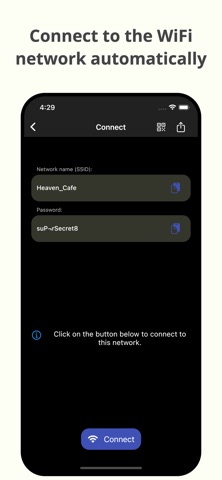
WiFi QR Connect is a WiFi QR code scanner that lets you connect to a Wi-Fi network by scanning a QR code. Just open the app and point your device's rear camera at the code you want. The app will scan it and let you join that network without the need to enter any data manually. Features: - Automatic connection to Wi-Fi networks by scanning QR codes - You can also scan an image file from your device that contains a code - Quickly retrieve and share all scanned codes in the History section - Ability to view the password of the network > Where can I find the QR codes? You can find QR codes with Wi-Fi network information in various places, for example on the bottom of routers (to be able to connect to the network they provide) or in public places such as cafes or restaurants where the owners have printed these codes so that customers can get an internet connection without asking anyone for the Wi-Fi pass. > Is it possible to generate these types of codes myself for guests to connect to my home network? Yes! You can use a code generation tool to create these codes. You can then print them out or simply show them to your guests right from your phone to get them connected. An example of an online generation tool is QiFi: https://qifi.org/ > How to use this application? Once you have opened the application, the Wi-Fi QR code reader that uses your device's camera will be activated automatically. Frame the code to scan and the application will automatically detect it. Alternatively, you can also choose an image file that contains a QR code from your local file system. Once the code has been scanned you will be presented with information regarding it, along with the option to connect automatically. Press the connect button and the app will automatically try to connect to the provided network. Please note that for the connection to be established correctly the network must be available, your device must be within range, and the data provided in the code must be correct. > What else can this app do? In addition to what is mentioned above, this app also allows you to recover any codes that you have previously scanned. You will be able to see its data just as if you had just scanned it. In addition, it also has several additional options such as sharing the code with someone who needs to join the network, or viewing the network password. In short, WiFi QR Connect is your ideal tool to connect to Wi-Fi networks easily and quickly by scanning a QR code. It has been designed with simplicity in mind so that its use is agile and natural. Download now and simplify the way you connect to wireless networks!
What's new · 2.38.8
This update includes minor improvements and bug fixes to provide a better experience.
Details