

GEMBA Note Viewer 6
MetaMoJi Corporation · Business
Independent analytics for this App Store listing. AppTracker is not affiliated with MetaMoJi Corporation.
Chart standing · US
In-app purchases · US
No in-app purchases.
Screenshots


About
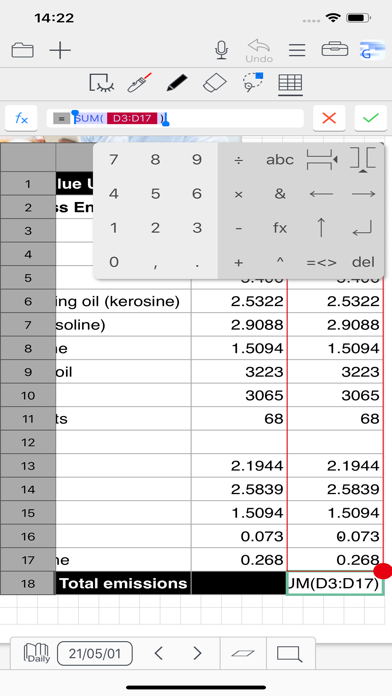
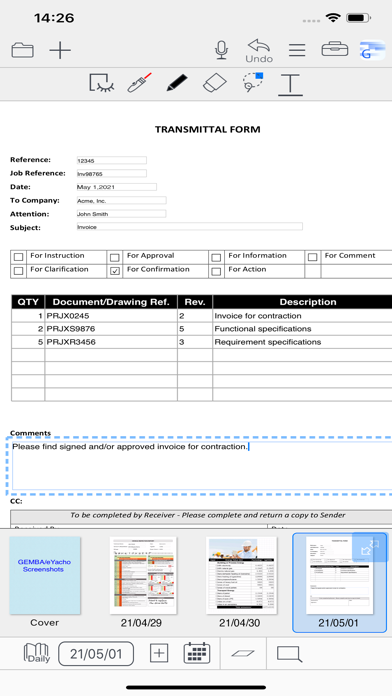
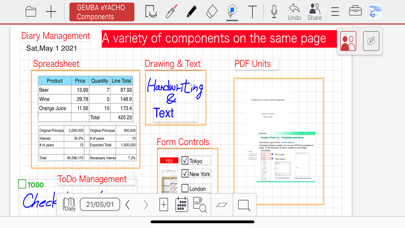
GEMBA Note Viewer is a clone app for GEMBA Note for Business. When you edit a note using GEMBA Note for Business, this app is used to view and edit a different note. ◆Dramatically improve the productivity of your team or organization ● Work that could only be done back in the office can now be done in the field. ● Speedy documentation; instant reporting from the field and completion of approvals ◆Improving the quality of work and reducing errors on site. ● Quickly and reliably record handwriting, voice recordings, photos and videos ● Intuitive TODO management helps you manage your tasks ● Diary management allows you to keep track of your schedule and tasks ◆An easy-to-use system that meets the needs of a wide variety of sites ● Create a toolbox of the specific functions you need for your job and share it with your team ● Data linkage with a wide range of equipment and devices ◆Easy and reliable communication in real-time, even at a distance ● Create shared documents where authorized users can collaborate in real-time or on-demand. ◆Helps to identify problems early and avoid risks ● A "management console" can be built to consolidate information on site from the manager's point of view. ● Instantly consolidate reports from the field and issue instructions in real time Feature Overview: ● Manage approvals using stamps and signatures with management of requests to specific authorizers. ● Add photos of the area or object to be inspected and attach to pins on an imported drawing from PDF or image. ● Maintain a diary with pages automatically timestamped, allowing you to organize and view your records in a calendar view ● Using the spreadsheet component enter data, automatically calculate results, and perform analysis ● Capture video and audio quickly. Easily play within your note pages ● Jump to notes taken on a specific day using the calendar view ● Search for target templates or content using tags, enabling to-do lists and much more ● Customize search and filter conditions ● Write, sketch, and draw notes with a variety of pens, paper layouts, and graphics. Includes calligraphy pens and special inks from a vast color palette ● Take photographs using the camera or import existing images straight into your documents ● A vector graphics system (as used in CAD applications) means you can fine tune and edit anything you add ● Move, scale, and rotate anything on your page without losing quality ● Import PDF documents as pages in a note, annotate and then save as a new PDF file ● Import multiple PDF documents on the same page for side-by-side information analysis ● Include web page links and visualizations within a note ● Smart cropping tool for photo editing ● Quickly access frequently used tools and commands, customized for different business scenarios ● Layers are stackable sheets of paper placed on top of each other ● Data integration with other systems is possible via interfacing with their REST APIs Share Features: ● Push notifications to request approval of reports and other documents ● Create teams and share templates, items, and toolboxes between members ● Convert to a Share Note to allow multiple users to visually interact with the documents and add text, handwriting, photos, new pages, graphics, spreadsheets, and any other content types ●Tools for managing meetings: - Control a meeting by a presenter. The presenter can turn pages of the current Share Note and zoom in and out on the current editor screen - Easily view planned and ad-hoc future and past meetings Development Enterprise Edition Features (Option): ● Create a package including contents such as tag schemas, filters, items, and papers ● Deploy packages to users ● Customize user interface
What's new · 6.12.9
- Bug fixes.
Details