

Widgit - App Launcher Widgets
Voravit Vorapanyasakul · Graphics & Design
Independent analytics for this App Store listing. AppTracker is not affiliated with Voravit Vorapanyasakul.
Chart standing · US
What changed · US
Listing changes AppTracker has observed for this app in this storefront — new versions, price moves, rating shifts, and store copy.
Price & rating history · US
Reconstructed from the listing changes AppTracker has observed in this storefront. A field is charted once it has changed more than once, and each line starts at the value it moved from.
Average rating · ★ 4.55 now · 2 changes on record
Ratings breakdown · US
The star breakdown behind this app's rating in this storefront.
In-app purchases · US
No in-app purchases.
Screenshots




About
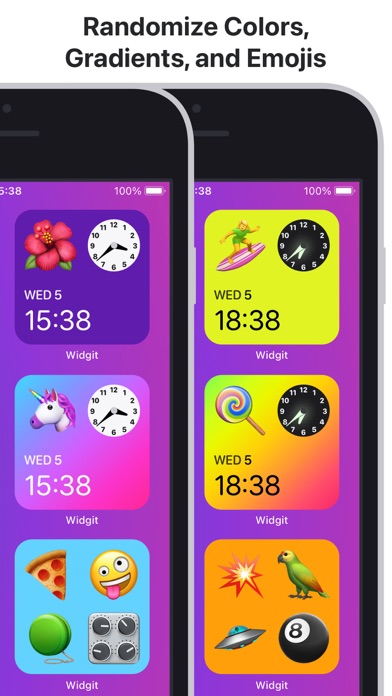
Create interactive and dynamic app launcher widgets with just two taps or customize your own! With countless combinations of colors and elements, designed specifically for iOS, Widgit fits perfectly onto any Home Screen. ▢ LAUNCH iOS APPS Tap on elements on your widgets to launch its respective iOS Apps. For example, tapping on the Weather element will launch the iOS Weather app—this feature is only supported on devices with iOS 17 or above installed. ▢ CUSTOMIZABLE TEMPLATES Get started with widget templates that match your style and interests. ▢ COMBINE UP TO FOUR ELEMENTS Create countless combinations with clearly defined layouts. ▢ OPTIMIZED COLORS Colors on this app are curated to appeal to a variety of styles and are optimized for maximum readability on your widgets. ▢ EVER-CHANGING LOOKS Randomize Colors, Gradients, and Emojis to automatically give your widgets new looks throughout the day with a single tap. ▢ DESIGNED FOR iOS Familiar aesthetics that instantly fits your iOS Home Screen. ▢ GLOW IN THE DARK CLOCK The clock glows in the dark to signify nighttime. Health App Integration: Widgit optionally displays its users’ Activity data with its users’ permissions. Privacy Policy: www.widgit.app/privacy Terms and Conditions: www.widgit.app/terms
What's new · 1.0.6
On devices with iOS 17 or above installed, you can now launch iOS Apps by tapping on its respective elements on your widgets. The iOS Apps supported are Calendar, Clock, Fitness, Settings (for Battery), and Weather.
Details