

Bookmark Folder
Toshiya Hondo · Productivity
Independent analytics for this App Store listing. AppTracker is not affiliated with Toshiya Hondo.
Chart standing · US
Ratings breakdown · US
The star breakdown behind this app's rating in this storefront.
In-app purchases · US
What this app sells inside itself, grouped by kind and priced for this storefront.
Screenshots



About
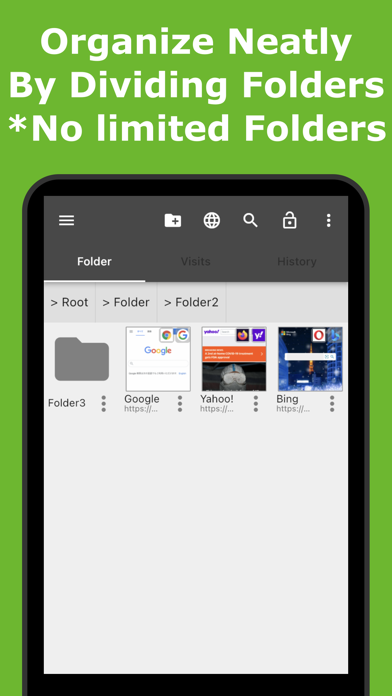
Of course you can organize bookmarks with directory! Customize to your liking! ** Introduction ** Have you ever wanted to switch a browser when browsing website? For example, use Chrome for working time, use Firefox for private time, use Opera for study time... This app can organize all of your bookmarks in bulk, and you can select launching browser for each bookmarks. Enjoy your website browsing time with customizing appearance to your liking. You can hide the bookmarks you don't want other person to see. ** Overview ** - Organize favorite web page with directory like a file manager app! - No more need to re-register bookmarks even if you changed the browser to use. - Recommended for the user using multiple browsers. This app can choose launching browser. - Customize the appearance to your liking and make it easy to use. ** Characteristics ** >> Organize bookmarks simply - Add bookmarks easily from "Share" menu on each browsers. - Organize bookmarks with directory. No limited directory structure level! - Hide bookmarks you don't want other person to see with lock function! - Sort bookmarks manually as you like with dragging. - Find the item you want to see easily with favicon and thumbnail of website. >> Customize to your like - Choosable launching browser for each bookmarks. - Choosable item view, List or Grid. - Customizable background color, text color, text size and etc adjust to your liking. - Open bookmarks anytime from status bar. >> Secure backup - Export backup file of bookmarks. - Support to save in cloud storage. >> Transfer easily to other device - Via HTML bookmark file, you can import bookmarks easily from your PC browser. - Transfer bookmarks easily to other device via backup file saved in Cloud Storage. >> Supported browsers - Aloha Browser - Brave - Chrome - Dolphin Browser - DuckDuckGo - Firefox - Firefox Focus - Lunascape - Microsoft Edge - Opera - Puffin - Safari - Sleipnir - Twitter - Youtube ** Terms of Use ** https://coconutsdevelop.com/en/terms/terms_of_use.html ** Developer website ** https://coconutsdevelop.com/
What's new · 5.5.2
* Improve the stability.
Details