

Passbolt - password manager
Passbolt · Business
Independent analytics for this App Store listing. AppTracker is not affiliated with Passbolt.
Chart standing · US
What changed · US
Listing changes AppTracker has observed for this app in this storefront — new versions, price moves, rating shifts, and store copy.
## Added MOB-4281 Show warning about deprecated OS version MOB-4589 Data refresh progress bar MOB-4731 Permission confirmation on share flow ## Improved MOB-4594 Show loading indicator when fetching password policies MOB-4729 Regenerate password when closing advanced password generator MOB-4896 Handle unsupported MFA methods gracefully MOB-4911 Paginate folders fetch during session data refresh MOB-4562 Session data refresh benchmarks MOB-4564 Concurrent processing during session data refresh MOB-4566 Multi-row inserts MOB-4567 Users, groups and folders upsert MOB-4694 Prepared statements in resources storage MOB-4698 Refactor resource tags storage ## Fixed MOB-4856 Use correct configuration for calculating password entropy ## Maintenance MOB-4542 Fix corrupted GopenPGP xcframework MOB-981 E2E tests for account menu and account management MOB-997 E2E tests for adding favorite resource MOB-1013 Use SQLCipher package MOB-4444 Snapshot tests infrastructure MOB-4730 Update GitHub issues config MOB-4757 Update readme and add security policy MOB-4900 UICommons snapshot tests MOB-5034 Screen snapshot tests
Ratings breakdown · US
The star breakdown behind this app's rating in this storefront.
In-app purchases · US
No in-app purchases.
Screenshots



About
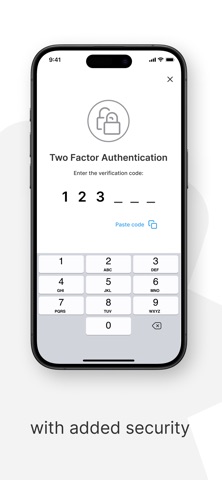
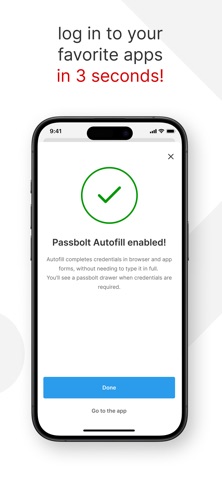
Take your team's passwords with you wherever you go by downloading Passbolt's open-source mobile app. It offers all the beloved features of the web application, including industry-leading password sharing security, form autofill, plus biometric and multi-factor authentication. Why choose Passbolt mobile? - Setting the highest standards in password collaboration security. - Biometric authentication allows you to log in and access your passwords using fingerprint or facial recognition. - Secure MFA login is enhanced with NFC-enabled Yubikey support. - The autofill feature simplifies credential input on your mobile device. - Fully Open Source. Passbolt is based in Luxembourg and complies with the EU's strict data privacy regulations. The app's security model follows strict end-to-end encryption principles. A key aspect of this is the secure transfer of private keys from the browser to the app, achieved offline through the scanning of multiple QR codes. Discover more at passbolt.com.
What's new · 3.2.0
## Added MOB-4281 Show warning about deprecated OS version MOB-4589 Data refresh progress bar MOB-4731 Permission confirmation on share flow ## Improved MOB-4594 Show loading indicator when fetching password policies MOB-4729 Regenerate password when closing advanced password generator MOB-4896 Handle unsupported MFA methods gracefully MOB-4911 Paginate folders fetch during session data refresh MOB-4562 Session data refresh benchmarks MOB-4564 Concurrent processing during session data refresh MOB-4566 Multi-row inserts MOB-4567 Users, groups and folders upsert MOB-4694 Prepared statements in resources storage MOB-4698 Refactor resource tags storage ## Fixed MOB-4856 Use correct configuration for calculating password entropy ## Maintenance MOB-4542 Fix corrupted GopenPGP xcframework MOB-981 E2E tests for account menu and account management MOB-997 E2E tests for adding favorite resource MOB-1013 Use SQLCipher package MOB-4444 Snapshot tests infrastructure MOB-4730 Update GitHub issues config MOB-4757 Update readme and add security policy MOB-4900 UICommons snapshot tests MOB-5034 Screen snapshot tests
Details