

Study Tracker - Plan & Record
Zhengzhou Sibo Intelligent Technology Co., Ltd. · Utilities
Independent analytics for this App Store listing. AppTracker is not affiliated with Zhengzhou Sibo Intelligent Technology Co., Ltd.
Chart standing · US
What changed · US
Listing changes AppTracker has observed for this app in this storefront — new versions, price moves, rating shifts, and store copy.
What's new in version 3.2: • Select and delete multiple study records at once. • Use Select All to choose deletable records in the current list, whether you're viewing all records or a single day. • Confirm how many records you're deleting, with a reminder that cross-day records are deleted in full, including their time on other dates. Thank you for helping us improve Study Tracker.
Price & rating history · US
Reconstructed from the listing changes AppTracker has observed in this storefront. A field is charted once it has changed more than once, and each line starts at the value it moved from.
Average rating · ★ 4.07 now · 2 changes on record
Ratings breakdown · US
The star breakdown behind this app's rating in this storefront.
Screenshots
About
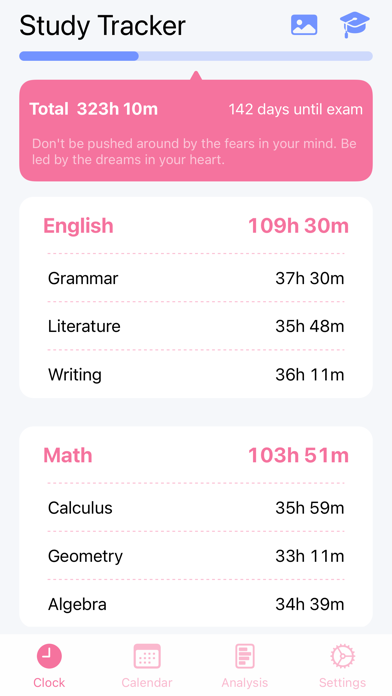
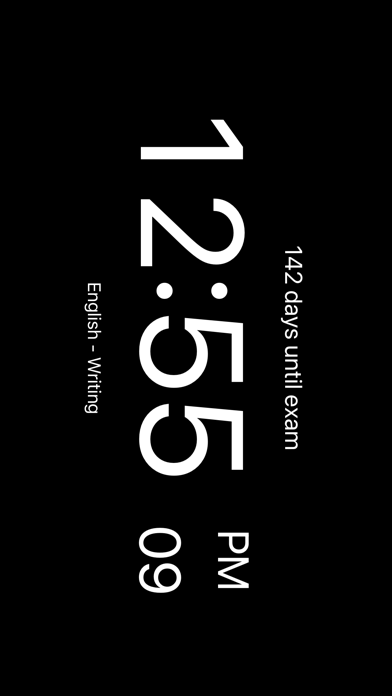
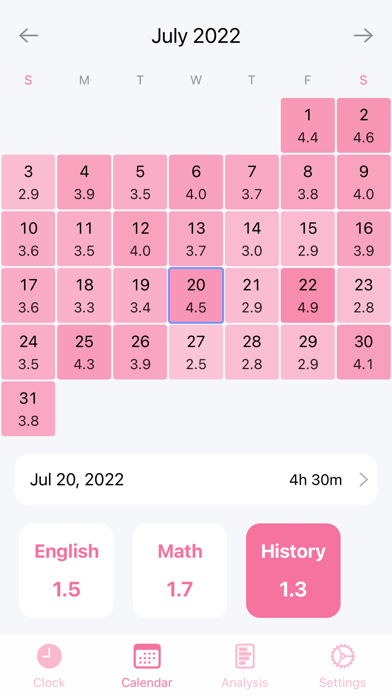
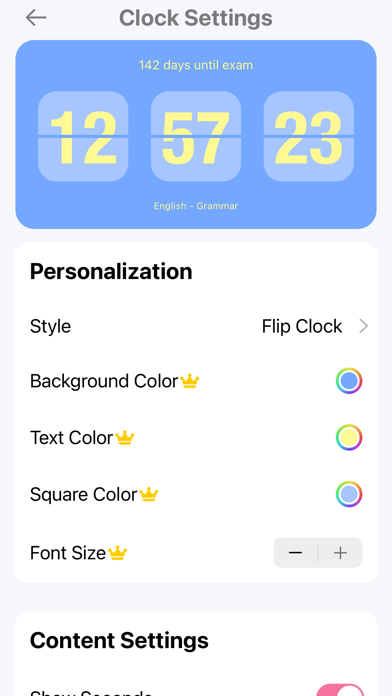
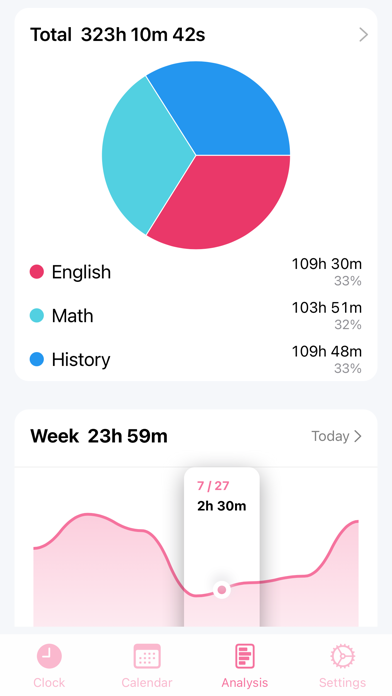
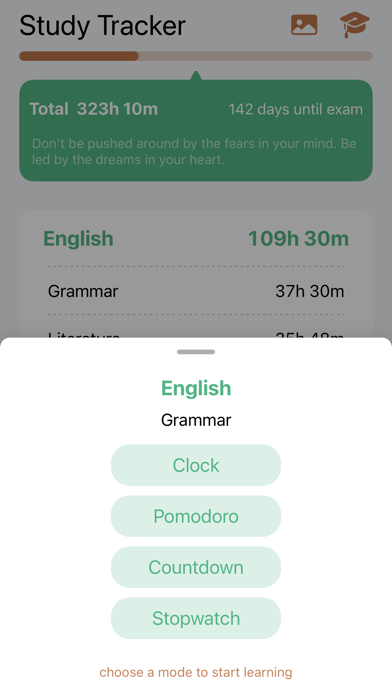
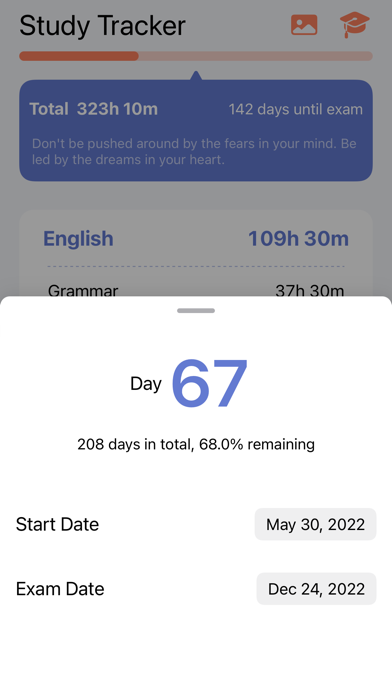
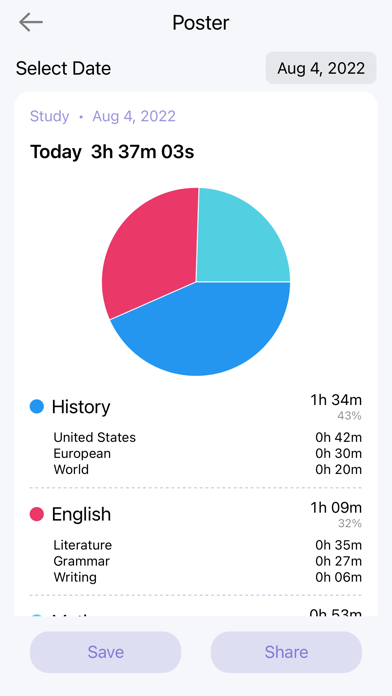
Study Tracker helps you focus on learning and see where your study time goes. Whether you are preparing for exams, working toward a qualification, or learning on your own, start with one focused session. Track time by subject and review your daily and weekly effort. STUDY BY SUBJECT Create subjects and study plans for reading, lectures, practice questions, review, and more. Record time for each activity and see how you divide your effort. FIND YOUR FOCUS Choose a full-screen clock, stopwatch, countdown timer, or Pomodoro timer. Switch between flip-clock and digital displays to suit reading, timed practice, or focused study. SEE YOUR EFFORT ADD UP Review your study calendar, daily and weekly statistics, and time spent on different subjects. Add missed sessions manually and create a study poster to save or share. KEEP YOUR EXAM DATE IN VIEW Set your target date and see how many days remain. Add countdown widgets to your Home Screen and Lock Screen to keep your goal in sight. Lock Screen widgets require iOS 16 or later. MAKE IT YOUR STUDY SPACE Choose a theme, adjust the clock's text size, colors, and display options, and settle in with rain, wind, or river sounds. SYNC AND KEEP YOUR TIMER VISIBLE Sync study records between iPhone and iPad using the same Apple Account with iCloud enabled. Picture in Picture lets you keep a timer visible while using other apps, on supported devices and systems. Start with one session today. Give your effort a record you can look back on. PREMIUM AND PURCHASES Study Tracker is free to download and includes basic timing and study recording. Premium unlocks unlimited subjects and study plans, detailed statistics, additional customization, and more. Premium is available through a monthly auto-renewable subscription or a one-time lifetime purchase. The subscription period is one month. The price and currency are displayed before purchase and confirmed by the App Store. Payment is charged to your Apple Account when you confirm the purchase. Monthly subscriptions renew automatically until canceled. Manage or cancel in Settings > your Apple Account > Subscriptions. Canceling renewal normally preserves access until the end of the current paid period. A lifetime purchase is a one-time payment with no automatic renewal. Buying lifetime Premium or deleting the app does not cancel an existing monthly subscription. Manage that subscription separately. Use Restore Purchases in the app to restore eligible purchases. Terms of Use: https://www.gudelabs.com/study-tracker/en/terms.html Privacy Policy: https://www.gudelabs.com/study-tracker/en/privacy.html Apple Standard EULA: https://www.apple.com/legal/internet-services/itunes/dev/stdeula/ Contact: zach@gudelabs.com
What's new · 3.2
What's new in version 3.2: • Select and delete multiple study records at once. • Use Select All to choose deletable records in the current list, whether you're viewing all records or a single day. • Confirm how many records you're deleting, with a reminder that cross-day records are deleted in full, including their time on other dates. Thank you for helping us improve Study Tracker.
Details