

JScan: Smart PDF & Document
逸文 周 · Business
Independent analytics for this App Store listing. AppTracker is not affiliated with 逸文 周.
Chart standing · US
What changed · US
Listing changes AppTracker has observed for this app in this storefront — new versions, price moves, rating shifts, and store copy.
1. Improved document scanning. New scans now use the “Enhance” filter by default for cleaner pages and sharper text. 2. Improved the “Enhance,” “Grayscale,” and “Black & White” filters for more readable scans in shadows and uneven lighting. 3. Fixed an issue that could cause black edges when cropping documents. 4. Improved overall stability and compatibility.
Screenshots




About
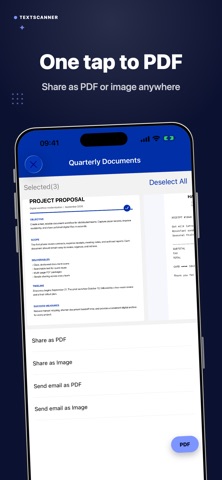
JScan — Smart PDF Scanner & OCR Easily scan, organize, and share documents anytime, anywhere, right from your phone. JScan is your AI-powered mobile document scanner, bringing professional-grade PDF scanning and OCR technology to your fingertips. Whether it’s a contract, receipt, ID, or book page, simply snap a photo and turn it into a clear, editable PDF in seconds. With JScan, you can securely store, search, and share important documents with colleagues, clients, or family — all in one app. Key Features: * AI Auto-Detection – Instantly finds document edges and adjusts perspective. * OCR Text Recognition – Extract and search text from scans effortlessly. * Multi-Page Scanning – Combine pages into one professional PDF. * Smart Filters & Editing – Enhance clarity, crop freely, and remove shadows. * Secure Cloud Sync & Share – Save and share via email or popular apps. * Fax Support – Send official documents instantly when needed. Experience next-level mobile scanning: capture, edit, and export in one smooth flow. JScan turns your smartphone into a powerful pocket scanner — fast, smart, and secure. Download JScan today and experience intelligent scanning at your fingertips.
What's new · 1.1.7
1. Improved document scanning. New scans now use the “Enhance” filter by default for cleaner pages and sharper text. 2. Improved the “Enhance,” “Grayscale,” and “Black & White” filters for more readable scans in shadows and uneven lighting. 3. Fixed an issue that could cause black edges when cropping documents. 4. Improved overall stability and compatibility.
Details