

Practice Lock
James Randolph · Education
Independent analytics for this App Store listing. AppTracker is not affiliated with James Randolph.
Chart standing · US
What changed · US
Listing changes AppTracker has observed for this app in this storefront — new versions, price moves, rating shifts, and store copy.
Price & rating history · US
Reconstructed from the listing changes AppTracker has observed in this storefront. A field is charted once it has changed more than once, and each line starts at the value it moved from.
Average rating · ★ 4.81 now · 3 changes on record
Ratings breakdown · US
The star breakdown behind this app's rating in this storefront.
In-app purchases · US
No in-app purchases.
Screenshots
Keywords this app targets
Search terms AppTracker associates with this app — estimates, not search volume. ❝ = in the app's title; a highlighted number is its current position for that term.
Similar apps
Competitors and close alternatives, as estimated by AppTracker.
 Practice Lock | Combination
Ayomide Omolewa
2 shared title words
Practice Lock | Combination
Ayomide Omolewa
2 shared title words
 School Lock
H3 Apps, LLC
1 shared topic · 1 shared title word
School Lock
H3 Apps, LLC
1 shared topic · 1 shared title word
 Lockbar
ROCH SALAK
Lockbar
ROCH SALAK
 InLock
Chon Ip Tran
InLock
Chon Ip Tran
 CodeKeep: Secure Lock Codes
Matthew Bryce
1 shared title word
CodeKeep: Secure Lock Codes
Matthew Bryce
1 shared title word
 Kwikset - Smart Lock on Watch
J C L TRAVELS INC
1 shared title word
Kwikset - Smart Lock on Watch
J C L TRAVELS INC
1 shared title word
 Unlock - Modern Proximity Lock
Pawan Dixit
1 shared title word
Unlock - Modern Proximity Lock
Pawan Dixit
1 shared title word
 Locked & Loaded
Turner Logic, LLC
Locked & Loaded
Turner Logic, LLC
About
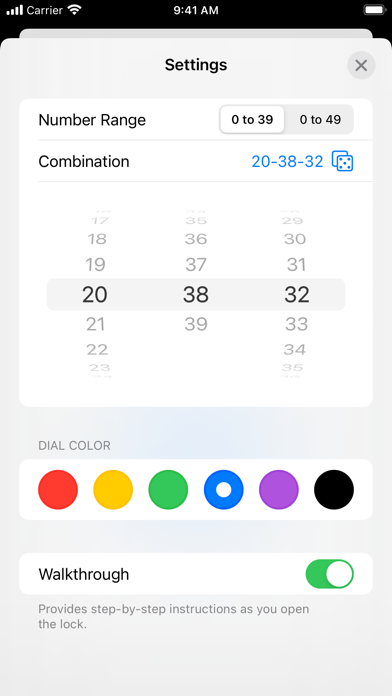
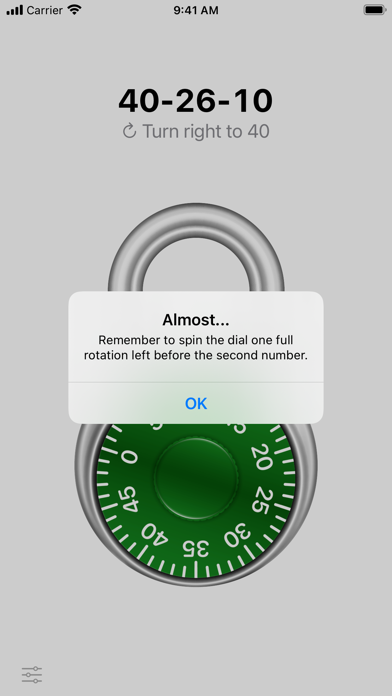
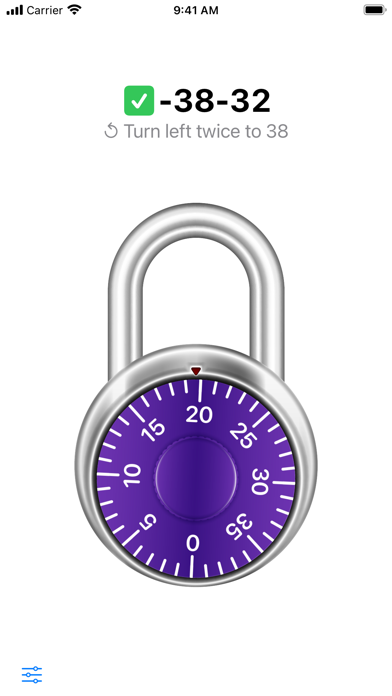
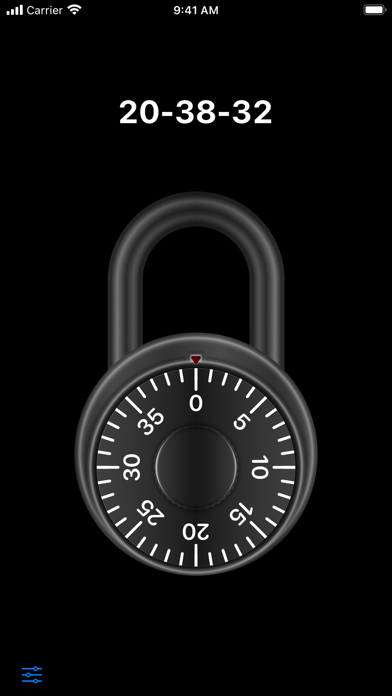
Combination locks can be tricky—especially when they're attached to lockers at your school. Practice beforehand so you know exactly how to open yours. REALISTIC UNLOCKING The lock behaves exactly like a real one. Spin the dial to enter your combination, then tap or swipe up on the shackle to open. If you want to start over, just keep spinning and enter the combination again. HELPFUL HINTS If you make a common mistake when opening the lock—like forgetting to spin one rotation to the left before your second number—you’ll be notified with a friendly hint. WALKTHROUGH MODE If you get stuck, don't worry. Enable Walkthrough Mode to get step-by-step instructions as you open the lock. CUSTOMIZE YOUR LOCK Choose from six different dial colors: red, yellow, green, blue, purple, or black. GENERATE A RANDOM COMBINATION, OR CHOOSE YOUR OWN If you want to test yourself, generate a combination randomly. Or, choose your own in one of two number ranges: 0-39 or 0-49.
What's new · 2.2.1
• Updated tinted icon
Details