

Chart standing · US
What changed · US
Listing changes AppTracker has observed for this app in this storefront — new versions, price moves, rating shifts, and store copy.
This update includes bug fixes and minor improvements to enhance your experience.
Screenshots


About
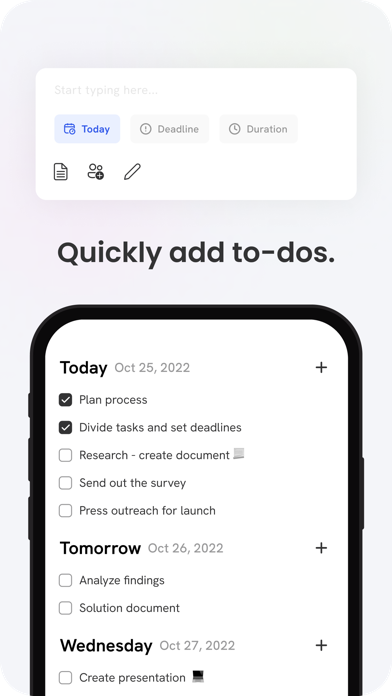
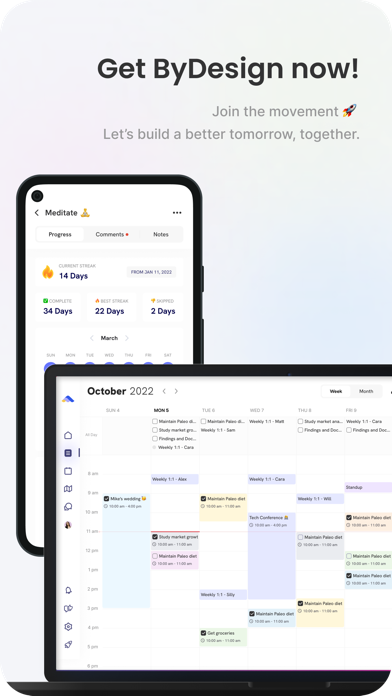
Plan your day, manage your to-do list, and organize your whole life in one app. ByDesign brings your tasks, daily planner, calendar, and notes together — synced across all your devices. Features: Calendar - Connect as many calendars you want - personal, work or school. - Manage and time box the tasks from ByDesign in the same calendar. - Use colors to organize your calendar. - Create all-day events and tasks and drag them to a specific time to plan efficiently. Powerful note-taking - Add attachments - PDFs, photos, audio, web links, and more. - Create checklists. Make a grocery list, a wish list, or a to-do list, then tap to check off items as you go. - Apply different text styles, such as heading or body, bulleted lists, and more. - Add tables to quickly organize information. Organize and search - Search for text in notes, your tasks, and tables. - Link from one page to another to connect ideas, content, or any information. Try typing “/” for a shortcut to add links and pages while writing in your pages. - Keep your notes in pages and folders, and sort them in the order you prefer. - Use drag and drop as a fast and flexible way to categorize and organize your pages. Collaborate - Collaborate on entire pages or sub pages. - Mention friends to notify them of important updates. - Select and add comments on a particular text and have a full conversation in the thread. - Use page comments to discuss anything related to that page. - See what others updated in a shared page while you were away with alerts.
What's new · 6.1.2
This update includes bug fixes and minor improvements to enhance your experience.
Details