

LoopBud - AUv3 MIDI Recorder
Cem Olcay · Music
Independent analytics for this App Store listing. AppTracker is not affiliated with Cem Olcay.
Chart standing · US
What changed · US
Listing changes AppTracker has observed for this app in this storefront — new versions, price moves, rating shifts, and store copy.
This version fixes the bug when sometimes the first note is skipped in the first cycle of the loop.
Price & rating history · US
Reconstructed from the listing changes AppTracker has observed in this storefront. A field is charted once it has changed more than once, and each line starts at the value it moved from.
Price · 5.99 USD now · 5 changes on record
Ratings breakdown · US
The star breakdown behind this app's rating in this storefront.
In-app purchases · US
No in-app purchases.
Screenshots


Similar apps
Competitors and close alternatives, as estimated by AppTracker.







About
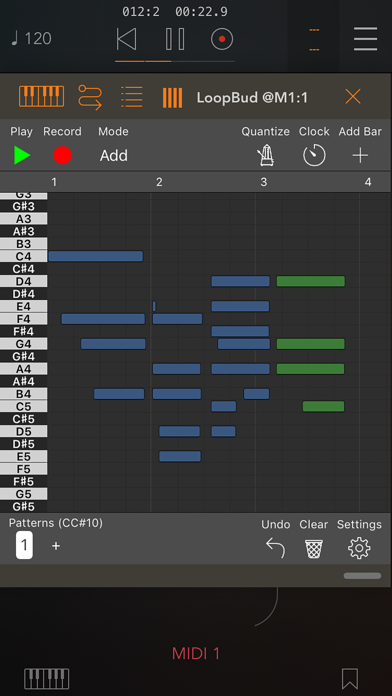
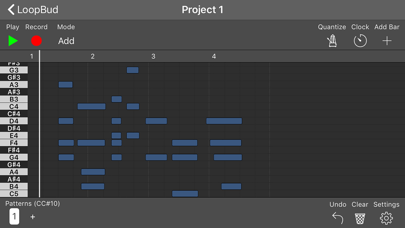
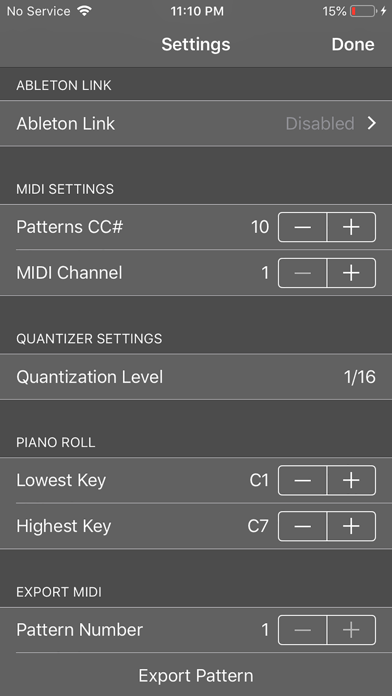
LoopBud is a super simple yet very powerful MIDI recorder and looper. You can work with unlimited patterns. Although the 4-bar loops are very fun, you can work with an unlimited number of bars on each pattern! LoopBud has two record modes, Add mode and New mode. The "add mode" keeps adding new notes on each loop-cycle. The "new mode" clears out the previous recording and lets you record freshly on each cycle. You can work very fast with those modes. If you make a mistake, don't worry, you can use the "undo" option and get everything back! LoopBud has quantization enabled by default. You can toggle quantizing by pressing the "quantize" button on the top-left side. You can also set the level of quantization from the settings menu. If you want to speed up or slow down the clock, you can do so by pressing the "clock" button on the top-left side. You can achieve different effects on your live performances without a new recording. You can also focus on a single bar by pressing the bar measure on the top. You can either record or loop a single bar - which is a unique feature of LoopBud. In the settings menu, you can edit the piano roll's lowest and highest notes. The notes on the piano roll is not editable. However, you can export MIDI from the settings menu, and do editing on your favorite piano roll editor app! LoopBud is not an audio app, it's a MIDI app. You need to connect a MIDI input and a MIDI output for LoopBud to work. You can do so from the settings menu in the standalone app. You can use the MIDI matrix editor on your DAW if you are using the AUv3 plugin. LoopBud also supports Ableton Link on the standalone app.
What's new · 3.2
This version fixes the bug when sometimes the first note is skipped in the first cycle of the loop.
Details