

Small Business Accounting
Monelyze Inc. · Finance
Independent analytics for this App Store listing. AppTracker is not affiliated with Monelyze Inc.
Chart standing · US
What changed · US
Listing changes AppTracker has observed for this app in this storefront — new versions, price moves, rating shifts, and store copy.
Added support for iOS 27. Fixed minor bugs and improved performance.
Price & rating history · US
Reconstructed from the listing changes AppTracker has observed in this storefront. A field is charted once it has changed more than once, and each line starts at the value it moved from.
Average rating · ★ 4.67 now · 2 changes on record
Ratings breakdown · US
The star breakdown behind this app's rating in this storefront.
In-app purchases · US
What this app sells inside itself, grouped by kind and priced for this storefront.
Screenshots
Keywords this app targets
Search terms AppTracker associates with this app — estimates, not search volume. ❝ = in the app's title; a highlighted number is its current position for that term.
Similar apps
Competitors and close alternatives, as estimated by AppTracker.
 Small Biz Budget - Accounting
Komorebi Inc.
2 shared topics · 2 shared title words
Small Biz Budget - Accounting
Komorebi Inc.
2 shared topics · 2 shared title words
 BOSS Small Business Accounting
1C-RARUS TAS, MAS ULIYATI CHEKLANGAN JAMIYATI XORIJIY KORXONASI
6 shared title words
BOSS Small Business Accounting
1C-RARUS TAS, MAS ULIYATI CHEKLANGAN JAMIYATI XORIJIY KORXONASI
6 shared title words
 Bookkeeping
Warby Software Pty Ltd
2 shared topics
Bookkeeping
Warby Software Pty Ltd
2 shared topics
 Accounting・Bookkeeping Taxnote
freee k.k.
1 shared topic · 1 shared title word
Accounting・Bookkeeping Taxnote
freee k.k.
1 shared topic · 1 shared title word
 Kaikei - Freelance Accounting
瑜 邹
1 shared topic · 1 shared title word
Kaikei - Freelance Accounting
瑜 邹
1 shared topic · 1 shared title word
 Self Employed - Accounting
Protection & Security App LLC
1 shared topic · 1 shared title word
Self Employed - Accounting
Protection & Security App LLC
1 shared topic · 1 shared title word
 Intuit QuickBooks for Business
Intuit Inc.
1 shared topic · 1 shared title word
Intuit QuickBooks for Business
Intuit Inc.
1 shared topic · 1 shared title word
 Money+ Cute Expense Tracker
Chongqing Zhouhu Technology Co.,Ltd
1 shared topic
Money+ Cute Expense Tracker
Chongqing Zhouhu Technology Co.,Ltd
1 shared topic
About
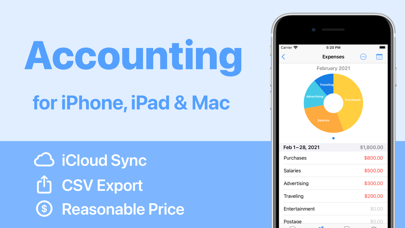
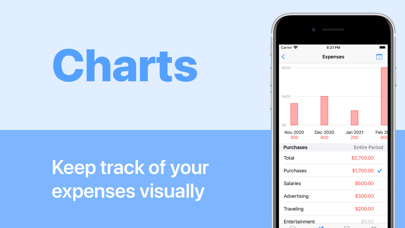
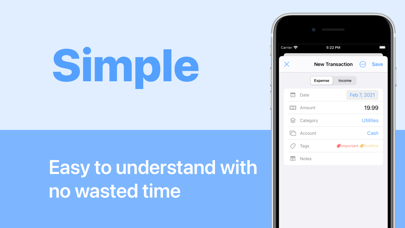
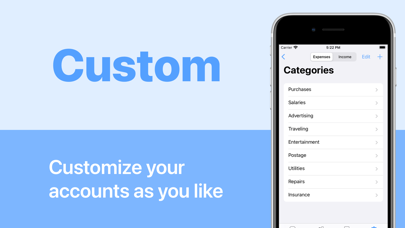
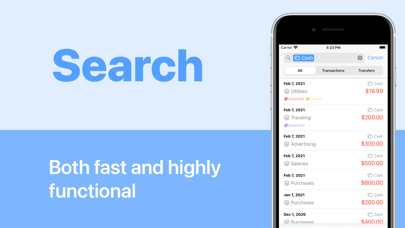
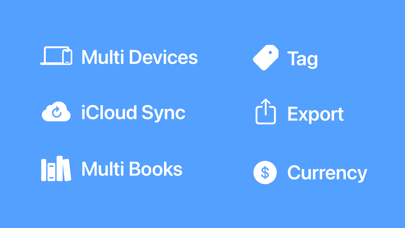
Small Business Accounting is an accounting app for iPhone, iPad, and Mac. It is easy to use with no registration or login required. It also supports data synchronization with iCloud, so you can use it seamlessly from any device you like. It is designed to be simple and easy to use, especially for self-employed and freelancers, and is recommended for first-time tax filers. Features - No membership registration or login required - Can be used on iPhone, iPad, and Mac - Simple and reasonably priced - CSV export is possible - Data is stored on your device or in iCloud. Recommended for - Want to use reasonably priced accounting software - Want to use it from any device (iPhone, iPad, Mac) - I'm worried about syncing my financial institution's information Premium Service (auto-renewing subscription) - Unlimited number of transaction entries (up to 50 in the free version) - iCloud data sync and backup - Multiple books (ledgers) available $5.99 per month, $49.99 per year (save 30%) 1 month free trial *Prices and free trials are subject to change. Price may vary by location. Subscriptions will be charged to your credit card through your iTunes account. Your subscription will automatically renew unless canceled at least 24 hours before the end of the current period. You will not be able to cancel the subscription once activated. After purchase, manage your subscriptions in App Store Account Settings. Any unused portion of a free trial period, will be forfeited when the user purchases a subscription. Terms of Use: https://monelyze.app/terms/ Privacy Policy: https://monelyze.app/privacy/
What's new · 1.9.0
Added support for iOS 27. Fixed minor bugs and improved performance.
Details