

Video Remover
Osawa Shunsuke · Productivity
Independent analytics for this App Store listing. AppTracker is not affiliated with Osawa Shunsuke.
Chart standing · US
What changed · US
Listing changes AppTracker has observed for this app in this storefront — new versions, price moves, rating shifts, and store copy.
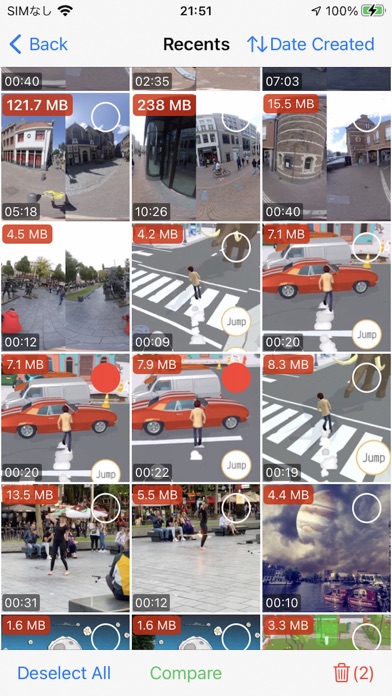
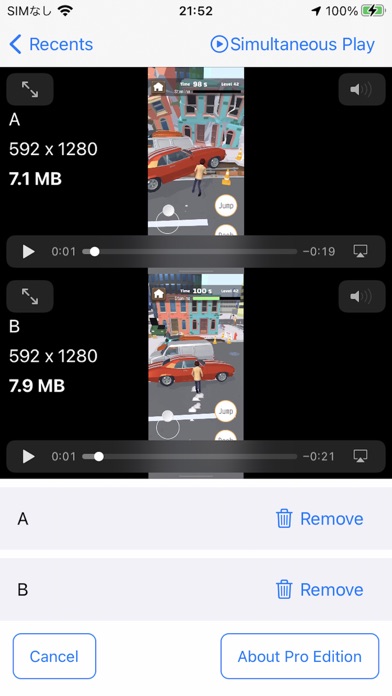
We've redesigned the home screen and video list. ■ A home screen you can read at a glance • See your iPhone storage on a gauge, with "Suggested cleanups" shown alongside video thumbnails • Check large videos, screen recordings, old videos, similar videos and duplicates, along with how much space each could free up • You can now look inside Pro-only categories too (deleting from them requires Pro) ■ Easier to choose, harder to make mistakes • Tap a thumbnail to select it, and use the button in the center to play • The number of selected videos and their total size are always shown at the bottom of the screen • If your selection includes favorites, you'll be asked whether to keep them before deleting • The comparison screen now shows the capture time down to the second and makes it clearer which video is larger ■ Other improvements • The steps for emptying "Recently Deleted" are now shown one at a time, in order We'll continue improving the app to make organizing your videos as simple as possible.
Price & rating history · US
Reconstructed from the listing changes AppTracker has observed in this storefront. A field is charted once it has changed more than once, and each line starts at the value it moved from.
Average rating · ★ 4.24 now · 3 changes on record
In-app purchases · US
What this app sells inside itself, grouped by kind and priced for this storefront.
Screenshots
About
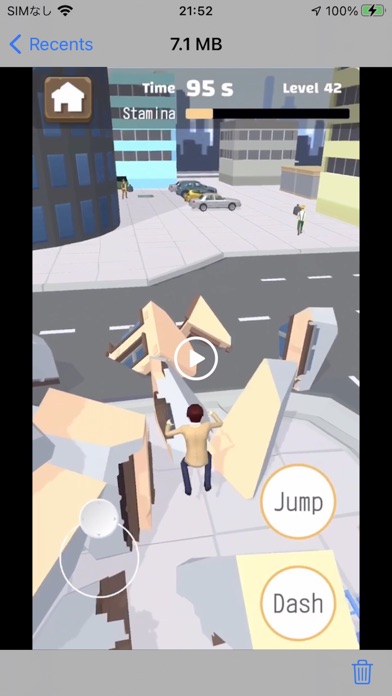
Videos can take up a large share of your storage. Video Remover scans your library and groups potential cleanup candidates into easy-to-review categories. ■ Scan first, then decide Tap Scan and your videos are sorted into categories that are easy to judge: • Large videos (100 MB or larger) • Screen recordings • Slow-motion videos • Very short videos (recorded by accident) • Long videos, 10 minutes or longer (Pro) • Exact duplicates (Pro) • Similar videos, retakes shot back to back (Pro) ■ After you delete Every category shows how many videos it holds and how much space they use. Select what you don't need and delete it in one go. After deletion, the app shows the total size of the videos removed from your library. To reclaim the storage on your iPhone, you'll also need to empty Recently Deleted. ■ Check before you delete Play two videos side by side and compare file size, duration and resolution. For exact duplicates, the app recommends one copy to keep. For high-confidence similar groups, it may preselect the others. You can review every selection before deleting. ■ Storage at a glance Used and free space on your iPhone, plus the total size of all your videos, on the app's main screen. ■ The step almost everyone misses: "Recently Deleted" Videos you delete stay in the "Recently Deleted" album in the Photos app for up to 30 days and keep taking up storage that whole time. After a deletion, the app walks you through emptying that album — only then is the space really free. ■ Pro • Long videos, exact duplicates and similar videos • Sort by size, date, duration and resolution • Filter by duration • Play two videos at the same time • No ads Free up space without losing the videos that matter.
What's new · 4.0
We've redesigned the home screen and video list. ■ A home screen you can read at a glance • See your iPhone storage on a gauge, with "Suggested cleanups" shown alongside video thumbnails • Check large videos, screen recordings, old videos, similar videos and duplicates, along with how much space each could free up • You can now look inside Pro-only categories too (deleting from them requires Pro) ■ Easier to choose, harder to make mistakes • Tap a thumbnail to select it, and use the button in the center to play • The number of selected videos and their total size are always shown at the bottom of the screen • If your selection includes favorites, you'll be asked whether to keep them before deleting • The comparison screen now shows the capture time down to the second and makes it clearer which video is larger ■ Other improvements • The steps for emptying "Recently Deleted" are now shown one at a time, in order We'll continue improving the app to make organizing your videos as simple as possible.
Details