

Moblo - 3D furniture modeling
MYTIforge · Graphics & Design
Independent analytics for this App Store listing. AppTracker is not affiliated with MYTIforge.
Chart standing · US
What changed · US
Listing changes AppTracker has observed for this app in this storefront — new versions, price moves, rating shifts, and store copy.
New PDF export, including: - Cover page. - Parts list. - Overall 2D views. New layout for the "Parts list" view: the list is now presented as a table. Part thumbnails are now displayed in the hierarchy panel. Improved loading performance.
Price & rating history · US
Reconstructed from the listing changes AppTracker has observed in this storefront. A field is charted once it has changed more than once, and each line starts at the value it moved from.
Average rating · ★ 4.52 now · 2 changes on record
Ratings breakdown · US
The star breakdown behind this app's rating in this storefront.
In-app purchases · US
What this app sells inside itself, grouped by kind and priced for this storefront.
Screenshots





About
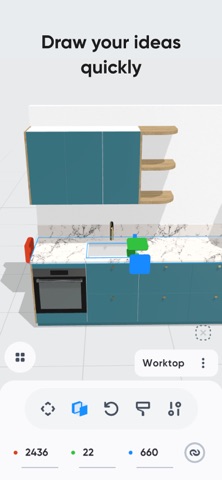
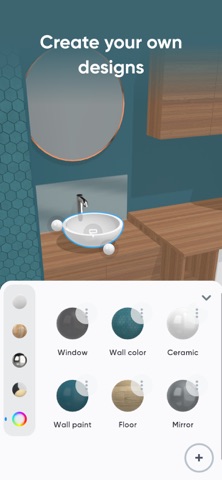
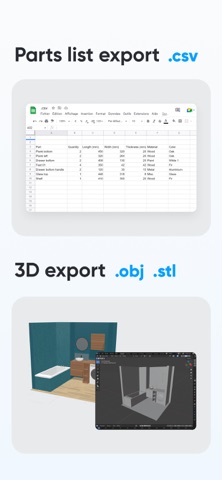
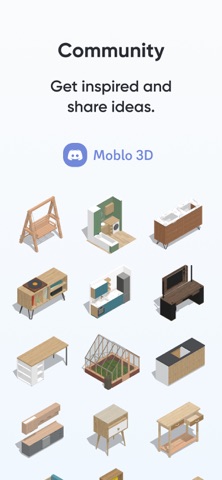
Want to create a bespoke piece of furniture or design a space yourself? Moblo is the perfect 3D modeling tool for your future projects. Great for easily designing furniture in 3D, you can also use it to imagine more complex interior designs. Using augmented reality, you can quickly bring your ideas to life and visualize them in your own home. Whether you're a beginner or an experienced 3D modeler, Moblo is the perfect 3D modeling tool for your bespoke furniture projects. With its interface designed for either a touchscreen or a mouse, Moblo is simple and accessible to everyone. Examples of furniture or fittings often designed with Moblo: - Made-to-measure shelving - Bookcase - Dressing room - TV unit - Desk - Children's bed - Kitchen - Bedroom - Wooden furniture - Etc. Visit our website or our Discord server to discover the full range of possibilities offered by Moblo. From DIY enthusiasts to professionals (carpenters, kitchen designers, interior designers, etc.), the community shares a whole host of ideas and creations. www.moblo3d.app Creation steps: 1 - 3D modeling Assemble your future piece of furniture in 3D using an intuitive interface and ready-to-use parts (basic shapes/legs/handles). 2 - Customize colors and materials Choose which materials to apply to your 3D furniture from our library (paint, wood, metal, glass). Or create your own material using a simple editor. 3 - Augmented reality Using your phone's camera, visualize your 3D creation in your own home and adjust it according to your space. This means you can see what your design looks like in a real-life context before you start production. 4 - 3D export Export your project as a 3D mesh file (.stl or .obj) for use with other tools such as Sketchup or Blender (raw mesh, without colors or textures). Main features: - 3D assembly (movement/deformation/rotation). - Duplicate/hide/lock one or more parts. - Materials library (paint, wood, metal, glass, etc.). - Custom materials editor (color, texture, shininess, reflection, opacity). - Augmented reality visualization. - Parts list. - Notes related to parts. - Photo capture. Premium features: - Possibility of working on several projects in parallel. - Unlimited number of parts per project. - Access to all part shapes. - Access to all materials in the library. - Save a selection as a new project. - Import a project into an existing project. - Export to .stl or .obj 3D mesh files (raw mesh without colors or textures). - Export the parts list in .csv format (compatible with Microsoft Excel or Google Sheets). - Share creations with other Moblo apps. For further information, please visit our resources page on the moblo3d.app website.
What's new · 26.10.1
New PDF export, including: - Cover page. - Parts list. - Overall 2D views. New layout for the "Parts list" view: the list is now presented as a table. Part thumbnails are now displayed in the hierarchy panel. Improved loading performance.
Details