

Video To Photo / Image
Naoyuki Rikiji · Photo & Video
Independent analytics for this App Store listing. AppTracker is not affiliated with Naoyuki Rikiji.
Chart standing · US
What changed · US
Listing changes AppTracker has observed for this app in this storefront — new versions, price moves, rating shifts, and store copy.
Price & rating history · US
Reconstructed from the listing changes AppTracker has observed in this storefront. A field is charted once it has changed more than once, and each line starts at the value it moved from.
Average rating · ★ 4.78 now · 9 changes on record
Ratings breakdown · US
The star breakdown behind this app's rating in this storefront.
In-app purchases · US
No in-app purchases.
Screenshots

About
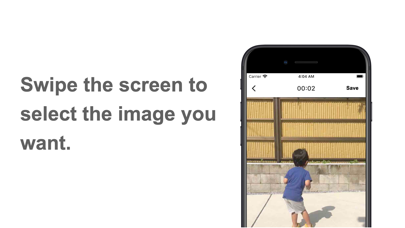
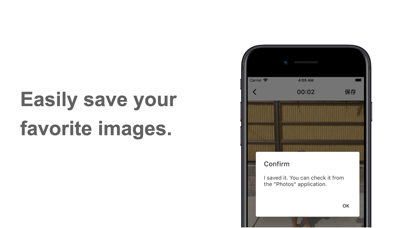
100,000 DL Breakthrough! This app allows you to save your favorite scenes from videos as images. "Video to Photo" is a simple app designed to select a video and save it frame by frame as photos. It maximizes usability with the following features: [Rapid Scene Search] The app's user-friendly UI allows you to quickly find your desired scenes. Capture your favorite moments without missing a beat and efficiently save them as photos. [Intuitive Operation] The operation is simple and intuitive, allowing you to start using it immediately. You can easily navigate to the next or previous scenes with a swipe and even play the video frame by frame. Enjoy a stress-free experience without any confusion about how to use the app. [Thumbnail View of the Entire Video] The entire video is displayed as thumbnails, allowing you to grasp the content of each scene at a glance. You can select photos in a fun and hassle-free manner without any cumbersome operations. [Additional Features] The selected video is automatically thumbnailized. You can freely adjust the interval between images. You can customize the display interval of thumbnails. You can include the date and time of the video recording in the photos. You can choose the image format (PNG, JPG). You can select your preferred image quality. You can save images individually or in batches. Even with long videos, you can extract images from specified start and end positions (timestamps) to maintain ease of use. With "Video to Photo," you can easily extract your favorite scenes as photos. Experience fast and intuitive operation, along with the visual enjoyment of thumbnailized videos. Please try it out for a comfortable photo selection experience. The app is designed with a focus on usability and contains no advertisements. The author personally developed it to fulfill their own needs.
What's new · 2.41.2
I have updated the library used in the app to the latest version.
Details