

Mural Maker by Da Vinci Eye
Da Vinci Eye LLC · Graphics & Design
Independent analytics for this App Store listing. AppTracker is not affiliated with Da Vinci Eye LLC.
Chart standing · US
What changed · US
Listing changes AppTracker has observed for this app in this storefront — new versions, price moves, rating shifts, and store copy.
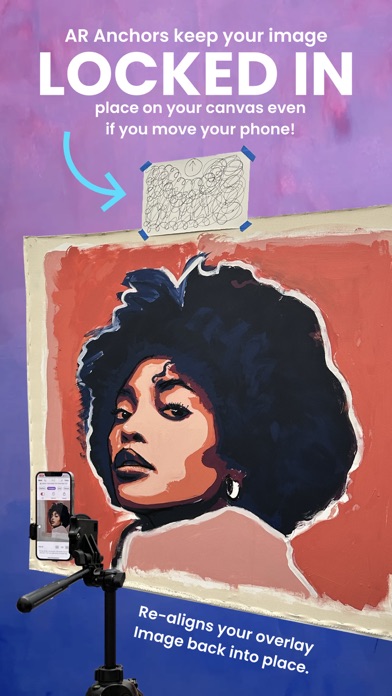
We're excited to announce the release of our first major update for Mural Maker, packed with new features and improvements based on your feedback! Here are some of the highlights: Introducing the brand-new AR Tracking feature, which remembers the exact position of your project and re-aligns your reference image right back into place over your artwork. This makes it easy to take a break or work on your project over multiple sessions, without losing your progress. We've also enhanced the Breakdown feature, which now allows you to adjust the color values for each shade. Plus, you can physically print out those colors if you have a printer so you can precisely mix your paints, making it easier than ever to bring your vision to life. Painting is more fun with friends, which is why we've added multiplayer mode. Mural Maker can now stream to multiple drawing devices, making it perfect for large-scale mural projects or group workshops. We hope these new features will help you take your artwork to the next level. As always, if you have any feedback or suggestions, please don't hesitate to reach out to us. Thank you for using Mural Maker by Da Vinci Eye! 2.1.3 Some UI and bug fixes 2.1.0 We've added iOS 16 back in the mix as well as added a connection helper. We've also increased speed and connection stability with a few tweaks! 2.0.7 Improved speed and connectivity. Ability to have multiple people using the app for different projects in close proximity. 2.0.6 Rotation bug fix + Big new feature coming soon! 2.0.3 / 2.0.4 /2.0.5 -> iOS 17 Bug Fixes 2.0.2 Update -> Fixed Micro Controls Clockwise Rotation on drawing Device
Price & rating history · US
Reconstructed from the listing changes AppTracker has observed in this storefront. A field is charted once it has changed more than once, and each line starts at the value it moved from.
Average rating · ★ 3.81 now · 3 changes on record
Ratings breakdown · US
The star breakdown behind this app's rating in this storefront.
In-app purchases · US
What this app sells inside itself, grouped by kind and priced for this storefront.
Screenshots
Keywords this app targets
Search terms AppTracker associates with this app — estimates, not search volume. ❝ = in the app's title; a highlighted number is its current position for that term.
Similar apps
Competitors and close alternatives, as estimated by AppTracker.
 Quick Draw: AR Tracing
Aaron Jones
Quick Draw: AR Tracing
Aaron Jones
 MuralView2
PAUL VITALE
MuralView2
PAUL VITALE
 Camera Lucida™: AR Drawing
Camera Lucida
Camera Lucida™: AR Drawing
Camera Lucida
 ArtTracer
Varun pant
ArtTracer
Varun pant
 ArtRage
Ambient Design Ltd.
ArtRage
Ambient Design Ltd.
 Graffiti AI: Mural & Wall Art
FATE YAZILIM VE TEKNOLOJI LIMITED SIRKETI
Graffiti AI: Mural & Wall Art
FATE YAZILIM VE TEKNOLOJI LIMITED SIRKETI
 Pro Mapper Projection Mapping
omur olgunay
Pro Mapper Projection Mapping
omur olgunay
 ArtStudio - Draw and Paint
Lucky Clan
ArtStudio - Draw and Paint
Lucky Clan
About
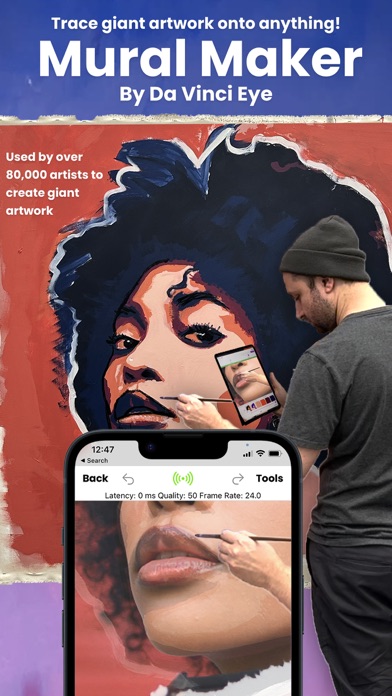
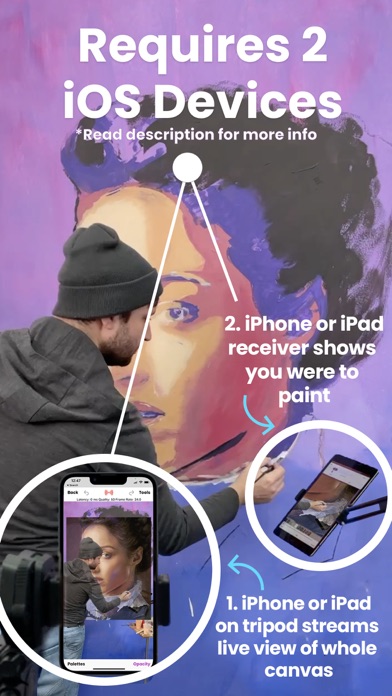
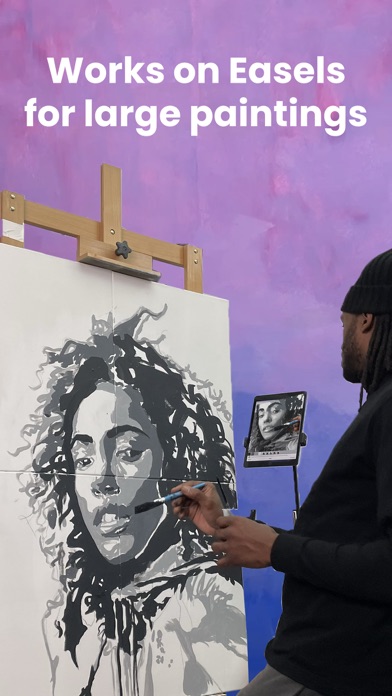
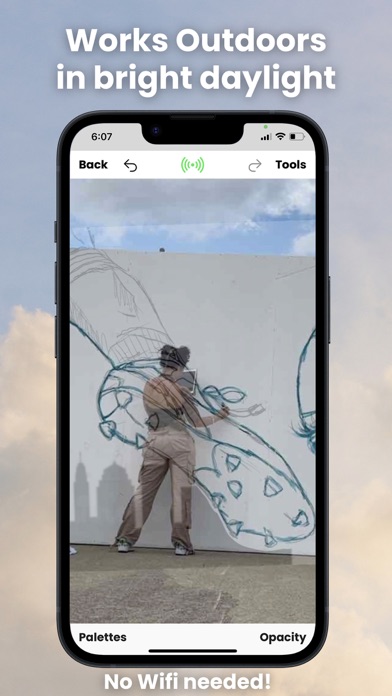
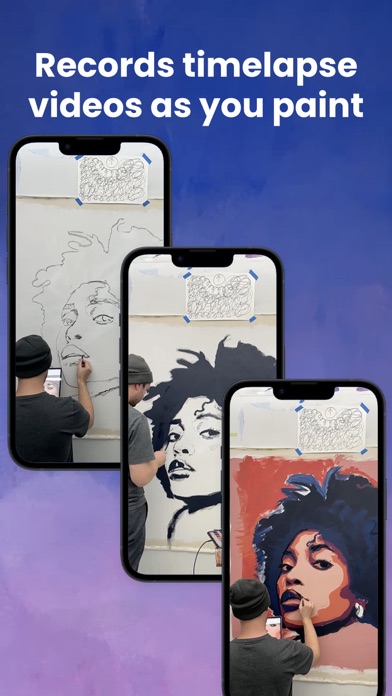
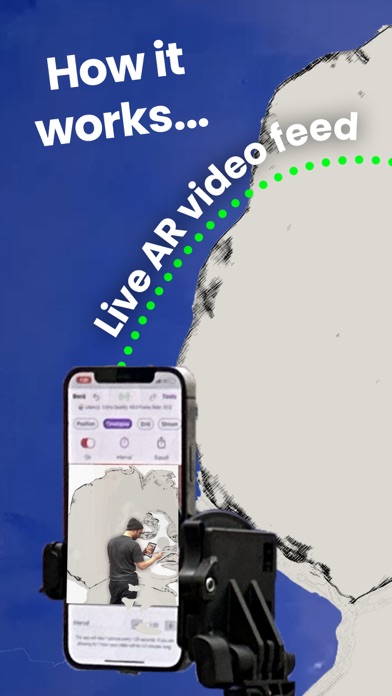
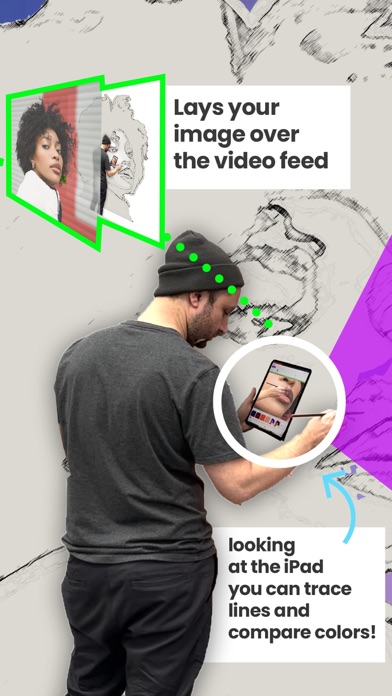
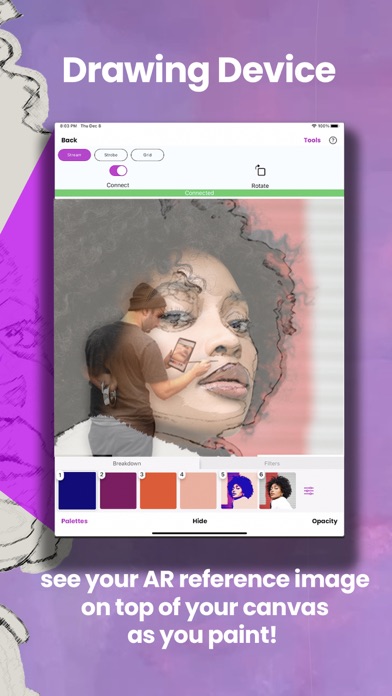
Mural Maker by Da Vinci Eye is the ultimate app for artists who want to create massive drawings and paintings on various surfaces including walls, canvases, sidewalks, buildings, streets, signs, chalkboards, and even rugs. Compatibility Before you read any further, note that to use Mural Maker, artists will need two iOS devices: one to function as a video camera and the other to display the live video feed in their hand. The app works with any combination of iPads and iPhones. Customer Support If you have any trouble setting up Mural Maker, we offer complimentary concierge customer service and will even video chat with you to help you with your project. Why is Mural Maker better than a Projector and Grids? Mural Maker offers several advantages over traditional art projectors and time-consuming grids/doodle grids. Unlike projectors, which can be bulky and require a dark room and a power cord, Mural Maker functions perfectly well outdoors, in bright daylight, away from power outlets, and doesn't even need Wi-Fi. Plus, the app allows artists to accurately compare colors and shades on their canvas to the reference image, making it easier to create more precise and accurate artwork... something that no grid or projector will ever be able to do. In addition to simply tracing, Mural Maker offers a suite of tools and features such as... Breakdown Mode Enables artists to break down their image into stencils by color value. Artists can then print out a color palette, allowing them to mix their paints to the exact colors they need before they begin. The app then shows artists where to paint each color with augmented reality stencils. Multiplayer mode Multiple people can paint at the same time as the camera device can stream to multiple drawing devices. This makes it a perfect tool for group projects, workshops, and community mural painting events. AR Tracking Artists can get back to work in seconds instead of trying to re-align their overlay image back with their work. Mural Maker remembers their project's exact position, making it super easy for artists to work on their mural over multiple days. Second Set of Eyes Mural Maker is also your second set of eyes for any project. It allows artists to stand up close next to their giant artwork while simultaneously letting them look at it from far away. Key Feature Recap: - Requires two iOS devices to use - AR Tracking feature remembers the project's exact position, making it easy to get back to work or re-set up the drawing. - Breakdown feature enables artists to break down their image into different colors and print out a color palette - Multiplayer mode allows multiple people to paint at the same time - Functions well outdoors and in daylight - Enables artists to create artwork of any size - Includes the same great tools found in the original Da Vinci Eye app, including Strobe and filters - Allows artists to record a time-lapse of their artwork Try Mural Maker by Da Vinci Eye today and see how easy it is to create stunning artwork on any surface, without the hassle of traditional projectors or time-consuming grids!
What's new · 2.1.3
We're excited to announce the release of our first major update for Mural Maker, packed with new features and improvements based on your feedback! Here are some of the highlights: Introducing the brand-new AR Tracking feature, which remembers the exact position of your project and re-aligns your reference image right back into place over your artwork. This makes it easy to take a break or work on your project over multiple sessions, without losing your progress. We've also enhanced the Breakdown feature, which now allows you to adjust the color values for each shade. Plus, you can physically print out those colors if you have a printer so you can precisely mix your paints, making it easier than ever to bring your vision to life. Painting is more fun with friends, which is why we've added multiplayer mode. Mural Maker can now stream to multiple drawing devices, making it perfect for large-scale mural projects or group workshops. We hope these new features will help you take your artwork to the next level. As always, if you have any feedback or suggestions, please don't hesitate to reach out to us. Thank you for using Mural Maker by Da Vinci Eye! 2.1.3 Some UI and bug fixes 2.1.0 We've added iOS 16 back in the mix as well as added a connection helper. We've also increased speed and connection stability with a few tweaks! 2.0.7 Improved speed and connectivity. Ability to have multiple people using the app for different projects in close proximity. 2.0.6 Rotation bug fix + Big new feature coming soon! 2.0.3 / 2.0.4 /2.0.5 -> iOS 17 Bug Fixes 2.0.2 Update -> Fixed Micro Controls Clockwise Rotation on drawing Device
Details