

Full Webpage Screenshot & Save
Koichiro Umemiya · Utilities
Independent analytics for this App Store listing. AppTracker is not affiliated with Koichiro Umemiya.
Chart standing · US
What changed · US
Listing changes AppTracker has observed for this app in this storefront — new versions, price moves, rating shifts, and store copy.
- Fixed the app failing to finish launching when a great many pages are saved. - Fixed the folder list slowing down with every character typed into the search box. - Fixed PDFs coming out larger than the images they were made from. - Fixed the app quitting while turning several images into a PDF. - Fixed folder names containing "/" not being renamed. - Fixed the item count still showing the previous folder after moving between folders. - Fixed error messages that did not match the real cause when saving failed. - Fixed being unable to restore a purchase again until the app was relaunched. - The device mode (User-Agent) now reports the iOS version your device actually runs. - Brought the bottom tab bar back on iPad so it is easier to reach. - Added Help, What's New and the support site to Settings. - Fixed wording that was not translated correctly in some languages.
Ratings breakdown · US
The star breakdown behind this app's rating in this storefront.
In-app purchases · US
What this app sells inside itself, grouped by kind and priced for this storefront.
Screenshots


Keywords this app targets
Search terms AppTracker associates with this app — estimates, not search volume. ❝ = in the app's title; a highlighted number is its current position for that term.
Similar apps
Competitors and close alternatives, as estimated by AppTracker.
 NIS+RISC Prep
Shawn Thomas
NIS+RISC Prep
Shawn Thomas
 Alook Browser - 8x Speed
Baoding Lehuo Network Technology Co., Ltd.
Alook Browser - 8x Speed
Baoding Lehuo Network Technology Co., Ltd.
 WebCapture- full page capture
Youngwan Choi
WebCapture- full page capture
Youngwan Choi
 German Dictionary, Nifty Words
Dieter Saken
German Dictionary, Nifty Words
Dieter Saken
 ZINIO - Magazine Newsstand
Zinio LLC
ZINIO - Magazine Newsstand
Zinio LLC
 Feedibus — RSS Feed Reader
Nicolas Neubauer
Feedibus — RSS Feed Reader
Nicolas Neubauer
 ReadKit - Reading Hub
Balazs Varkonyi
ReadKit - Reading Hub
Balazs Varkonyi
 Feedster: RSS Reader
Nikolaj Jensen
Feedster: RSS Reader
Nikolaj Jensen
About
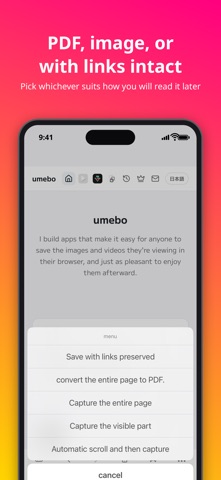
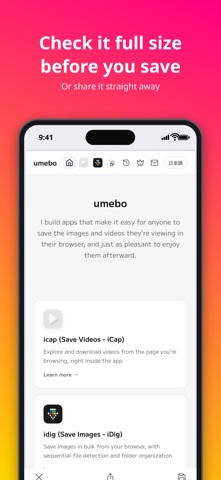
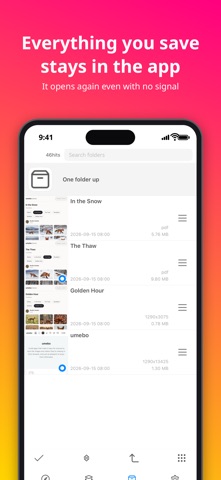
Save web pages the way you found them — links included, not just a picture of them. Unlike a screenshot, a saved page stays tappable: follow links, copy text, and read it later just like the real thing. 【Save】 - Save a full page with its links intact (Web Archive format) - Save the full page as one image - Save as a real text PDF (selectable and searchable text) - Capture just the visible part of the screen 【Read & Find】 - Full-text search across everything you've saved - A distraction-free Reader Mode that strips out ads and clutter - Automatic read/unread tracking, so nothing gets lost 【More】 - Free built-in ad blocking - AirPrint support - Dark mode / Full iPad support / Xscreen compatible Terms of Use: https://www.apple.com/legal/internet-services/itunes/dev/stdeula/
What's new · 2.7
- Fixed the app failing to finish launching when a great many pages are saved. - Fixed the folder list slowing down with every character typed into the search box. - Fixed PDFs coming out larger than the images they were made from. - Fixed the app quitting while turning several images into a PDF. - Fixed folder names containing "/" not being renamed. - Fixed the item count still showing the previous folder after moving between folders. - Fixed error messages that did not match the real cause when saving failed. - Fixed being unable to restore a purchase again until the app was relaunched. - The device mode (User-Agent) now reports the iOS version your device actually runs. - Brought the bottom tab bar back on iPad so it is easier to reach. - Added Help, What's New and the support site to Settings. - Fixed wording that was not translated correctly in some languages.
Details