

Icon Changer: Widget.s, Themes
MK APPS PRIVATE LIMITED · Graphics & Design
Independent analytics for this App Store listing. AppTracker is not affiliated with MK APPS PRIVATE LIMITED.
Chart standing · US
What changed · US
Listing changes AppTracker has observed for this app in this storefront — new versions, price moves, rating shifts, and store copy.
Added new Fish Tank Widgets with DIY photo support. Added UI refinements and improvements across the app.
Ratings breakdown · US
The star breakdown behind this app's rating in this storefront.
In-app purchases · US
What this app sells inside itself, grouped by kind and priced for this storefront.
Screenshots




About
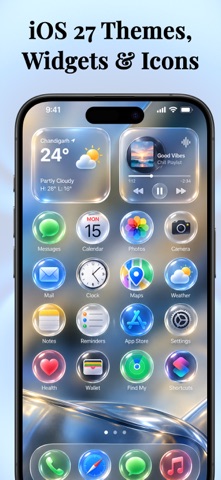
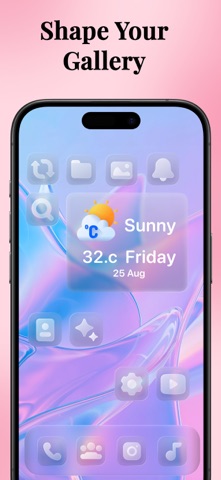
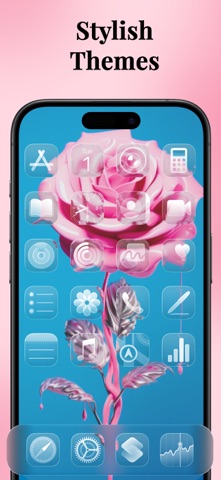
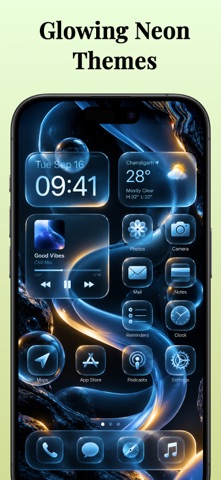
Icon Changer frees you from the boring home screen by installing new theme kits which will gives your phone a new look. Its editor is loaded with different color combinations and ultimate icons which will gives you icon combination. FEATURES: - Library of icons which you can use for customize your icon - Flat Colors for the icons background - Gradient color sets provided right in the app - Pre-made icon theme kits included - Gradient icon pack- Colored Icons kit - Dark Cat icon pack - Golden icon pack - Pink Glitter Icon Pack HealthKit If you choose to set the health widgets, HealthKit allows apps like IconChanger to collect and display health and fitness data from a user's iPhone or Apple Watch. A step widget is a type of widget that displays a user's daily step count. The step widget provides a quick and easy way for users to track their physical activity throughout the day. How To Use ? Select icon theme kit tap on install Choose the icons which you want to change Save Wallpaper for the set. Create icon Tap on the Create icon Choose background color Select icon and add to your home screen. UNLIMITED ACCESS SUBSCRIPTION • You can subscribe for unlimited access to all features and content offered for purchases within Memes • Subscriptions are billed monthly, weekly or annually at the rate selected depending on the subscription plan. • Payment will be charged to your iTunes Account at confirmation of purchase • Subscription automatically renews at the cost of the chosen package unless auto-renew is turned off at least 24-hours before the end of the current period • Account will be charged for renewal within 24-hours prior to the end of the current period, and identify the cost of the renewal • Subscriptions may be managed by the user and auto-renewal may be turned off by going to the user's Account Settings after purchase • If eligible for free trial and you subscribe before your free trial ends, the rest of your free trial period will be forfeited as soon as your purchase is confirmed. Subscriptions will start immediately after free trial ends unless cancelled at least 24 hours prior to the end of the trial period. - Terms of use: https://iconapp.mkapps.app/iconchanger/terms/terms.html - Privacy policy: https://iconapp.mkapps.app/iconchanger/terms/privacy.html
What's new · 2.8.25
Added new Fish Tank Widgets with DIY photo support. Added UI refinements and improvements across the app.
Details