

AI Note before forgetting
Hideshi Otsuru · Lifestyle
Independent analytics for this App Store listing. AppTracker is not affiliated with Hideshi Otsuru.
Chart standing · US
What changed · US
Listing changes AppTracker has observed for this app in this storefront — new versions, price moves, rating shifts, and store copy.
Price & rating history · US
Reconstructed from the listing changes AppTracker has observed in this storefront. A field is charted once it has changed more than once, and each line starts at the value it moved from.
Average rating · ★ 4.40 now · 2 changes on record
Ratings breakdown · US
The star breakdown behind this app's rating in this storefront.
In-app purchases · US
No in-app purchases.
Screenshots


About
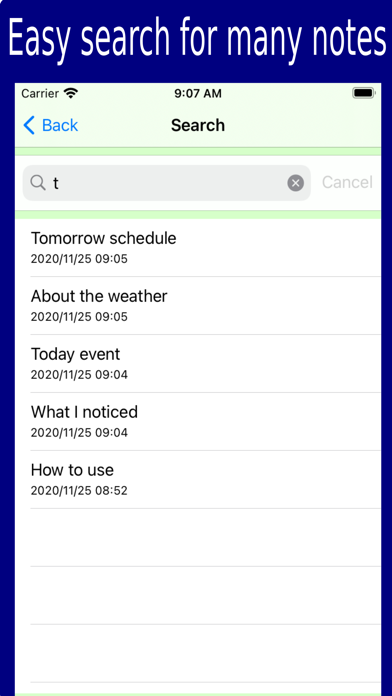
You may forget what you have come up with over time. In such a case, let's save what you came up with with this app. Copy your current location information If you tap the menu button while entering a note You can copy the following current location information and paste it into a memo. Date, time, address, weather, temperature, humidity, barometric pressure With AI, you can generate ideas, summarize, and proofread based on your notes. Added a function that can reproduce the display position of the note Add photos and videos How to use -Add note Tap the \"+\" button to enter a new memo. -See note Tap the desired memo from the memo list to display the memo. You can also modify or update your notes on this page. -Current location information If you tap the menu button while entering a memo, you can copy the following current location information and paste it into the memo. date, time, address, weather, temperature, humidity, pressure. -Add folder Create a folder to save the memo by tapping the \"Add folder\" button. -Search You can search for memos by character string from all saved memos by tapping the \"Search\" button. -Edit When you tap the \"Edit\" button, the \"Delete\" button will appear in the folder list and memo list, and you can delete the desired memo or folder. -Memo list sort Tap the \"Sort\" button to change the sort of memo list in the order of creation date/time, update date/time, and character string. -Share notes You can share the contents of the memo by e-mail etc. by tapping the action button on the page where the memo is opened.
What's new · 1.0.45
The bug has been fixed.
Details