

Drum Notation by Beat Note
Kick Snare Hat Apps, LLC · Music
Independent analytics for this App Store listing. AppTracker is not affiliated with Kick Snare Hat Apps, LLC.
Chart standing · US
What changed · US
Listing changes AppTracker has observed for this app in this storefront — new versions, price moves, rating shifts, and store copy.
Thanks for using Drum Notation by Beat Note! IMPROVEMENTS - Display settings: a new Display button on the Practice screen opens a popover that makes it clearer how to choose the app's color scheme. - The Loop, Click, Tempo, Time Signature and Timer popovers have a cleaner, easier-to-read look, and the Timer picker is simpler to use. - Measure numbers are now placed more consistently relative to the staff on screen, in exported PDFs and in videos, and repeated measures now show their number too. BUG FIXES - Fixed rhythm counts and sticking labels sitting slightly to the left of their notes. - Fixed sticking marks below the staff sitting too close to the notes. - Fixed beat titles and page numbers sometimes missing from exported PDFs. - Fixed a crash when dismissing the Export MP4 paywall. - Fixed a crash that could happen while an export finished. Remember to check out the Beat Note roadmap under the Settings screen to learn about upcoming features and vote on user-requested ones. As always, thank you for your support. This update also includes general bug fixes and performance improvements. Have feedback? Tap Settings → E-mail Derek. I'd love to hear from you!
Price & rating history · US
Reconstructed from the listing changes AppTracker has observed in this storefront. A field is charted once it has changed more than once, and each line starts at the value it moved from.
Average rating · ★ 4.62 now · 3 changes on record
Ratings breakdown · US
The star breakdown behind this app's rating in this storefront.
In-app purchases · US
What this app sells inside itself, grouped by kind and priced for this storefront.
Screenshots





Keywords this app targets
Search terms AppTracker associates with this app — estimates, not search volume. ❝ = in the app's title; a highlighted number is its current position for that term.
Similar apps
Competitors and close alternatives, as estimated by AppTracker.
 Drum Beats+ Rhythm Machine
Ninebuzz Software LLC
1 shared title word
Drum Beats+ Rhythm Machine
Ninebuzz Software LLC
1 shared title word
 Drumline Designer
Christian Price
1 shared topic
Drumline Designer
Christian Price
1 shared topic
 Drumline Break Creator
John Ostler
Drumline Break Creator
John Ostler
 Beatlii: Drum Lessons
Musora Media Inc.
1 shared title word
Beatlii: Drum Lessons
Musora Media Inc.
1 shared title word
 PolyNome Pro: Drum Sequencer
Polynome Ltd
1 shared title word
PolyNome Pro: Drum Sequencer
Polynome Ltd
1 shared title word
 Beat Maker Pro: Music Game
MWM
2 shared title words
Beat Maker Pro: Music Game
MWM
2 shared title words
 Melodics: Drum Lessons App
Melodics Limited
Melodics: Drum Lessons App
Melodics Limited
 Beat Blocks
鑫 孟
1 shared title word
Beat Blocks
鑫 孟
1 shared title word
About
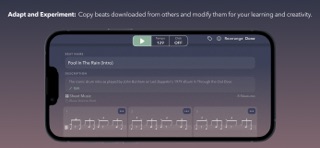
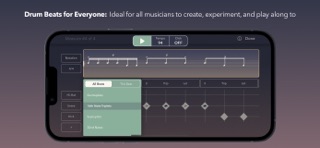
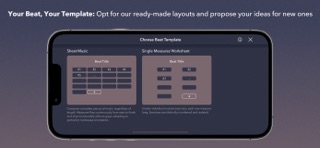
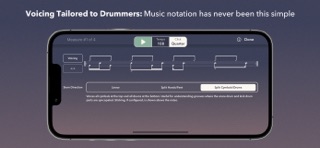
Beat Note — Drum Notation for Drummers, Teachers, and Content Creators The fastest way to write, hear, practice, and share drum notation. Built by a drummer, for drummers. FOR DRUMMERS — FROM YOUR HEAD TO THE PAGE IN SECONDS You have a groove idea. Beat Note gets it down before you lose it. Tap the sequencer grid to build beats. Watch them turn into clean, professional drum notation in real time. Hit play and hear exactly what you wrote — at any tempo, with a click track, on loop. - Transcribe songs to check your ear and lock in what you hear - Compose your own grooves, fills, and exercises from scratch - Count in with a visual on-screen "1, 2, 3, 4" so your eyes and ears are ready together - Use Beat Note as your in-ear metronome during rehearsals — your beats, not just clicks "Been waiting a long time for an app like this. Clearly built by a drummer." — App Store review FOR TEACHERS — WRITE IT, PLAY IT, SEND IT What used to take 30 minutes in a desktop notation program now takes 2 minutes on your phone or iPad. Write exercises on the fly — during the lesson, not after it. Play back the notation so students hear exactly how it should sound. Share a link so they can listen at home. Export a PDF they can print and bring to the kit. - Use the sequencer as a live music whiteboard, in person or online - Build a library of exercises organized by tag, ready for any student - Send a shareable link or export a high-quality PDF in one tap "What would normally take 30 minutes on a computer has become 2 minutes from my mobile device. My students love it." — App Store review FOR CONTENT CREATORS — PROFESSIONAL NOTATION VIDEOS, IN MINUTES Export your beat as an animated MP4 — portrait for Instagram, TikTok, and YouTube Shorts, or landscape for YouTube and Vimeo. Choose 720p, 1080p, or 4K. Pick a color theme. Preview before you export. PDF, PNG, WAV or AAC audio, shareable link, and animated MP4 — all from one app. NOTATION THAT LOOKS RIGHT Professional drum notation, consistent across every format you export. What you see on screen is what your students get in the PDF, what your followers see in the video, and what you hear in playback. - All standard drums, cymbals, and articulations - Subdivisions from 8th notes to 32nd notes, plus triplets, quintuplets (5s), and septuplets (7s) - Common and compound time signatures, including 6/8, 9/8, and 12/8 - Linear, split hands/feet, or split drums/cymbals voicing - Sticking annotations (R, L) - Single-measure repeat symbol (%) — renders automatically when measures repeat ORGANIZE AND DISCOVER - Tags, search, and sort to manage your beat library - Discover tab: curated educational beats for all skill levels - Beat templates to get started fast - Customize tempo, click track, count-in, and timer MADE BY A DRUMMER, SHAPED BY THE COMMUNITY Beat Note was built by me — an independent developer with 35+ years behind the kit. But the direction comes from the community. Every major feature on the roadmap has been voted on, requested, and refined by drummers, teachers, and creators just like you. Join the conversation at roadmap.beat-note.app — vote on upcoming features, share ideas, and see what's coming next. I'm here to make sure it all comes together into something that actually works. Premium subscription required for full access. Educator and Creator tiers available. Free trial included. Payment is charged through your iTunes account at confirmation of purchase. Subscription auto-renews unless cancelled at least 24 hours before the end of the current period via iTunes Account Settings. Terms and Privacy Policy: https://www.beat-note.app/privacy-and-terms
What's new · 5.7.1
Thanks for using Drum Notation by Beat Note! IMPROVEMENTS - Display settings: a new Display button on the Practice screen opens a popover that makes it clearer how to choose the app's color scheme. - The Loop, Click, Tempo, Time Signature and Timer popovers have a cleaner, easier-to-read look, and the Timer picker is simpler to use. - Measure numbers are now placed more consistently relative to the staff on screen, in exported PDFs and in videos, and repeated measures now show their number too. BUG FIXES - Fixed rhythm counts and sticking labels sitting slightly to the left of their notes. - Fixed sticking marks below the staff sitting too close to the notes. - Fixed beat titles and page numbers sometimes missing from exported PDFs. - Fixed a crash when dismissing the Export MP4 paywall. - Fixed a crash that could happen while an export finished. Remember to check out the Beat Note roadmap under the Settings screen to learn about upcoming features and vote on user-requested ones. As always, thank you for your support. This update also includes general bug fixes and performance improvements. Have feedback? Tap Settings → E-mail Derek. I'd love to hear from you!
Details