

Work Order Maker
B TO J PTY LTD · Business
Independent analytics for this App Store listing. AppTracker is not affiliated with B TO J PTY LTD.
Chart standing · US
What changed · US
Listing changes AppTracker has observed for this app in this storefront — new versions, price moves, rating shifts, and store copy.
"Tax AI" Promotion button added to the side bar
Ratings breakdown · US
The star breakdown behind this app's rating in this storefront.
In-app purchases · US
What this app sells inside itself, grouped by kind and priced for this storefront.
Screenshots

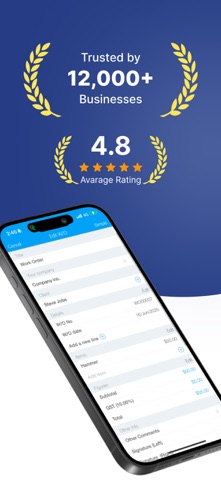






About
**Generate Professional Work Orders on the Go** Create and assign tasks or jobs for your customers using work orders whenever you need. Whether you're following up on inspections or audits for products or services, Work Order Maker simplifies the process. A work order can include several key details: * Instructions: Clearly outline the tasks to be performed. * Cost Estimates: Provide an estimate of costs for the job. * Date & Time: Specify when the work will be carried out. * Location Details: Include the location and entities involved. * Assigned Personnel: Designate the person responsible for completing the work. In a manufacturing environment, work orders are typically converted from sales orders, signaling the start of the manufacturing or assembly process. For service environments, work orders track when and where the service is performed, as well as the nature of the work done. The work order will also display: * Rates (e.g., $/hr, $/week) * Total Hours Worked * Total Value of Work Work Order Maker is ideal for a variety of situations: * Maintenance or Repair Requests * Preventative Maintenance * Internal Job Orders (Used by project-based, manufacturing, building, and fabrication businesses) * Product/Service Job Orders * Signal the Start of a Manufacturing Process** (Linked to a bill of materials) --- Upgrade to the Subscription Version The subscription version offers **cloud sync and backup**, ensuring that all your work order data is securely stored and accessible across multiple iOS devices, including iPhone and iPad. Subscription Details: * Payment will be charged to your Apple ID account upon confirmation. * The subscription renews automatically unless canceled at least 24 hours before the end of the current period. * You can manage your subscriptions in App Store settings * No cancellation is allowed during the active subscription period. Links to Your Privacy Policy and Terms of Use: http://www.btoj.com.au/privacy.html http://www.btoj.com.au/terms.html
What's new · 53.1
"Tax AI" Promotion button added to the side bar
Details