

Document Camera
SwiftKick Mobile LLC. · Education
Independent analytics for this App Store listing. AppTracker is not affiliated with SwiftKick Mobile LLC.
Chart standing · US
What changed · US
Listing changes AppTracker has observed for this app in this storefront — new versions, price moves, rating shifts, and store copy.
Price & rating history · US
Reconstructed from the listing changes AppTracker has observed in this storefront. A field is charted once it has changed more than once, and each line starts at the value it moved from.
Average rating · ★ 4.50 now · 2 changes on record
Ratings breakdown · US
The star breakdown behind this app's rating in this storefront.
In-app purchases · US
No in-app purchases.
Screenshots


About
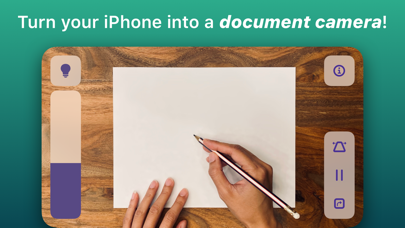
Transform your iPhone into the best document camera on the market with Doc Cam! Doc Cam is a straightforward app for sharing your workspace with your students, just like a document camera or old school overhead projector. Doc Cam was designed with the needs of the remote learning classroom in mind. It’s compatible with Zoom, Google Meet, Microsoft Teams, and other services through screen mirroring, all with easy step-by-step guides for setup. For teachers who have already transitioned back to the classroom, you can still use Doc Cam with modern classrooms outfitted with computers or projectors compatible with AirPlay Screen Mirroring. DOC CAM FEATURES 1. Works with Zoom, Google Meet, Screen Mirroring and more. 2. Perfect for remote learning. 3. Zoom and pan the camera. 4. Smart Flashlight - distributes the lighting evenly across the entire document camera image when the flashlight is enabled. 5. Auto Level - keeps the document camera image level even when your phone isn't. 6. Freeze video frame. 7. Transition back to the classroom with AirPlay support. 8. And more!
What's new · 1.1.1
* Fix broken contact email * Additional bug fixes
Details