

Image to PDF - Convert to PDF
WEBDIA INC. · Business
Independent analytics for this App Store listing. AppTracker is not affiliated with WEBDIA INC.
Chart standing · US
What changed · US
Listing changes AppTracker has observed for this app in this storefront — new versions, price moves, rating shifts, and store copy.
Fixed several issues with PDF creation and improved app stability.
Price & rating history · US
Reconstructed from the listing changes AppTracker has observed in this storefront. A field is charted once it has changed more than once, and each line starts at the value it moved from.
Average rating · ★ 4.73 now · 5 changes on record
Ratings breakdown · US
The star breakdown behind this app's rating in this storefront.
In-app purchases · US
What this app sells inside itself, grouped by kind and priced for this storefront.
Screenshots


About
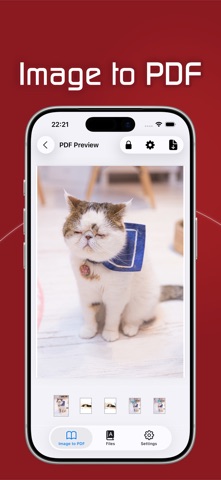
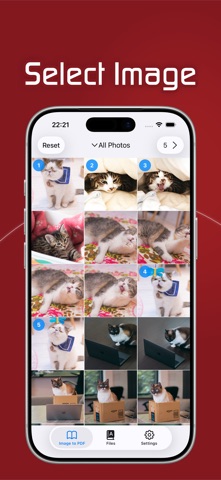
Creating a PDF is very simple 1. Select the photo or image you want to convert to PDF *The selected order will be the PDF page. 2. Check the created PDF 3. Save the confirmed PDF PDF will be created only by the above three steps + PDF management The created PDF is saved in the app. Saved PDFs can be viewed or shared with other apps at any time + PDF size can be selected You can create a PDF according to the pre-registered paper size. Of course, you can also create a PDF according to the image size. + PDF margins can be set arbitrarily It is possible to set margins on the paper * Premium purchase is required + You can set a PDF password Since you can set a password for PDF, you can use it for important documents etc. * Premium purchase is required + Ensuring safety Since this application creates PDF on the device There is no danger such as PDF leakage --- About Premium --- -Premium contents- ・Removal of the number of selected images for PDF creation ・Hide ads -Confirmation and cancellation- Please set from Apple ID -About automatic continuous charging- If you do not cancel the automatic renewal within 24 hours before the end date of the period, the contract period will be automatically renewed. Automatic renewal will be charged within 24 hours after the end of the contract period - important point - ・Persons charged within the application cannot cancel by methods other than the above. ・We do not accept cancellations for the current month -You will be charged via your iTunes account - Privacy Policy - https://imagetopdf.webdia.net/privacy-policy/ - terms-of-use - https://imagetopdf.webdia.net/premium-terms-of-use/
What's new · 3.1.4
Fixed several issues with PDF creation and improved app stability.
Details