

Handy Angle
STRENGCON LLC · Utilities
Independent analytics for this App Store listing. AppTracker is not affiliated with STRENGCON LLC.
Chart standing · US
Ratings breakdown · US
The star breakdown behind this app's rating in this storefront.
In-app purchases · US
What this app sells inside itself, grouped by kind and priced for this storefront.
Screenshots



About
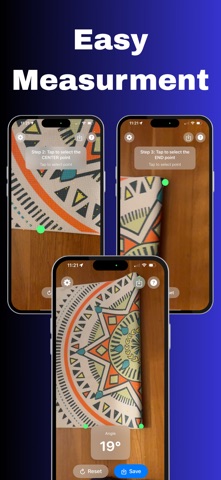
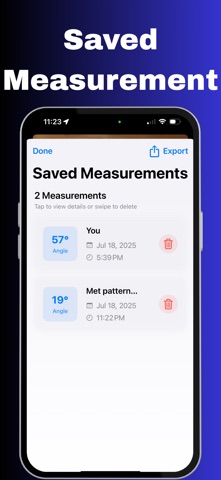
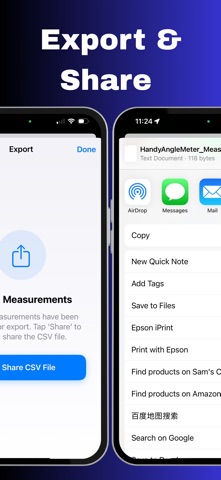
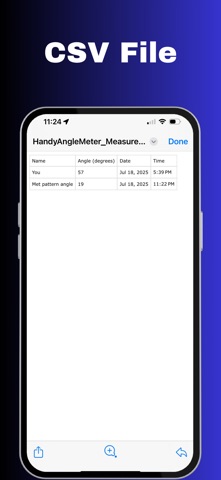
HandyAngleMeter is a powerful angle measurement tool that uses your device's camera and advanced AR technology to measure angles with precision and ease. KEY FEATURES: • Simple 3-step measurement process • AR-powered point selection with visual guidance • Real-time angle calculation and display • Voice guidance • Unlimited measurements for all users • Professional-grade accuracy PREMIUM FEATURES: • Ad-free experience • Customizable line and point colors • Save and share measurements as CSV files • Advanced settings and customization PERFECT FOR: • Construction and carpentry work • Engineering and design projects • DIY home improvement projects • Educational purposes • Professional measurements EASY TO USE: 1. Point your camera at the surface 2. Wait for yellow dots to appear 3. Tap three points: start, center, and end 4. Get instant angle measurement The app provides clear visual feedback with colored lines and points, making it easy to see exactly what you're measuring. Voice guidance helps you focus on your work while the app guides you through each step. Premium users can save their measurements and export them as CSV files for record keeping and analysis. Customize the appearance with different colors to match your preferences and work environment. Download HandyAngleMeter today and experience the most accurate and user-friendly angle measurement tool available. Terms of Use (EULA): https://www.apple.com/legal/internet-services/itunes/dev/stdeula/
What's new · 3.0
NEW FEATURES: • Completely redesigned user interface for better usability • Save and share measurement results as CSV files • Enhanced instructions and onboarding experience • Improved premium features and subscription options • Better visual feedback and user guidance • Optimized performance and stability UI IMPROVEMENTS: • Modern card-based design throughout the app • Improved settings view with better organization • Enhanced saved measurements view with professional layout • Better visual hierarchy and spacing • More intuitive navigation and controls MEASUREMENT FEATURES: • Save individual measurements with custom names • Export all saved measurements as CSV files • Share measurement data via email, AirDrop, or other apps • Access saved measurements from settings menu INSTRUCTIONS & SUPPORT: • Comprehensive help section with step-by-step guidance • Enhanced onboarding for first-time users • Better instructions about AR point selection • Improved voice guidance and audio feedback • More detailed premium feature explanations This update brings a complete redesign focused on user experience, making angle measurement more accessible and professional than ever before.
Details