

MASmobile FLEX
Honeywell International, Inc. · Business
Independent analytics for this App Store listing. AppTracker is not affiliated with Honeywell International, Inc.
Chart standing · US
What changed · US
Listing changes AppTracker has observed for this app in this storefront — new versions, price moves, rating shifts, and store copy.
• Fixed crashes on login, job lists, history, and system tests • Media uploads now resume automatically after lost connection or navigating away, with support for larger videos • Choose to upload captured photos/videos over Wi-Fi only, with option to switch back to cellular • Added search and type filters to the Agency selection screen • Fixed camera permission issues blocking access to media and photo capture • Improved error messages for access, login, and connection issues
Screenshots



About
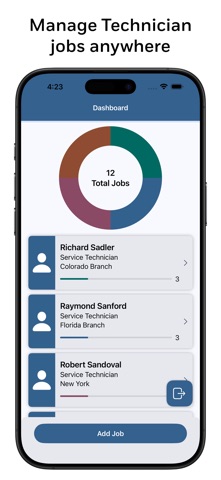
MASmobile FLEX is intended for use by customers of MASterMind and requires MASterMind EX services. MASmobile FLEX allows authorized central station personnel and dealers to manage customer data, place systems on or off test, view system event history, test history, and system zones, using a mobile device. MASmobile FLEX requires MASterMind EX services to connect to your central station database. MASmobile FLEX has undergone a complete redesign from the ground up. The app features a new user interface as well as an enhanced user experience. The app also supports light and dark interface styles. In addition, the app has been redesigned to work exclusively with MASterMind EX services to connect to your central station database. Enhanced security using OAuth Session Management and biometric login support has also been added to the app. Improvements to session management, abandoned session handling, and password reset management are also included.
What's new · 3.1.4
• Fixed crashes on login, job lists, history, and system tests • Media uploads now resume automatically after lost connection or navigating away, with support for larger videos • Choose to upload captured photos/videos over Wi-Fi only, with option to switch back to cellular • Added search and type filters to the Agency selection screen • Fixed camera permission issues blocking access to media and photo capture • Improved error messages for access, login, and connection issues
Details