

Overview: Live World Webcams
Wandity Ltd · Travel
Independent analytics for this App Store listing. AppTracker is not affiliated with Wandity Ltd.
Chart standing · US
What changed · US
Listing changes AppTracker has observed for this app in this storefront — new versions, price moves, rating shifts, and store copy.
Version 3.2.0 - Redesigned camera details, favorites, map help, and video player with native iOS controls. - Reorder your favorites with Move Up and Move Down. - Full-screen ads removed. - Bug fixes and stability improvements.
Price & rating history · US
Reconstructed from the listing changes AppTracker has observed in this storefront. A field is charted once it has changed more than once, and each line starts at the value it moved from.
Average rating · ★ 4.00 now · 6 changes on record
Screenshots



About
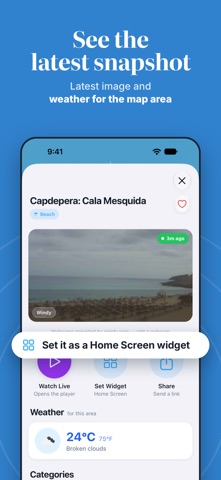
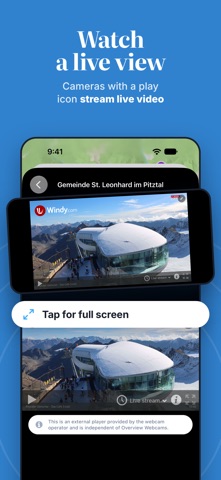
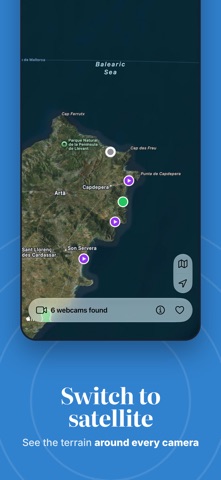
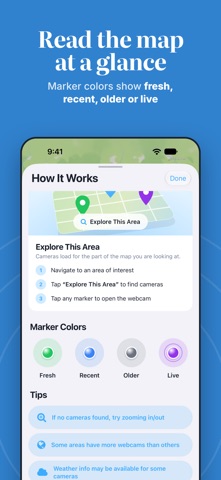
Explore the world through live webcams and camera snapshots. Browse the map, discover a view, and save the places you want to see again. FIND A VIEW ON THE MAP Move and zoom the world map, then search the area on screen for webcams. Tap a camera marker to open its details. Switch to satellite view or center the map on your location with location permission. WATCH LIVE OR VIEW A SNAPSHOT Cameras with a play icon offer live video. Other cameras provide still photos. Open a live camera's player for a larger view, or explore the photo and location details of a snapshot camera. EXPLORE PLACES AND CONDITIONS Look for beach, ski, city, mountain, harbor, and traffic views where cameras are available. Preview a destination before a trip or enjoy a change of scenery from home. Camera images can help you see what a place looks like; their age and quality depend on the provider. KEEP YOUR FAVORITES CLOSE Save cameras to your favorites. Rename and reorder your saved views so you can find them again. Share a camera's title and preview link, or open its coordinates in Maps. A VIEW ON YOUR HOME SCREEN Choose a webcam for the iOS Home Screen widget and see its available snapshot at a glance. WEATHER WHEN AVAILABLE Camera details can show temperature and weather conditions for the map area when weather data is available. Live video, snapshots, and camera availability depend on the provider and your internet connection. Some cameras may be unavailable or show older images. The Home Screen widget displays snapshots, not live video.
What's new · 3.2.0
Version 3.2.0 - Redesigned camera details, favorites, map help, and video player with native iOS controls. - Reorder your favorites with Move Up and Move Down. - Full-screen ads removed. - Bug fixes and stability improvements.
Details