

Spreadsheet data entry
Ruslan Musagitov · Utilities
Independent analytics for this App Store listing. AppTracker is not affiliated with Ruslan Musagitov.
Chart standing · US
What changed · US
Listing changes AppTracker has observed for this app in this storefront — new versions, price moves, rating shifts, and store copy.
• AI Assistant: chat in the app, chat history, and Connect AI tokens for ChatGPT and Claude • Airtable as a form destination — create tables and send rows from the app • Self-hosted ONLYOFFICE: add your own servers in Settings • Share Google and Airtable access with agents when you turn on Sync for agents • Name the Google Sheet when you create a form • Storage providers are grouped into Forms and Images • More reliable Google, Airtable, Dropbox, ONLYOFFICE, and Grist sign-in, plus iOS 26 fixes
Ratings breakdown · US
The star breakdown behind this app's rating in this storefront.
Screenshots




About
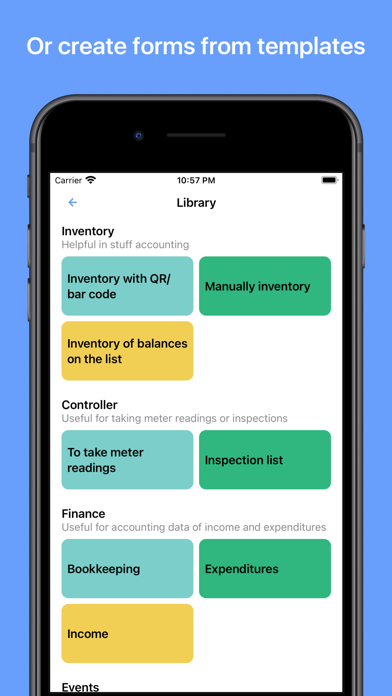
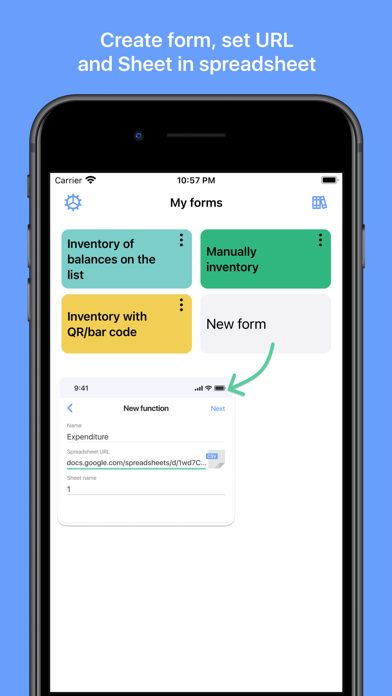
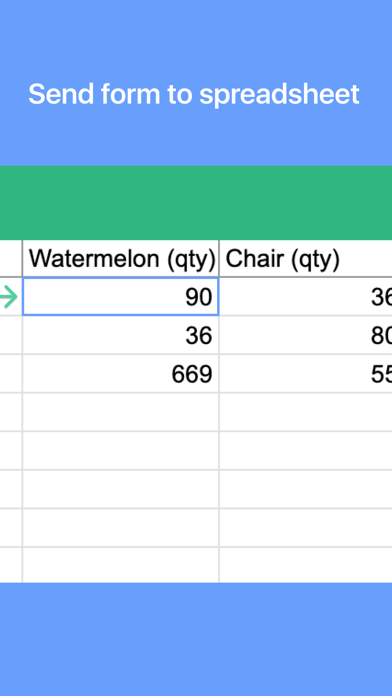
Effortlessly send data from your phone directly to your Google Sheets or CSV file. Perfect for on-the-go data saving and management. This powerful tool is your ultimate companion for accounting, expense tracking as a smart spending tracker, warehouse inventory, and much more. Streamline your workflow by capturing information instantly—whether it's scanning a barcode, saving a location, or creating a new entry in your list maker. Capture & Save Various Data Types: - Scan it: QR and Barcode data directly to your spreadsheet. - Geolocation: Save your current coordinates or pick a point on the map. - Text and Numbers for detailed notes. - Dates & Timestamps: Automatic or custom entries. - Predefined Lists: Select values from a custom list. - Yes/No selectors for quick checks. Seamless Integration with Google Suite The app works flawlessly with Google Sheets, can replace Google Forms, allowing you to convert csv to Excel spreadsheet compatible files with ease. The revolutionary Scan to Sheets technology means data from codes appears in your rows and columns instantly, eliminating manual transcription. How It Works: - Select a form. - Input data (scan, type, or select). - Tap "Send". - Watch as the information appears live in your spreadsheet on Google Drive. Connect Your Google Sheet in Minutes: - Authorize your Google account. - Configure your target spreadsheet URL. What is a Form? A Form defines the structure of your data entry, linking input fields to specific columns in your target spreadsheet. Create them manually for full control or choose a ready-made template from our library. Create a Form Manually: - Create a spreadsheet in your Google Drive. - In the app, create a new form: - Paste the spreadsheet URL and sheet name. - Configure each field: name, data type, and target column. - Save. Use a Predefined Template: - Browse the form library. - Tap "Add to my forms" – a copy of the spreadsheet template is saved to your Drive. Automate your data logging, enhance productivity, and ensure accurate data saving for any project. Download now to transform your phone into a powerful data hub. Terms of Service and Privacy Policy: https://bytepace.com/spreadsheet-data-entry/tos-and-privacy-policy
What's new · 4.0
• AI Assistant: chat in the app, chat history, and Connect AI tokens for ChatGPT and Claude • Airtable as a form destination — create tables and send rows from the app • Self-hosted ONLYOFFICE: add your own servers in Settings • Share Google and Airtable access with agents when you turn on Sync for agents • Name the Google Sheet when you create a form • Storage providers are grouped into Forms and Images • More reliable Google, Airtable, Dropbox, ONLYOFFICE, and Grist sign-in, plus iOS 26 fixes
Details