

Arduino IoT Cloud Remote
Arduino LLC · Utilities
Independent analytics for this App Store listing. AppTracker is not affiliated with Arduino LLC.
Chart standing · US
What changed · US
Listing changes AppTracker has observed for this app in this storefront — new versions, price moves, rating shifts, and store copy.
Bug Fixes: - Pull to refresh now updates widget values - Day of the month picker values now show on iPhone - Advanced Chart Y axes always visible - Percentage widget fixed at all sizes - Phone as Device settings apply right away and open on iPad - Social login profile pictures restored
Price & rating history · US
Reconstructed from the listing changes AppTracker has observed in this storefront. A field is charted once it has changed more than once, and each line starts at the value it moved from.
Average rating · ★ 4.57 now · 3 changes on record
Ratings breakdown · US
The star breakdown behind this app's rating in this storefront.
In-app purchases · US
No in-app purchases.
Screenshots


About
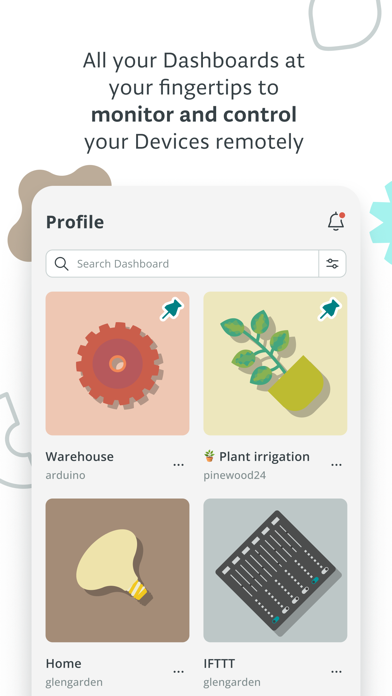
A powerful companion for the Arduino IoT Cloud – simply access, monitor and control your dashboards with a few screen taps. Arduino IoT Cloud Remote can be very useful in a variety of use cases where you need to monitor or control regardless of the time or place: - In the field: you can read the data from your soil sensors or start your irrigation system directly from anywhere. - In the factory: constant visibility of the state of your manufacturing process status, with the ability to control your automation remotely. - In the home: simply monitor your home automation systems, check your previous or actual energy consumption from the convenience of your sofa. Create your dashboards on https://app.arduino.cc from your computer or tablet and control them with IoT Cloud Remote from your iPhone. When creating your dashboards on the Arduino IoT Cloud you can link your widgets to multiple IoT projects for maximum flexibility. Featuring a broad set of versatile and simple widgets, including: - Switch - Push-button - Slider - Stepper - Messenger - Color - Dimmed light - Colored light - Value - Status - Gauge - Percentage - LED - Map - Chart - Time picker - Scheduler - Value Dropdown - Value Selector - Sticky Note - Image - Advanced Chart - Advanced Map - Image Map - Link
What's new · 4.7.1
Bug Fixes: - Pull to refresh now updates widget values - Day of the month picker values now show on iPhone - Advanced Chart Y axes always visible - Percentage widget fixed at all sizes - Phone as Device settings apply right away and open on iPad - Social login profile pictures restored
Details