

MetaPhoto: Overlay MetaData
Josh Wood · Photo & Video
Independent analytics for this App Store listing. AppTracker is not affiliated with Josh Wood.
Chart standing · US
What changed · US
Listing changes AppTracker has observed for this app in this storefront — new versions, price moves, rating shifts, and store copy.
Text editing is easier: every text field now has a Done button on the keyboard, so you can finish changes and get back to your photo faster.
Ratings breakdown · US
The star breakdown behind this app's rating in this storefront.
Screenshots

About
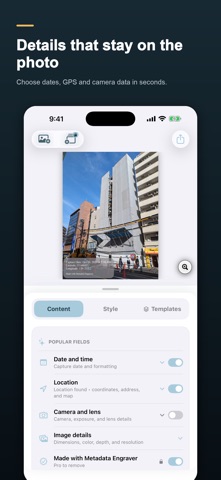
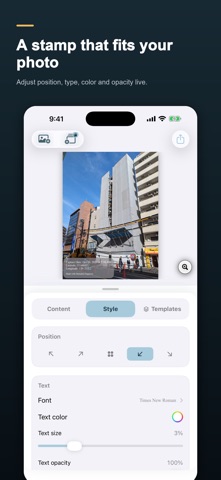
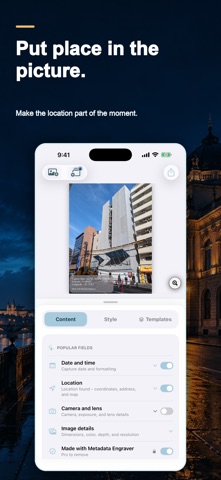
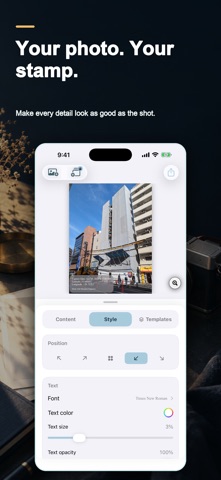
Stamp the date, GPS coordinates, address and camera settings onto your photos — so the proof stays on the image after it's emailed, forwarded or screenshotted. Built for job site records, inspections, insurance claims and real estate. Metadata Engraver reads the information your camera already saved and burns it into the picture itself, entirely on your device. Create useful, consistent records for job sites, inspections, real estate, insurance, field research, travel, and everyday memories. Choose exactly which details appear and keep the original photo visible while you work. POWERFUL METADATA STAMPS - Capture date and time - GPS coordinates and readable addresses - Nearby places and landmarks when location metadata is available - Camera model, lens, focal length, aperture, shutter speed, and ISO - Custom text and logo watermarks - Optional map inset for location context AN EDITOR THAT STAYS OUT OF YOUR WAY - Live preview while you edit - Drag the overlay anywhere on the image - Pinch the photo to zoom into details - Pinch the overlay to resize it directly - Adjust font, color, alignment, padding, backdrop, opacity, and corners - Expand only the metadata fields you want to customize TEMPLATES AND BATCH WORKFLOWS Start from a ready-made design, save your own reusable templates, and apply a consistent stamp across multiple photos. PRIVACY-FOCUSED PHOTO PROCESSING Your photos are processed on your device. Metadata is read from the selected image, and location-based labels are available only when that image contains GPS information. Photos received from messaging or social apps may have their location metadata removed before they reach Metadata Engraver. Metadata Engraver Pro unlocks premium templates, automatic address tools, custom branding, unlimited custom templates, template sharing, and removal of the Metadata Engraver credit. Choose monthly, annual, or lifetime access. ______________________________________________ Metadata Engraver Pro is available as a monthly subscription ($2.99/month), an annual subscription ($19.99/year with a 3-day free trial), or a one-time lifetime purchase ($34.99). Payment is charged to your Apple Account at confirmation of purchase. Subscriptions renew automatically unless auto-renew is turned off at least 24 hours before the end of the current period. Your account is charged for renewal within 24 hours before the end of the current period. You can manage and cancel subscriptions in your Apple Account settings after purchase. Any unused portion of a free trial is forfeited when you purchase a subscription. Terms of Use: https://metadataengraver.com/terms/ Privacy Policy: https://metadataengraver.com/privacy/
What's new · 2.5
Text editing is easier: every text field now has a Done button on the keyboard, so you can finish changes and get back to your photo faster.
Details