

Chroma Key | Green Screen
David Perez · Photo & Video
Independent analytics for this App Store listing. AppTracker is not affiliated with David Perez.
Chart standing · US
What changed · US
Listing changes AppTracker has observed for this app in this storefront — new versions, price moves, rating shifts, and store copy.
Price & rating history · US
Reconstructed from the listing changes AppTracker has observed in this storefront. A field is charted once it has changed more than once, and each line starts at the value it moved from.
Average rating · ★ 4.05 now · 3 changes on record
Ratings breakdown · US
The star breakdown behind this app's rating in this storefront.
In-app purchases · US
No in-app purchases.
Screenshots
Keywords this app targets
Search terms AppTracker associates with this app — estimates, not search volume. ❝ = in the app's title; a highlighted number is its current position for that term.
Similar apps
Competitors and close alternatives, as estimated by AppTracker.
 Green Screen by Do Ink
DK Pictures, Inc.
3 shared topics · 3 shared title words
Green Screen by Do Ink
DK Pictures, Inc.
3 shared topics · 3 shared title words
 Green Screen - chroma key
Anna Koynova
2 shared topics · 6 shared title words
Green Screen - chroma key
Anna Koynova
2 shared topics · 6 shared title words
 Smart GreenScreen
Stefan Hollekamp
3 shared topics
Smart GreenScreen
Stefan Hollekamp
3 shared topics
 Green screen App
Seed Data Systems
2 shared topics · 3 shared title words
Green screen App
Seed Data Systems
2 shared topics · 3 shared title words
 Chroma Key - Green Screen PNG
CAEN, K.K.
1 shared topic · 6 shared title words
Chroma Key - Green Screen PNG
CAEN, K.K.
1 shared topic · 6 shared title words
 Veescope Green Screen Full
Phone Sweets
2 shared topics · 3 shared title words
Veescope Green Screen Full
Phone Sweets
2 shared topics · 3 shared title words
 Green Screener
Hollywood Camera Work SRL
1 shared topic · 1 shared title word
Green Screener
Hollywood Camera Work SRL
1 shared topic · 1 shared title word
 Green Screen Studio
Pocket Bits LLC
Green Screen Studio
Pocket Bits LLC
About
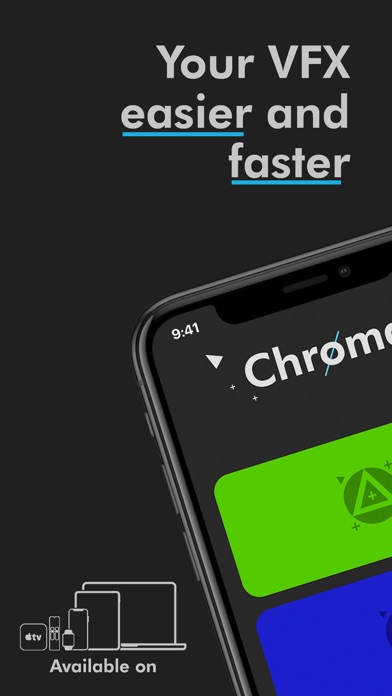
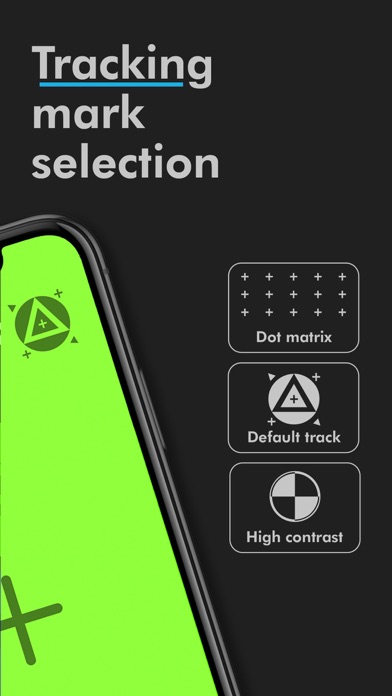
CHROMA KEY is the essential tool if you need a green screen with tracking mark in your iPhone, iPad, Mac or AppleTV How many times have you heard: “This will be solved in postproduction”? Being surrounded by the suitable tools let your results become flawless. Chroma Key can help you with: - Day or Night / Green or Blue: Whether if you need a bright wallpaper or one in complete darkness. Green and blue chromas to help you in both situations just in one finger tap. - Tracking marks: to facilitate the work of your VFX guys, the app has differents tracking mark to select. It doesn’t matter in which situation your filming, choose the default tracking marks or the high contrast ones, designed specifically for tough situations. - Hold down: Whether if you have to interact with the iPhone or if in your chroma everything is visual, the app adapts to you. Choose the best option for every moment. You are the one deciding how and when you leave the chroma view. - Intuitive y minimalist: We have polished every detail so that you don’t find any problem. Everything is where it is supposed to be. You don't need to adapt to the app, the app will adapt to you. «Today, with computer-generated visual effects, everything is possible. So we've seen everything. If it can be imagined, it can be put on screen.» Gabriel Campisi
What's new · 1.3
This app has been updated by Apple to prepare for watchOS 27 compatibility. No new features are included. - Dark mode background support - iOS +12.0 required
Details