

NiBoard: Whiteboard Drawing
Enid Hadaj · Graphics & Design
Independent analytics for this App Store listing. AppTracker is not affiliated with Enid Hadaj.
Chart standing · US
What changed · US
Listing changes AppTracker has observed for this app in this storefront — new versions, price moves, rating shifts, and store copy.
• Bug fixes and improvements
Price & rating history · US
Reconstructed from the listing changes AppTracker has observed in this storefront. A field is charted once it has changed more than once, and each line starts at the value it moved from.
Average rating · ★ 4.59 now · 4 changes on record
Ratings breakdown · US
The star breakdown behind this app's rating in this storefront.
Screenshots


About
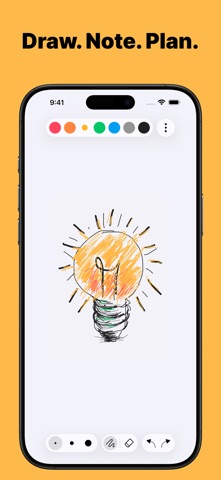
NiBoard is a simple whiteboard app for drawing, sketching, notes, and ideas. Whether you’re a student, teacher, creator, or just want a clean space to think visually, NiBoard helps you capture ideas quickly with an easy-to-use canvas, Apple Pencil support, drawing tools, editable objects, and boards for keeping your work organized. Why You’ll Love NiBoard • Simple from the first tap: Open a board and start drawing without setup. • Great for Notes, Lessons, and Ideas: Use NiBoard for quick explanations, visual thinking, planning, and sketches. • Organized Workspace: Keep different notes, sketches, lessons, and ideas in separate boards. • Apple Pencil Support: Draw with your finger, Apple Pencil, or both for precise control. • Clean, Minimal Interface: Focus on your ideas without distractions. Key Features • Pen & Highlighter: Draw naturally and highlight important notes, diagrams, and ideas. • Lines, Arrows, Shapes & Text: Create simple diagrams, organize ideas, and add clear labels. • Editable Objects: Select lines, arrows, and shapes to move, resize, recolor, and customize borders with three size options. • Shape Fill: Fill supported shapes with color for cleaner diagrams and visual notes. • Boards: Create, rename, duplicate, and pin boards to keep your ideas and projects organized. • Infinite Canvas: Expand your canvas and keep drawing without running out of space. • Canvas Styles: Use Blank, Grid, Dotted, and Lined canvas styles for cleaner sketches and notes. • Custom Color Palette: Create your own color palette with the full color picker. • Easy Editing: Use Undo/Redo, Eraser, and Zoom for quick fixes and detailed work. • Export: Export your boards as PNG or PDF. • Save & Share: Save your drawings or share them with others. • Dark Mode: Enjoy a comfortable drawing experience in any lighting. • Autosave: Your work is saved automatically. A subscription is required to unlock full access to the app. Terms of Service https://www.apple.com/legal/internet-services/itunes/dev/stdeula/
What's new · 12.1
• Bug fixes and improvements
Details