

HelloPDF-PDF Converter&Scanner
Shanghai Dazhuo Information Technology Co., Ltd. · Business
Independent analytics for this App Store listing. AppTracker is not affiliated with Shanghai Dazhuo Information Technology Co., Ltd.
Chart standing · US
What changed · US
Listing changes AppTracker has observed for this app in this storefront — new versions, price moves, rating shifts, and store copy.
What's New: · Supports iOS 27 · Image to PDF: new A4 Layout, 1–4 images per page · New: PDF to Image · Image Scan: perspective correction, skewed pages straightened automatically
Ratings breakdown · US
The star breakdown behind this app's rating in this storefront.
In-app purchases · US
What this app sells inside itself, grouped by kind and priced for this storefront.
Screenshots

About
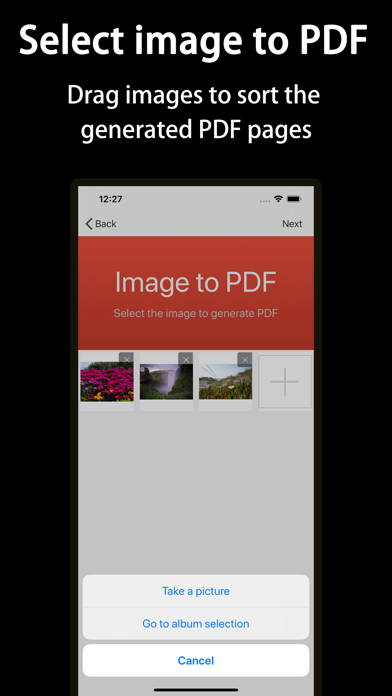
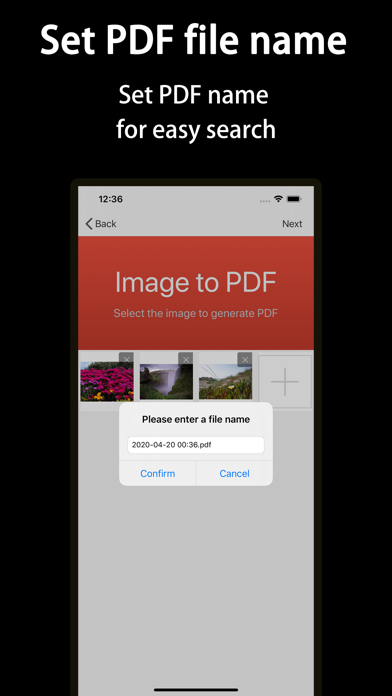
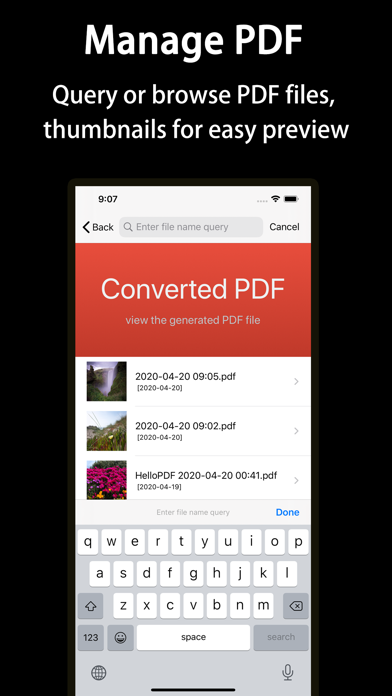
HelloPDF converts images and PDFs both ways: scan documents, merge photos into a PDF, turn PDF pages back into images, clear grey backgrounds and lay out pages on A4 — all on your iPhone. Contracts, invoices, ID documents, class notes — just take a photo and get a clean, tidy PDF. — Features — · Image to PDF Pick several photos at once, long-press and drag to reorder, then generate one PDF. · Document Scan Point at the page: edges are detected automatically and skewed pages are straightened. · Image Cleanup Remove grey backgrounds in one tap and turn photos into print-ready black & white — darker text, whiter paper. · A4 Layout Fit 1, 2, 3 or 4 images on a page, side by side or stacked. Ready to print. · PDF to Image Export every PDF page as an image — easy to share or reuse. · Custom Page Size Standard A4 (595 × 842) by default, or set width and height yourself. · File Management All your PDFs in one place: search by name, preview, share, print or delete. — Use cases — · Contracts, invoices, ID documents: snap a photo and archive it, no more lost paperwork · Notes and course material: merge photos into one PDF and print it on A4 · Old files and photocopies: clear the grey background and make blurry pages readable again — About subscriptions — A subscription unlocks all features. Payment is charged to your iTunes account once you confirm the purchase. Subscriptions renew automatically within 24 hours before the current period ends; to stop renewal, turn off auto-renew in your account settings at least 24 hours before it ends. Privacy Policy: http://www.dazhuogroup.com/img2pdf/privacy_statement_en.php Terms of Use: http://www.dazhuogroup.com/img2pdf/terms_of_use_en.php
What's new · 1.4
What's New: · Supports iOS 27 · Image to PDF: new A4 Layout, 1–4 images per page · New: PDF to Image · Image Scan: perspective correction, skewed pages straightened automatically
Details