

EnGage by Box5 Software
Box5 Sofware Inc · Education
Independent analytics for this App Store listing. AppTracker is not affiliated with Box5 Sofware Inc.
Chart standing · US
What changed · US
Listing changes AppTracker has observed for this app in this storefront — new versions, price moves, rating shifts, and store copy.
• Back buttons moved to the top of the screen, out of the way of accidental taps on tablets and phones in landscape • A new Notes button gives you one-tap access to Set Notes • New option to browse through Set Notes without changing the Set you're on
Ratings breakdown · US
The star breakdown behind this app's rating in this storefront.
In-app purchases · US
No in-app purchases.
Screenshots

About
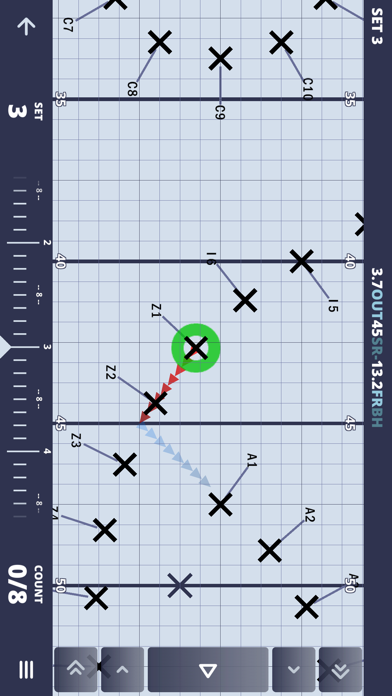
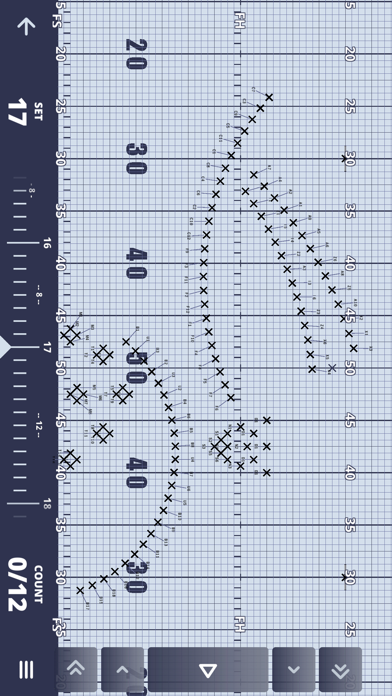
EnGage is the best way for marching ensembles to learn and clean EnVision drill. Download your Group's drill from their private cloud and get learning! You can either select a single performer or view the entire drill at once. EnGage Features: - Access drill uploaded by your Marching Band, Indoor Drumline, Winter Guard or other Marching Ensemble Groups - Easily switch between many modes. Landscape and Portrait view, Dot Book and Drill Book modes, Performer Focus and Drill Focus modes, Director view and Member view. - Step forwards and backwards single counts or entire sets. - Jump to any set in the production. - Step guides visible on the field for your next two sets and a path guide for the previous set. - Shorthand for current and next set positions visible on top and bottom of screen. - Easily select any performer on the field to see their entire drill. Perfect for instructors and directors. - Convenient easy-to-read timeline at the bottom of the screen. - Full playback of the drill. - Change field perspective: Performer view or Director view. - Learn and clean drill in seconds after it's been exported from EnVision by the designer.
What's new · 1.8.7
• Back buttons moved to the top of the screen, out of the way of accidental taps on tablets and phones in landscape • A new Notes button gives you one-tap access to Set Notes • New option to browse through Set Notes without changing the Set you're on
Details