

C Code Develop
铖 邢 · Developer Tools
Independent analytics for this App Store listing. AppTracker is not affiliated with 铖 邢.
Chart standing · US
What changed · US
Listing changes AppTracker has observed for this app in this storefront — new versions, price moves, rating shifts, and store copy.
1. Projects now support folders, making complex project structures easier to organize. 2. Expanded file APIs so code can read, write, rename, move, and delete project files, as well as create, enumerate, rename, and delete folders. 3. Added Community for browsing, publishing, and sharing projects. 4. Fixed some bugs.
Ratings breakdown · US
The star breakdown behind this app's rating in this storefront.
In-app purchases · US
No in-app purchases.
Screenshots




Keywords this app targets
Search terms AppTracker associates with this app — estimates, not search volume. ❝ = in the app's title; a highlighted number is its current position for that term.
Similar apps
Competitors and close alternatives, as estimated by AppTracker.
 Code Editor - Compiler & IDE
Rhythm Software
2 shared topics · 1 shared title word
Code Editor - Compiler & IDE
Rhythm Software
2 shared topics · 1 shared title word
 Code Runner App Compiler & IDE
Cloudbit d.o.o.
2 shared topics · 1 shared title word
Code Runner App Compiler & IDE
Cloudbit d.o.o.
2 shared topics · 1 shared title word
 iCodeEditor
斌 虞
2 shared topics
iCodeEditor
斌 虞
2 shared topics
 C/C++$-offline compiler for os
小文 黄
C/C++$-offline compiler for os
小文 黄
 C/C++$-LLVM Clang
小文 黄
1 shared topic
C/C++$-LLVM Clang
小文 黄
1 shared topic
 Visual Code Editor - vCode
Devang Samirbhai Shah
2 shared topics · 1 shared title word
Visual Code Editor - vCode
Devang Samirbhai Shah
2 shared topics · 1 shared title word
 Code App
thebaselab Ltd
2 shared topics · 1 shared title word
Code App
thebaselab Ltd
2 shared topics · 1 shared title word
 Code IDE: Python Java C++ Html
Mohammad Abdul Malik
2 shared topics · 1 shared title word
Code IDE: Python Java C++ Html
Mohammad Abdul Malik
2 shared topics · 1 shared title word
About
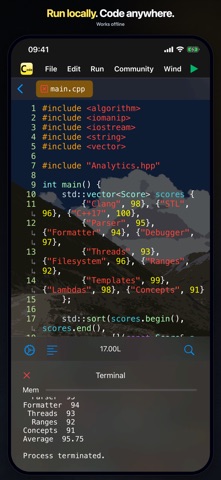
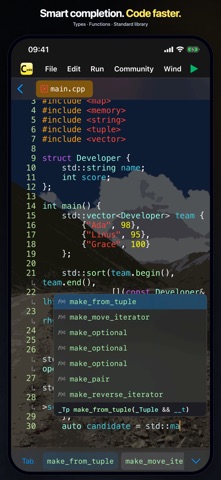
-- Support code auto completion and automatic code formatting; -- Support debugger (breakpoints); -- Run Offline & Support File IO & Support interaction & Support multi-processing; -- Support Project References; A tiny C language development environment, support project management and header file reference, support code executing. For Coding enthusiasts and Computer-Science students, some Data-Structure projects are included. You can use the tiny environment provided to run your project locally, or you can export the project to your computer to compile and run the project. The tiny environment includes a small C standard library that supports commonly used header files and most standard C99 library functions, and C Code Develop provides a easy access header file ccd.h, also some C++ features like argument reference, iostream(cin and cout) are supported. For safety reasons, inline assembly and some other unsafe syntax are not supported. *1. Editor Support auto completion, auto format, long-press to document and other efficient features. *2. Terminal (stdin and stdout) is fully supported, and also you can open *.txt file in project use fopen(), because of the app now only support view and edit text file, you can't open file without .txt suffix or other suffix, or use binary (b) as open mode is not currently supported.
What's new · 5.2.0
1. Projects now support folders, making complex project structures easier to organize. 2. Expanded file APIs so code can read, write, rename, move, and delete project files, as well as create, enumerate, rename, and delete folders. 3. Added Community for browsing, publishing, and sharing projects. 4. Fixed some bugs.
Details