
Chart standing · US
What changed · US
Listing changes AppTracker has observed for this app in this storefront — new versions, price moves, rating shifts, and store copy.
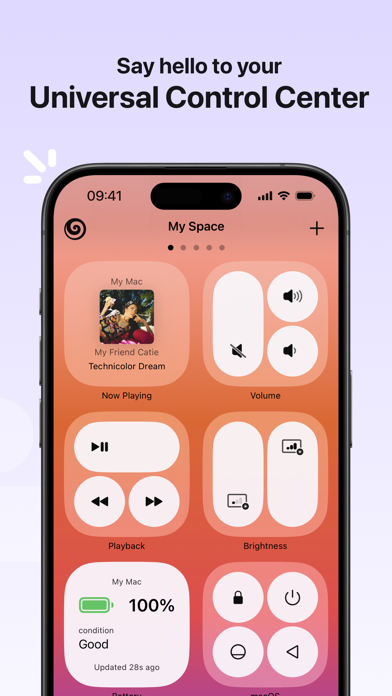
What’s New in Gateway: Your Phone, Now a Trackpad: Need a remote mouse? Use your iPhone or iPad screen as a full-fledged trackpad to navigate your Mac on the fly with multi-touch gestures. "Now Playing" is Back! Track and control active media on your Mac without switching contexts. Smarter System Actions: Enjoy enhanced battery triggers and quick IP actions for better remote Mac management. Bug Fixes & Enhancements: All-around performance polish, connectivity improvements, and bug fixes for a smoother experience. We’re constantly upgrading Gateway—stay tuned for more features coming soon!
Screenshots


About
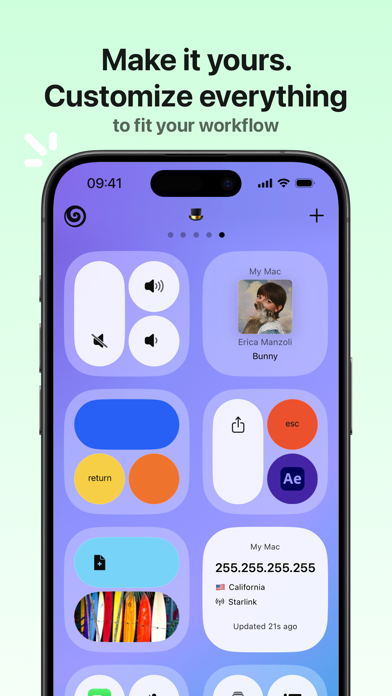
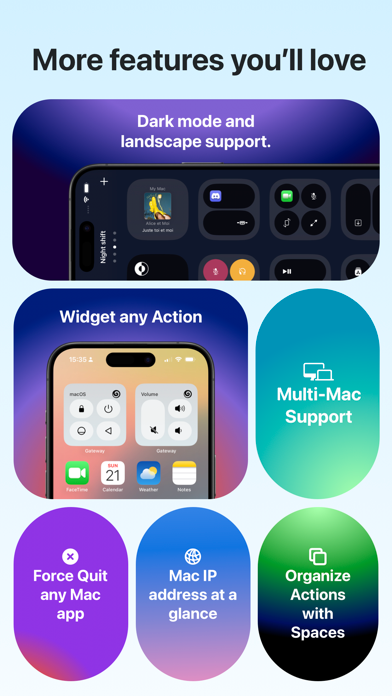
Ever controlled your Mac remotely from your iPhone or iPad? I wish. Or quickly stopped a video without your Mac playing music instead? I wish. Do you have a simple and fast workflow with a set of customized Actions? I wish! GATEWAY grants your wishes. Remotely access your Mac's functions and applications with or without WiFi - AND - gain an essential sidekick for your professional needs with customizable Actions that make your life easier. All you need is to download GATEWAY from the App Store and GATEWAY DESKTOP from our website (www.momentous.studio/gateway) to get started. ** MacOS Sonoma and later required. ** ** Visit www.momentous.studio/gateway to download Gateway Desktop for Mac. ** ---- FEATURES ---- - Remotely control your Mac without being limited to WiFi. - One-Tap Access to your Mac's functions. - Create your own Actions for macOS or any other application. - Launch one or multiple items, applications, files, videos or anything else on your Mac with a single tap. - Stream deck functionality. - Organize Actions with Spaces. - Customize Actions and Spaces to fit your workflow. - Dark-mode and landscape support. - Turn any action into Widgets and access them directly on your home screen. - Quit Mac apps directly from your iPhone or iPad. - Get a list of all active apps and force quit whenever you need it. - Battery Indicator for MacBooks. - Your local Mac IP address available at a glance. - Take advantage of already created Action groups from the Gateway Gallery, - Apple Music - Spotify - Podcasts - VLC - Screenshots - Force Quit ...and more features in future updates! Standard Apple Terms of Use (EULA) apply: https://www.apple.com/legal/internet-services/itunes/dev/stdeula/
What's new · 2.5.7
What’s New in Gateway: Your Phone, Now a Trackpad: Need a remote mouse? Use your iPhone or iPad screen as a full-fledged trackpad to navigate your Mac on the fly with multi-touch gestures. "Now Playing" is Back! Track and control active media on your Mac without switching contexts. Smarter System Actions: Enjoy enhanced battery triggers and quick IP actions for better remote Mac management. Bug Fixes & Enhancements: All-around performance polish, connectivity improvements, and bug fixes for a smoother experience. We’re constantly upgrading Gateway—stay tuned for more features coming soon!
Details