

Wine Cellar Manager
Teck Apps UG · Lifestyle
Independent analytics for this App Store listing. AppTracker is not affiliated with Teck Apps UG.
Chart standing · US
What changed · US
Listing changes AppTracker has observed for this app in this storefront — new versions, price moves, rating shifts, and store copy.
Organize, find, and enjoy your cellar more easily than ever. Discover what's new in our August/September 2026 update: > Highlights in Action Discover the latest features in a short video — provided for you directly when opening the app. You can now hide the warning to update your devices when using cloud sync — you're still responsible for keeping your devices up to date. > Wine List by Vintage Filters now work in the wine list by vintage, too. On iPad & Mac there's a dedicated view for it — right alongside the vintage overview panel on your start dashboard. > Your Last Sip? How long has it been? See when you last enjoyed a wine directly in its detail view, and filter your list for bottles you haven't enjoyed in months or years. > Vintage View & PDF Advanced Edition brings a new grouped layout to the wine list by vintage — a clean, menu-style overview with search and a producer quick-filter. When you're ready to share it, export the very same view as a PDF, grouped by vintage, right from that screen. > Wine Orders Adding wines to an order is faster with the new 'multi mode': the form stays open so you can add one entry after another without reopening it. We've also streamlined the flow for creating a new order — and on iPad & Mac, tap the 'Purchases' panel on your start view to switch straight to your pending orders. > Tracking Links Your order's tracking links are now just a tap away — open them directly from the menu on any pending order in the dashboard. We've also reworked how you add tracking URLs to an order. > Multi-Bottle Delete Delete several bottles at once when they share the same price and size. > Dashboard Vintage Range Your dashboard now shows the range of your collection's vintages (e.g. 1991–2022) instead of just the number of different vintages. > Behind the Scenes We've laid the groundwork for exciting features coming in future updates. Plus numerous refinements and fixes throughout. As always, we'd love to hear your feedback at support@winemanager.app Cheers!
Ratings breakdown · US
The star breakdown behind this app's rating in this storefront.
In-app purchases · US
What this app sells inside itself, grouped by kind and priced for this storefront.
Screenshots



About
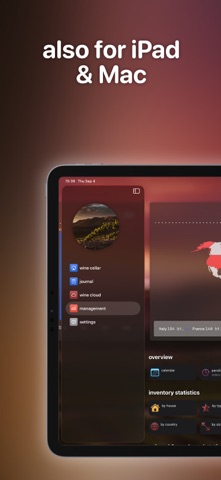
Our multi-platform wine cellar & lifestyle app is all you need for your personal wine experience! From basic management of bottles and vintages up to capturing your wine moments - the Wine Cellar Manager has you covered! Access your data on your iPhone, iPad & Mac with your iCloud Account. Key Features & Highlights: * Manage your wine inventory along with vintage specific data * Track your open bottles (for users of wine saver systems, including fill level & date) * Import wines from our Wine Cloud database * Create virtual wine racks and fridges - the Wine Cellar Manager supports multiple rooms and even houses for advanced use cases * Support for multiple currencies and bottle sizes * Mange your orders and subscriptions * The Journal tracks every cellar movement and allows you to track wines consumed outside of your cellar (e.g. restaurant) * Capture your Wine Moments by posting photos and connecting them with your Journal * Various filters for fast access * Different layouts and customization options * Statistics & graphics to analyze your inventory and purchases * Available for iPhone, iPad & Mac * Shared multi-user data access (Advanced Edition) Any questions? Just get in touch with our support: support@winemanager.app Cheers! Licence Agreement: https://www.apple.com/legal/internet-services/itunes/dev/stdeula/
What's new · 3.6.20
Organize, find, and enjoy your cellar more easily than ever. Discover what's new in our August/September 2026 update: > Highlights in Action Discover the latest features in a short video — provided for you directly when opening the app. You can now hide the warning to update your devices when using cloud sync — you're still responsible for keeping your devices up to date. > Wine List by Vintage Filters now work in the wine list by vintage, too. On iPad & Mac there's a dedicated view for it — right alongside the vintage overview panel on your start dashboard. > Your Last Sip? How long has it been? See when you last enjoyed a wine directly in its detail view, and filter your list for bottles you haven't enjoyed in months or years. > Vintage View & PDF Advanced Edition brings a new grouped layout to the wine list by vintage — a clean, menu-style overview with search and a producer quick-filter. When you're ready to share it, export the very same view as a PDF, grouped by vintage, right from that screen. > Wine Orders Adding wines to an order is faster with the new 'multi mode': the form stays open so you can add one entry after another without reopening it. We've also streamlined the flow for creating a new order — and on iPad & Mac, tap the 'Purchases' panel on your start view to switch straight to your pending orders. > Tracking Links Your order's tracking links are now just a tap away — open them directly from the menu on any pending order in the dashboard. We've also reworked how you add tracking URLs to an order. > Multi-Bottle Delete Delete several bottles at once when they share the same price and size. > Dashboard Vintage Range Your dashboard now shows the range of your collection's vintages (e.g. 1991–2022) instead of just the number of different vintages. > Behind the Scenes We've laid the groundwork for exciting features coming in future updates. Plus numerous refinements and fixes throughout. As always, we'd love to hear your feedback at support@winemanager.app Cheers!
Details