

Learn keyboard Shortcut keys
Merbin Joe · Education
Independent analytics for this App Store listing. AppTracker is not affiliated with Merbin Joe.
Chart standing · US
What changed · US
Listing changes AppTracker has observed for this app in this storefront — new versions, price moves, rating shifts, and store copy.
More Shortcut Keys Added – Discover and learn additional useful shortcuts. Video Tutorials – Learn shortcuts with easy-to-follow video guides. Complete UI Overhaul – Enjoy a fresh and improved interface. Performance Boost – Faster and smoother experience with upgraded technology. New Features Added – Explore exciting new functionalities. Update now and enhance your productivity!
Ratings breakdown · US
The star breakdown behind this app's rating in this storefront.
In-app purchases · US
No in-app purchases.
Screenshots




About
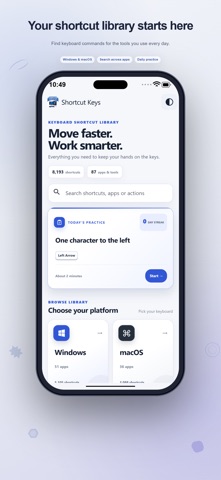
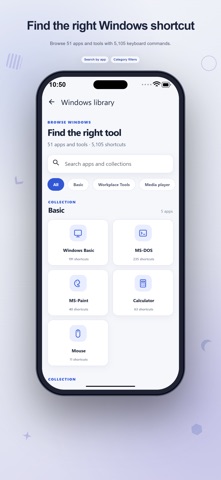
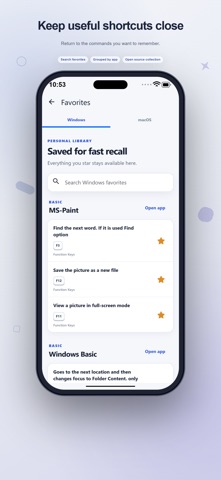
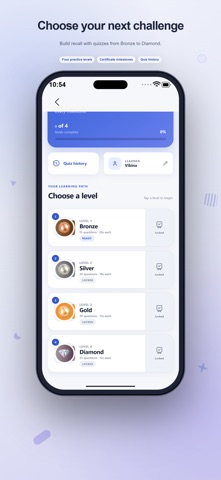
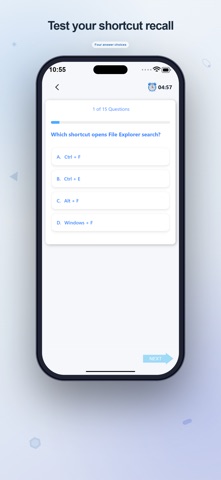
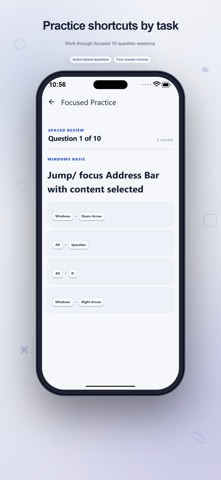
Turn a useful computer command into something you can remember. Shortcut Keys brings keyboard reference material, personal study collections and short recall exercises together, helping you move from looking up an action to practicing its key combination. A reference you can explore The bundled library contains 8,193 shortcut entries organized into 87 app and tool collections. Browse desktop platform sections and discover groups for workplace software, design tools, editors, internet tools and media players. Each entry pairs a key combination with its action, with keycap styling to make the individual keys easier to read. Look up a task from Home, search an application collection, or narrow global results by platform, favorites and mastered shortcuts. Recently browsed collections give you a way back to material you have already explored. This is a companion for learning computer commands: use the reference on your device while working with the corresponding software on your computer. Your own learning library Save useful shortcuts to Favorites and search them when you need a reminder. Build named decks for a topic, a class or a work routine, then add selected entries from their collections. Attach personal notes to explain when a shortcut is useful or how you want to remember it. Custom records let you add a key combination, its action, application, category, version label and optional note. Keep these personal entries alongside the built-in material for study. The records describe commands you want to remember; entering one does not change the keyboard settings of another application. Practice what matters to you My Learning offers practice from your favorites, a named deck, or a selected application and category. Answer multiple-choice questions and receive immediate feedback, including the correct combination when you miss an answer. A session result shows how many questions you answered correctly. Spaced review records your responses and adjusts when an entry is due again. Correct recalls move through longer review intervals, while missed answers return sooner. Check the due count before starting and see learning milestones in the achievements area. Make room for a daily session Daily Learning presents five questions and highlights a shortcut of the day. Track completed sessions, correct answers, current and longest streaks, and recent activity across the week. Review missed answers, read your weekly summary and follow the monthly progress goal. Separate timed quizzes are available when you want another recall challenge. Optional reminders fit your schedule. Choose a time and selected weekdays, then allow notifications when you enable the reminder. You decide whether to use this prompt as part of your study routine. Comfort and sharing Select light, dark or system appearance and choose a text size. Version labels and the hide-legacy option help you focus the visible reference. Share an individual shortcut as an image card. Some built-in entries include links to external video tutorials, which require connectivity. Reference browsing and local practice use bundled content and can work offline. Your favorites, decks, notes and review progress are stored locally on your device. Advertising is included, and online ads and linked videos need an internet connection. Begin with the software you use for study or work, collect a few relevant commands and practice them at your own pace.
What's new · 4.2
More Shortcut Keys Added – Discover and learn additional useful shortcuts. Video Tutorials – Learn shortcuts with easy-to-follow video guides. Complete UI Overhaul – Enjoy a fresh and improved interface. Performance Boost – Faster and smoother experience with upgraded technology. New Features Added – Explore exciting new functionalities. Update now and enhance your productivity!
Details