

Smart HTML Editor with AI
Merbin Joe · Education
Independent analytics for this App Store listing. AppTracker is not affiliated with Merbin Joe.
Chart standing · US
What changed · US
Listing changes AppTracker has observed for this app in this storefront — new versions, price moves, rating shifts, and store copy.
A redesigned app with a refreshed look and easier navigation. New tutorials to help you learn HTML, CSS, and JavaScript. Practice exercises to put what you’ve learned to work. More settings to personalize your editing experience. Improved editor layout when using the keyboard or rotating your device.
Ratings breakdown · US
The star breakdown behind this app's rating in this storefront.
In-app purchases · US
What this app sells inside itself, grouped by kind and priced for this storefront.
Screenshots



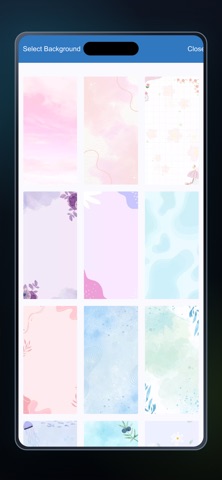
About
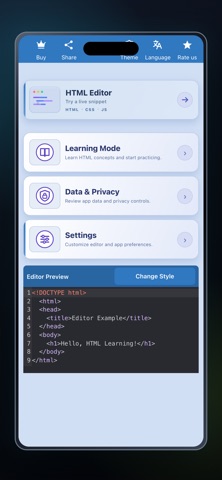
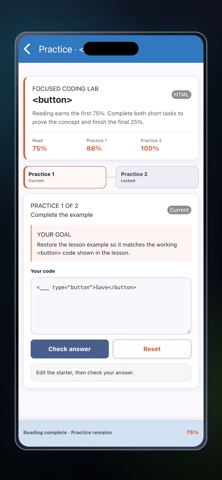
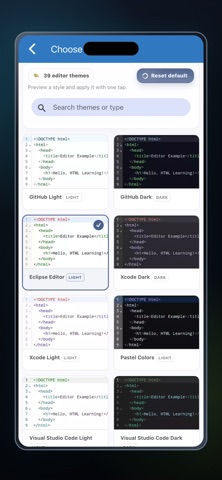
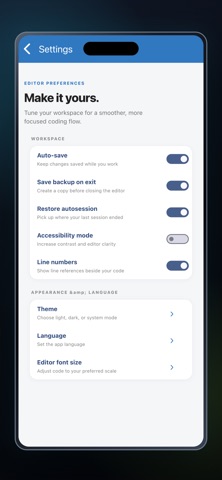
Create a web page wherever an idea arrives. HTML Editor lets you write HTML, CSS and JavaScript, view the rendered result, and explore short lessons in a single mobile workspace. A separate Output tab renders the page you are building, so you can check markup and styling as you go. Preview width controls offer phone, tablet and desktop views. You can turn automatic refresh on or off, then inspect the Console tab when your JavaScript produces messages. Move between writing and seeing the result at your own pace. The editor keeps the main writing tools close at hand. Create a document, reopen an existing HTML file, search or replace code, move to a line, and reverse a change with undo or redo. Syntax colors, line numbers, word wrapping and quick keys for common characters make longer edits easier to follow on a small screen. If you are learning web development, the Learning section adds a guided path alongside the editor. Search a concept or filter the library by HTML, CSS or JavaScript, then open an explanation and example. Practice tasks ask you to complete code and check your result. Progress indicators help you return to topics that still need work. Use the app as a compact web-page workspace: write markup, move to Output, inspect the result and revise. Phone, tablet and desktop preview modes help reveal layout differences. When script behavior needs attention, check the Console before returning to the source. Save or share the work after reviewing the result. Choose an editor style from the theme gallery and adjust text size for a more comfortable coding session. Display preferences include line numbers and wrapping. The app keeps these appearance controls separate from the document itself, so a visual preference can be changed while the source remains the focus. Projects do not have to end when you close a preview. Save your HTML file, open it again through the file browser, or create another copy with Save As. The app includes sharing and code-copy actions for moving work to another place. An optional auto-save setting supports ongoing edits, while manual Save remains available when you want to choose the moment. For extra help, the app includes an AI question flow. You can submit a coding question, read a returned answer with code examples, and open an example in the editor through Try It. Requests are handled online and may depend on service availability. Generated suggestions should be checked against your own goals and project. Whether you are following a lesson or making a quick change to a page, the app brings code, output and learning into one mobile workflow. It is suited to students, hobbyists and web developers working on HTML, CSS and JavaScript. Code that loads remote resources still depends on those resources being available. Make a small page, see what changed, and keep the file for the next session. The app is designed for learning by doing as well as everyday edits to web code. Terms of Use https://www.apple.com/legal/internet-services/itunes/dev/stdeula/
What's new · 5.6
A redesigned app with a refreshed look and easier navigation. New tutorials to help you learn HTML, CSS, and JavaScript. Practice exercises to put what you’ve learned to work. More settings to personalize your editing experience. Improved editor layout when using the keyboard or rotating your device.
Details