

NanoRadio
恒俭 董 · Music
Independent analytics for this App Store listing. AppTracker is not affiliated with 恒俭 董.
Chart standing · US
What changed · US
Listing changes AppTracker has observed for this app in this storefront — new versions, price moves, rating shifts, and store copy.
What's New • Alarm indicator: the alarm time now appears on the main screen and in Bedside Mode. • Wake-up Volume: set the alarm volume separately; the alarm fades in gently. • App Volume: adjust NanoRadio's volume from the station card or Bedside Mode without changing the device volume. • Bedside Mode now alerts you when an alarm is on and the device volume is low. • Bug fixes and stability improvements.
In-app purchases · US
What this app sells inside itself, grouped by kind and priced for this storefront.
Screenshots
About
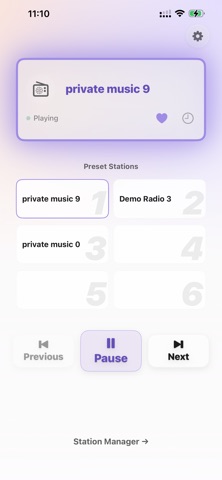
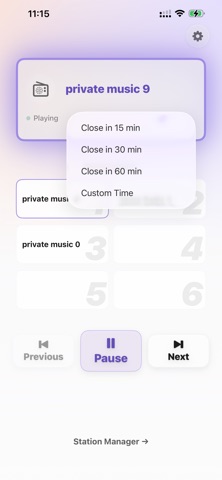
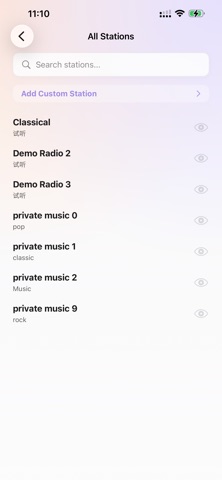
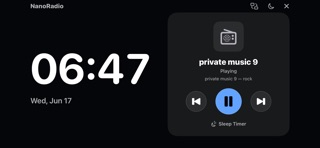
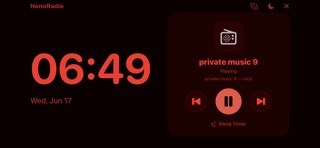
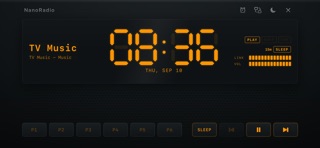
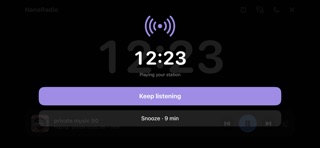
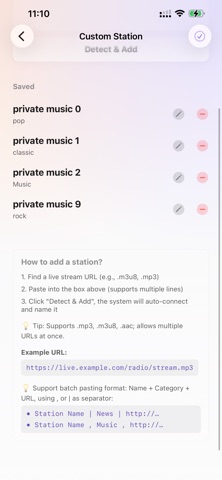
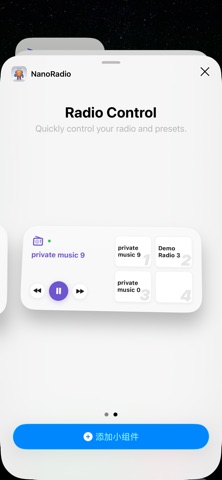
NanoRadio is a powerful, minimalist audio streaming tool designed for pure playback efficiency. Built from the ground up to provide a seamless listening experience, it allows you to bring your own audio streams and listen anywhere. Please note: NanoRadio is solely a playback tool. It does not provide, host, or distribute any copyrighted music or radio resources. Users must provide their own legally obtained streaming URLs. Key Features: • Custom Stream Import: Easily add your own audio or radio stream URLs (supports MP3, AAC, M3U8, etc.) and start listening instantly. • Preset Management: Save your favorite streams to quick-access preset slots for one-tap playback. • Apple Watch Integration: Control playback or listen directly from your wrist with our standalone Watch app. • Home Screen Widgets: Start playing your favorite presets directly from your desktop. • Sleep Timer: Fall asleep to your favorite audio streams with a customizable auto-stop timer. • Dark Mode & Minimal UI: A completely redesigned, distraction-free interface that supports dynamic theming. • Bedside Mode: Turn your iPhone into a nightstand radio clock. A full-screen, dimmable night clock shows the time alongside the station you're listening to, with large play / previous / next controls and a sleep timer that fades out automatically. Choose from three layouts (overview, minimal clock, or clock with a player bar) and a warm night color that's easy on the eyes in the dark — usable even when it isn't charging (charging overnight recommended). • CarPlay support: browse your stations and favorites right on your car's display, tap to play, and control playback (play/pause, previous/next station) from the dashboard. Perfect for listening to the radio while you drive. • WAKE WITH RADIO Fall asleep to the radio, wake up to it too. In bedside mode, set a time and NanoRadio starts your chosen station at exactly that moment — a gentle, familiar way to wake up instead of a harsh alarm tone. Pick any station, or simply let it resume the one you were listening to. If the station can't be reached — no signal, or the stream is down — a built-in tone takes over, so you're never left oversleeping. Together with the sleep timer, your bedside clock now handles both ends of the night: it stops the radio when you drift off, and starts it again when it's time to get up.
What's new · 1.4.5
What's New • Alarm indicator: the alarm time now appears on the main screen and in Bedside Mode. • Wake-up Volume: set the alarm volume separately; the alarm fades in gently. • App Volume: adjust NanoRadio's volume from the station card or Bedside Mode without changing the device volume. • Bedside Mode now alerts you when an alarm is on and the device volume is low. • Bug fixes and stability improvements.
Details