

InputStick AutoFill
Jakub Zawadzki · Utilities
Independent analytics for this App Store listing. AppTracker is not affiliated with Jakub Zawadzki.
Chart standing · US
Screenshots

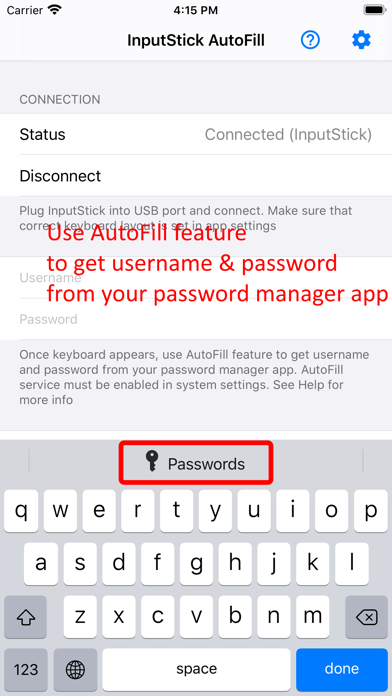

About
InputStick AutoFill app allows you to type login credentials (username and password) stored in your password manager app via USB in just two simple steps: 1) get login credentials from the password manager app using AutoFill feature 2) type username and/or password using InputStick USB receiver into any USB host You can now use long and complex passwords and no longer worry about having to type them manually. InputStick will type even long and complex passwords in less than a second. *** InputStick USB receiver (Bluetooth 4.0) is required! App does NOT work over USB cable! *** More info: www.inputstick.com InputStick USB receiver works with all USB hosts that supports generic HID keyboard and mouse: PCs, consoles, embedded systems. You don’t need to install custom drivers, additional software nor do any network configuration. Just plug InputStick into USB port and after few seconds it is ready to go. Supported USB host keyboard layouts: Croatian, Czech, Danish, Dutch, English (US, UK), Finnish, French (FR, BE, CA, CH), German (DE, CH), Greek, Hebrew, Hungarian, Italian, Japanese, Norwegian, Polish, Portuguese (PT, BR), Russian, Slovak, Spanish, Swedish, Vietnamese
What's new · 1.20
- supports the latest InputStick firmware
Details