

TimeClock Plus Clock
Data Management Inc. · Business
Independent analytics for this App Store listing. AppTracker is not affiliated with Data Management Inc.
Chart standing · US
What changed · US
Listing changes AppTracker has observed for this app in this storefront — new versions, price moves, rating shifts, and store copy.
Release 44 rebuilds the app on updated underlying technology. Everyday use feels quicker, navigation is smoother, and longer sessions hold up more reliably. This work also lets future updates reach you faster. Also in this release: - A more consistent look and feel, covering inputs, buttons, icons, dashboard widgets, and assignment cards - "Accept All" stays visible on group assignment requests spanning many days - The Kiosk configuration screen opens from the gear icon on the log-on screen - Discarded edits to staffing segments are no longer saved - Time-off requests save without an error when added or edited - Assignments display correctly in day view Thank you for your continued feedback. It helps make the app better with every release.
Ratings breakdown · US
The star breakdown behind this app's rating in this storefront.
In-app purchases · US
No in-app purchases.
Screenshots



About
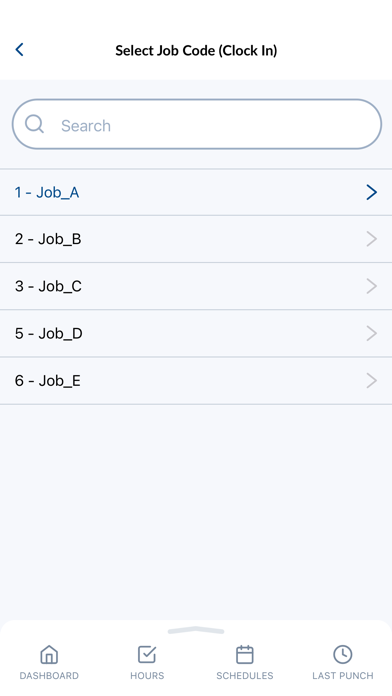
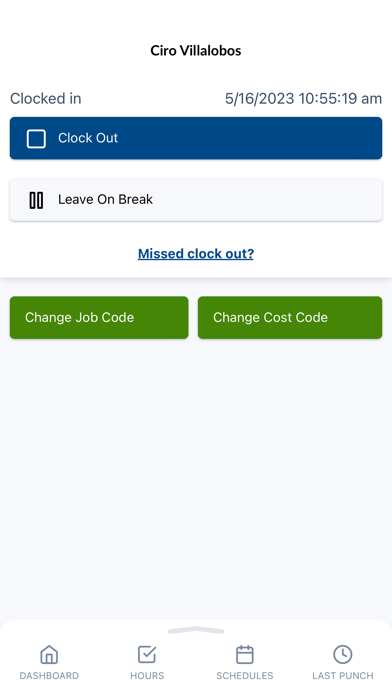
TimeClock Plus by TCP helps you get time right, every time. We make time tracking and leave management easier so you can focus on the job at hand. With the TimeClock Plus clock app, employees can clock in and out, change their job code, track breaks, view their schedules, request time off, and more right from their phones. The result? Reliable time capture, confident time tracking, and simpler leave management for everyone. Key Features: • Clock in and out with one tap • View your schedule and check shift details instantly • Submit time off requests and track your leave balances • View and approve hours • Receive timely notifications and messages • Convenient dashboard to find what you need, when you need it • Geolocation/geofencing for accurate time capture
What's new · 1.44.0
Release 44 rebuilds the app on updated underlying technology. Everyday use feels quicker, navigation is smoother, and longer sessions hold up more reliably. This work also lets future updates reach you faster. Also in this release: - A more consistent look and feel, covering inputs, buttons, icons, dashboard widgets, and assignment cards - "Accept All" stays visible on group assignment requests spanning many days - The Kiosk configuration screen opens from the gear icon on the log-on screen - Discarded edits to staffing segments are no longer saved - Time-off requests save without an error when added or edited - Assignments display correctly in day view Thank you for your continued feedback. It helps make the app better with every release.
Details