

ClearPathGPS Manager
CLEARPATHGPS LLC · Business
Independent analytics for this App Store listing. AppTracker is not affiliated with CLEARPATHGPS LLC.
Chart standing · US
What changed · US
Listing changes AppTracker has observed for this app in this storefront — new versions, price moves, rating shifts, and store copy.
Assets and Asset Pairing You can now view your assets and manage asset pairing right from the ClearPathGPS app. - Asset details: See an asset's paired vehicle, battery level with a low-battery warning, and its most recent event, including status, location, and time. - Paired assets: Open any vehicle to see the assets paired with it. - Asset Pairing: Pair new assets, unpair assets, or change the vehicle an asset is paired with. If an asset is already paired with another vehicle, you'll be asked to confirm before it moves. - Always in sync: Changes you make in the app show in the ClearPathGPS web app, and web changes show in the app when you refresh. - Admin controls: Account admins can choose which user roles can view or edit assets. Asset features are available on accounts with asset trackers.
Ratings breakdown · US
The star breakdown behind this app's rating in this storefront.
In-app purchases · US
No in-app purchases.
Screenshots
About
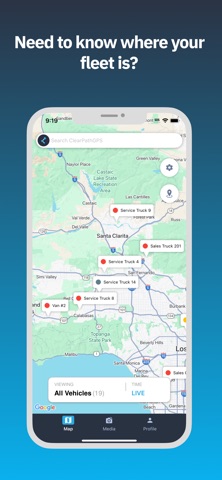
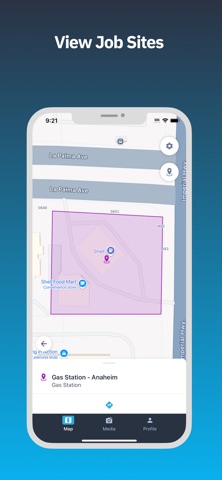
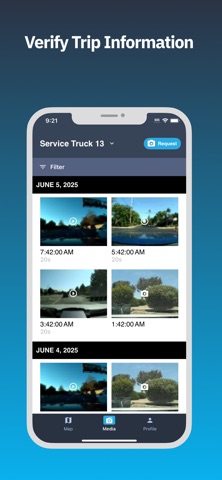
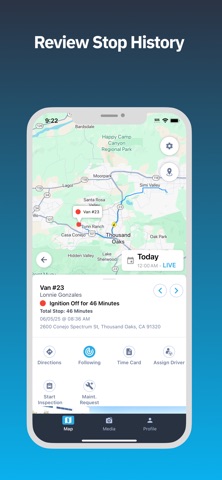
Bring the power of your existing ClearPathGPS account to your Apple iOS mobile device with the key features you need most to manage your vehicles, heavy equipment, and unpowered assets in the field. Get an instant, high level view of the location of your entire fleet. Select a group to monitor the safety, efficiency, and accountability of different parts of your team. Effortlessly pull geofence reports for important job sites, supply houses, and fueling locations. 30 second tracking with live 30 degree heading changes means you’ll know exactly which route your techs took in the event of an accident claim. Reroute technicians with ease using real-time traffic data and directions from Google. Quickly identify speeding, idling, PTO, and harsh braking safety events. Just like riding shotgun with your drivers, you can easily drop in on daily breadcrumb trails for each of your vehicles. One quick tap on any vehicle gives you the full story for that truck for whatever timeframe you select. Instantly see current location, status, stop time, and street view. Or get a virtual timecard in a couple of taps when you need proof of service. Paired with our full-featured web-based portal, your whole team can leverage ClearPathGPS to drive more profits…whether they are in the office, in the field, or out on the town. Requires an existing ClearPathGPS account and vehicles with active ClearPathGPS tracking devices installed.
What's new · 3.7.0
Assets and Asset Pairing You can now view your assets and manage asset pairing right from the ClearPathGPS app. - Asset details: See an asset's paired vehicle, battery level with a low-battery warning, and its most recent event, including status, location, and time. - Paired assets: Open any vehicle to see the assets paired with it. - Asset Pairing: Pair new assets, unpair assets, or change the vehicle an asset is paired with. If an asset is already paired with another vehicle, you'll be asked to confirm before it moves. - Always in sync: Changes you make in the app show in the ClearPathGPS web app, and web changes show in the app when you refresh. - Admin controls: Account admins can choose which user roles can view or edit assets. Asset features are available on accounts with asset trackers.
Details