

Orion Browser by Kagi
Kagi Inc. · Utilities
Independent analytics for this App Store listing. AppTracker is not affiliated with Kagi Inc.
Chart standing · US
What changed · US
Listing changes AppTracker has observed for this app in this storefront — new versions, price moves, rating shifts, and store copy.
New - Complete rework of how we handle Universal Links, improved UI (Prompt *before* opening a 3rd party app [#14363 by @What]) - Arrow keys to choose address bar suggestions with a hardware keyboard on iPad Improvements - Current tab highlighted in the tab grid Fixes - Cannot export bookmarks, other issues [#14544 by @BlakeSun] - Keyboard shortcuts do not work while address bar is focused on iPad [#14425 by @dtinth] - URL cut off in the collapsed address bar on iPad when there is room to show it - Address bar text cut off when opening a new tab from the tab grid on iPad - Login popup for extension not responsive [#14373 by @Willythehutjunior] - Migaku Extension doesn't show anything on load [#2249 by @osdiab] - Extension toolbar icons set from image data not showing - No Tab Button in Landscape, three dot button without function [#14593 by @nightmare28] - Crash when opening a link from another app in landscape at launch - Crash while start page icons load - Crash when network settings change on iOS 27
Price & rating history · US
Reconstructed from the listing changes AppTracker has observed in this storefront. A field is charted once it has changed more than once, and each line starts at the value it moved from.
Average rating · ★ 4.04 now · 15 changes on record
Ratings breakdown · US
The star breakdown behind this app's rating in this storefront.
In-app purchases · US
What this app sells inside itself, grouped by kind and priced for this storefront.
Screenshots



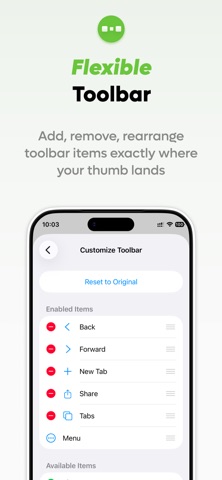

About
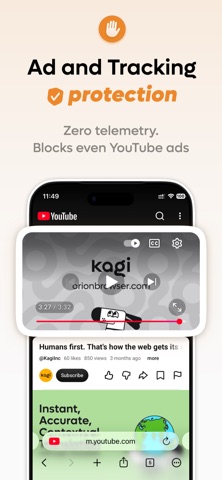
Orion is a fast, free, web browser for iPhone and iPad with no ads, no telemetry. Check also Orion for your Mac desktop. Orion has been engineered from ground up as a truly privacy-respecting browser. We did it by embracing a simple principle - Orion is a zero telemetry browser. Your private information will never leave Orion by default. And to protect your privacy on the web, Orion comes with industry-leading anti-tracking technology as well as a powerful built-in ad-blocker. --- Privacy Policy: https://orionbrowser.com/privacy License Agreement: https://www.apple.com/legal/internet-services/itunes/dev/stdeula/
What's new · 1.5.5
New - Complete rework of how we handle Universal Links, improved UI (Prompt *before* opening a 3rd party app [#14363 by @What]) - Arrow keys to choose address bar suggestions with a hardware keyboard on iPad Improvements - Current tab highlighted in the tab grid Fixes - Cannot export bookmarks, other issues [#14544 by @BlakeSun] - Keyboard shortcuts do not work while address bar is focused on iPad [#14425 by @dtinth] - URL cut off in the collapsed address bar on iPad when there is room to show it - Address bar text cut off when opening a new tab from the tab grid on iPad - Login popup for extension not responsive [#14373 by @Willythehutjunior] - Migaku Extension doesn't show anything on load [#2249 by @osdiab] - Extension toolbar icons set from image data not showing - No Tab Button in Landscape, three dot button without function [#14593 by @nightmare28] - Crash when opening a link from another app in landscape at launch - Crash while start page icons load - Crash when network settings change on iOS 27
Details