

SellerAmp SAS
Seller Amp Limited · Utilities
Independent analytics for this App Store listing. AppTracker is not affiliated with Seller Amp Limited.
Chart standing · US
What changed · US
Listing changes AppTracker has observed for this app in this storefront — new versions, price moves, rating shifts, and store copy.
Price & rating history · US
Reconstructed from the listing changes AppTracker has observed in this storefront. A field is charted once it has changed more than once, and each line starts at the value it moved from.
Average rating · ★ 3.61 now · 2 changes on record
Ratings breakdown · US
The star breakdown behind this app's rating in this storefront.
In-app purchases · US
No in-app purchases.
Screenshots



About
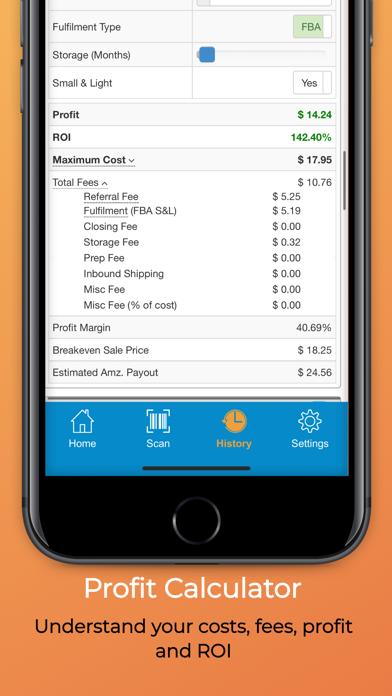
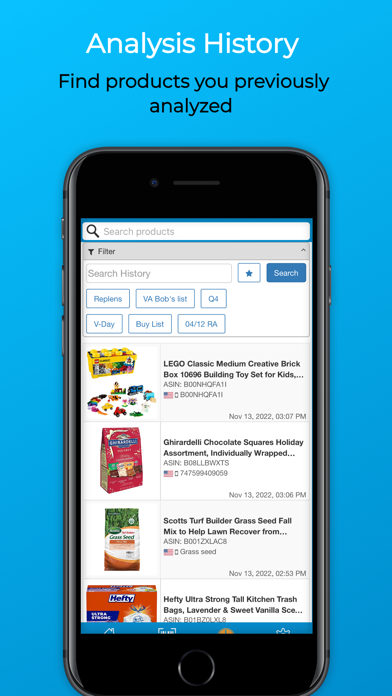
Quickly analyze products to sell on Amazon using SellerAmp SAS. SellerAmp SAS saves you time when sourcing via retail or online arbitrage by searching Amazon’s database for matching products, and answers key questions: Can you sell it? - Are you eligible to sell the product - Is it Hazmat - Is it Private Label - Any known IP issues - Are there variations - Is it meltable …and more Does it sell? - Current and historic BSR (Sales Rank) averages - Estimated sales - Competing offers, prices and stock levels - Interactive price and BSR history charts driven from Keepa data Is it profitable? - Profit calculator factoring all Amazon fees and your costs - Instantly calculate ROI, profit, profit margin, break even sale price, etc. - See the maximum cost to meet your ROI and profit criteria SAS also provides powerful tools to help you find and organize your analysis: - History of all products you analyze - Storefront Search: see products of any Amazon storefront - Export data to Google sheets - Variations viewer - Integrations with sourcing and business management tools - Notes and tags to organize your sourcing SellerAmp SAS supports the following Amazon marketplaces: US, UK, Canada, France, Germany, Italy and Spain. SellerAmp SAS subscription required.
What's new · 1.83
Introducing the new Scan Analysis List feature in Speed Mode. Use this mode when you want to scan a lot of product barcodes quickly but don't have time to analyse them, or you don't have an internet connection.
Details